


Abelssoft SyncManager 2023 22.03.47537 Multilingual
Category: Apps (SEO/Marketing/Design)
- views: 38
- date: 18 May 2023
- posted by: mitsumi
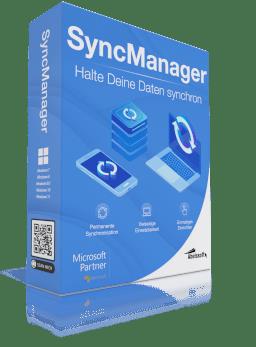
Abelssoft SyncManager 2023 22.03.47537 Multilingual
File size: 10 MB
File size: 10 MB
SyncManager can be used on all Windows computers. It relieves the user in everyday life many tasks around the topic "synchronize files" and takes care as a "data butler" that all files are always in the right place.
The tool waits in the background for certain events to occur (such as the connection of a device) - and then independently takes care of the tasks once they have been defined. And it does this every day anew.
Synchronizes data to any place
SyncManager synchronizes any data like images, MP3 and Co. between directories, disks and devices.
Works independently in the background
SyncManger is your personal data butler. Chosen synchronization jobs are automatically done in the background, for example when a specified USB device gets connected to your computer. Provides four useful types of synchronization
Choose between four useful types of synchronization: permanent, manual, daily or weekly.
Features
Keep your data in sync
Not only practical, but also time-saving: The SyncManager synchronizes data in the background between any folder, different hard drives or other established devices. You can, for example, automatically copy your latest camera images to the desired archive, or perform an automatic weekly backup of your sensitive data to a connected external hard drive. No matter what you choose, the SyncManager takes care of the job. Reliable and comfortable.
Set up once - never worry again
Setting up a synchronization job for any device, like a camera, is really easy. And once done you don't have to worry about it again. Every time a corresponding device is plugged into your PC, Syncmanager works on the related job and synchronizes your data in the background without bothering you. It's that simple!
Need more control
How often do you want to synchronize your data? You can choose between four different options: continuous, manual, daily or weekly. Your synchronization jobs are presented to you in a clear and easy way and can be changed and adjusted with only a few clicks, so you have everything under control. Always.
Ready for Windows 10
This application has been already optimized for Windows 10. This means for you: You don't have to care which Windows operating system you have installed, you can buy this application today and even when you are switching to Windows 10 you can continue using this application without problems.
Whats New
Updates: official site does not provide any info about changes in this version
Homepage:
https://www.abelssoft.de/en/windowsDownload link
rapidgator.net:
uploadgig.com:
nitroflare.com:
1dl.net:
We need your support!
Make a donation to help us stay online

Bitcoin (BTC)
bc1q08g9d22cxkawsjlf8etuek2pc9n2a3hs4cdrld

Bitcoin Cash (BCH)
qqvwexzhvgauxq2apgc4j0ewvcak6hh6lsnzmvtkem

Ethereum (ETH)
0xb55513D2c91A6e3c497621644ec99e206CDaf239

Litecoin (LTC)
ltc1qt6g2trfv9tjs4qj68sqc4uf0ukvc9jpnsyt59u

USDT (ERC20)
0xb55513D2c91A6e3c497621644ec99e206CDaf239

USDT (TRC20)
TYdPNrz7v1P9riWBWZ317oBgJueheGjATm
Information |
|||
 |
Users of GUESTS are not allowed to comment this publication. | ||