


Vizoo3D xTex 2.7.1 (x64)
Category: Apps (SEO/Marketing/Design)
- views: 150
- date: 27 April 2023
- posted by: voska89
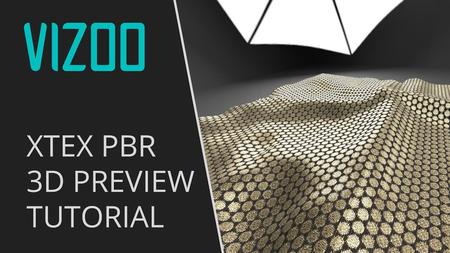
Free Download Vizoo3D xTex 2.7.1 (x64) | 275 Mb
Tired of Photoshop and Crazybump? You can now profit from the unbeaten xTex workflow even if you do not own our scanner. Use images from the internet, from a flatbed scanner or a digital camera and create seamless materials faster than ever before.
xTex creates all maps automatically
Select the textures to create and load your image into xTex. Et voilà!
Different texture maps in xTex
xTex currently supports these texture types: Color/Diffuse/Albedo, Specular, Normal, Roughness, Displacement, Alpha/Transparency.
Best in class tiling algorithms
Use our great tools to create seamless textures.
You have the choice between Stitching and Synthesis algorithms to achieve the best possible result for any use case.
Seamlessly tiled texture in xTex
You can choose between two types of special algorithms for automatic tiling - Stitching and Synthesis. Both create seamless textures and can be used intuitively, based on your input and the individual requirements of the material. With Synthesis you can even customize the output size and create large textures from small samples.
Adjustable normal maps
Finetune your normal maps and preview the effect directly in 3D!
Adjustment of a normal map in xTex
Transparency detection
No more tedious manual selection of transparent parts. Define the transparent color and let xTex create an accurate Alpha map based on pixel color.
Transparency detection in xTex
Use a flat, solid-colored cardboard or paper below the the material to capture its transparent areas.
Easy recoloring
You have different color variations of one material? No need to scan them seperately - with xTex you can easily recolor your materials.
Material in different color variations
The recoloring tool automatically detects the colors in the image.
Internal 3D realtime viewport
Preview your textures and materials inside xTex. You can choose between different geometries and surroundings or even load your own.
3D preview of a material in xTex
The internal renderer is in realtime and OpenGL based. xTex comes with some base geometries (Sphere, Plane and Cloth) and environment textures but you can also load your own. Supported geometry format is Collada (.dae).
Well connected
xTex textures are universal and suitable for basically every 3D software.
For many programs we have even built a direct connection to transfer material data with the push of a button.
Transferring a material from xTex to VRED
Direct connection is available for the following programs:
3DsMax, Maya, VRED (all Autodesk), Blender, Clo3D (by import), V-Stitcher (by import), Vidya (by import).
Connected with Photoshop
You will hardly ever need it - but xTex integrates well with Photoshop.
Transferring a material from xTex to Photoshop
xTex sends single textures or entire materials to Photoshop. After editing you can get the result back in xTex, with the push of a single button.
Home Page-
https://www.vizoo3d.com/DOWNLOAD LINK
Links are Interchangeable - Single Extraction
We need your support!
Make a donation to help us stay online

Bitcoin (BTC)
bc1q08g9d22cxkawsjlf8etuek2pc9n2a3hs4cdrld

Bitcoin Cash (BCH)
qqvwexzhvgauxq2apgc4j0ewvcak6hh6lsnzmvtkem

Ethereum (ETH)
0xb55513D2c91A6e3c497621644ec99e206CDaf239

Litecoin (LTC)
ltc1qt6g2trfv9tjs4qj68sqc4uf0ukvc9jpnsyt59u

USDT (ERC20)
0xb55513D2c91A6e3c497621644ec99e206CDaf239

USDT (TRC20)
TYdPNrz7v1P9riWBWZ317oBgJueheGjATm
Information |
|||
 |
Users of GUESTS are not allowed to comment this publication. | ||