


Seagate SeaTools for Windows 5.1.181 Multilingual
Category: Apps (SEO/Marketing/Design)
- views: 90
- date: 20 April 2023
- posted by: oaxino
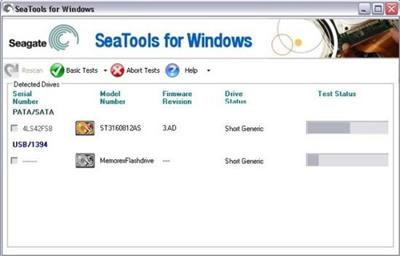
Seagate SeaTools for Windows 5.1.181 Multilingual
File Size : 49.2 Mb
File Size : 49.2 Mb
SeaTools for Windows is a comprehensive, easy-to-use diagnostic tool that helps you quickly determine the condition of the disk drive in your external hard drive, desktop or notebook computer. It includes several tests that will examine the physical media on your Seagate, Maxtor or Samsung disk drive and any non-Seagate disk drive. SeaTools for Windows should run on both internal and external hard drives.
After testing, a large percentage of the drives returned to Seagate for warranty replacement are perfectly good drives with "No Problem Found" (NPF). Returning a drive for warranty service means system downtime and inconvenience for you in packing and returning your drive product. Before you send in a drive, it is in your best interest to determine if a replacement drive is really necessary. This hard disk diagnostic utility will help you make that determination and possibly save you time and money and preserve your data.
Some typical reasons for No Problem Found are
File System Corruption
Driver Corruption
Broken Master Boot Record
Virus and Trojan Attack
Spyware, Adware and Keystroke loggers
Hardware Conflicts
Step 1
Download the SeaTools for Windows file. Once the download starts, you will be prompted to either run the application, save the application or cancel the download. Click the Save button to save the application.
Step 2
When you click on the Save button the Save As dialog will be launched. You may either save the application to your Desktop or to a folder of your choice.
Step 3
After the SeaTools for Windows application has been downloaded and saved to the location you select, click on the SeaTools file to launch the Windows Installation Wizard.
Step 4
Follow the instructions in the Wizard to complete the installation process.
Whats New
Updates: official site does not provide any info about changes in this version
Homepage:
http://www.seagate.com/gb/en/Download link
rapidgator.net:
nitroflare.com:
ddownload.com:
1dl.net:
We need your support!
Make a donation to help us stay online

Bitcoin (BTC)
bc1q08g9d22cxkawsjlf8etuek2pc9n2a3hs4cdrld

Bitcoin Cash (BCH)
qqvwexzhvgauxq2apgc4j0ewvcak6hh6lsnzmvtkem

Ethereum (ETH)
0xb55513D2c91A6e3c497621644ec99e206CDaf239

Litecoin (LTC)
ltc1qt6g2trfv9tjs4qj68sqc4uf0ukvc9jpnsyt59u

USDT (ERC20)
0xb55513D2c91A6e3c497621644ec99e206CDaf239

USDT (TRC20)
TYdPNrz7v1P9riWBWZ317oBgJueheGjATm
Information |
|||
 |
Users of GUESTS are not allowed to comment this publication. | ||