


Amazing Slideshow Maker 4.8.0 Multilingual
Category: Apps (SEO/Marketing/Design)
- views: 198
- date: 24 March 2023
- posted by: mitsumi
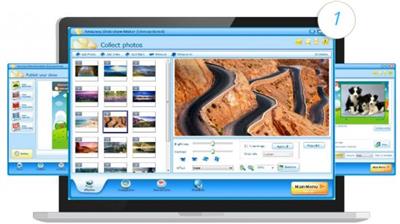
Amazing Slideshow Maker 4.8.0 Multilingual
File size: 32.11 MB
File size: 32.11 MB
Amazing Slideshow Maker is an easy-to-use slideshow creation tool to help you create fantastic slideshows on your computer by adding photos, videos and audio files. It is full of effects including zoom, crop, fade, panning, zooming and more to bring your slideshows to life. Up to 80 different free animated templates are provided for users. It also offers many decorative effects for photos and videos. You can publish you slideshow as SWF/HTML, Executable, Screen Saver, Video File or HTML5 Video. Amazing Slideshow Maker software supports HD/1080P/4K Ultra HD video output.
Why Do You Need Slideshow Maker Software
If you want to make photo/video slideshows for birthday party, family gathering, family vacation, summer vacation, wedding, memorial tribute, presentation, slideshow module, daily work, instagram story, Facebook, YouTube, TV, website, funeral and more other things, Amazing Slideshow Maker software will be your best choice.
How to Make a Slideshow with Amazing Slideshow Maker Software
You can make slideshows in 4 steps. Step 1 load photo/video files. You can edit photos and videos files, such as adjust brightness/contrast, rotate photos, crop images/videos, add effect (Gray, Inverse, sculpture) and add hyperlink; Step 2 choose a template. You can download more templates. It allows you to add music files from local computer. ; Step 3 decorates your slideshow. You can add text/clipart/custom clipart/sound to photos/videos and select transition for each added photo/video file; Step 4 publishes your slideshow as different file formats. You can preview slideshow on its interface or preview it in browse before conversion.
What's new
• official site does not provide any info about changes in this version
Homepage:
http://amazing-share.com/Download link
rapidgator.net:
uploadgig.com:
nitroflare.com:
1dl.net:
We need your support!
Make a donation to help us stay online

Bitcoin (BTC)
bc1q08g9d22cxkawsjlf8etuek2pc9n2a3hs4cdrld

Bitcoin Cash (BCH)
qqvwexzhvgauxq2apgc4j0ewvcak6hh6lsnzmvtkem

Ethereum (ETH)
0xb55513D2c91A6e3c497621644ec99e206CDaf239

Litecoin (LTC)
ltc1qt6g2trfv9tjs4qj68sqc4uf0ukvc9jpnsyt59u

USDT (ERC20)
0xb55513D2c91A6e3c497621644ec99e206CDaf239

USDT (TRC20)
TYdPNrz7v1P9riWBWZ317oBgJueheGjATm
Information |
|||
 |
Users of GUESTS are not allowed to comment this publication. | ||