


Professor Teaches Windows 11 v1.0 (WiN)
Category: Apps (SEO/Marketing/Design)
- views: 338
- date: 7 December 2022
- posted by: mata00
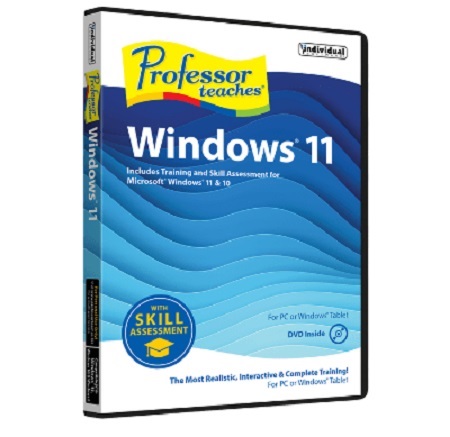
Professor Teaches Windows 11 v1.0 (WiN)
Languages: English
File Size: 530.36 MB
Professor Teaches® Windows® 11 with Skill Assessment - Professor Teaches Windows 11 is a Tutorial Set Download with Interactive, Realistic Training for Windows 11 and Windows 10. Learn in a realistic simulation of the actual interface of Windows 11 and Windows 10.
Product Description
- Learn in a realistic simulation of the actual interface of Windows 11 and Windows 10
- Hands-on interactive lessons help you retain 100% of what you learn
- Easy navigation and concise chapter summaries
- End-of-chapter quiz questions and checkmarks for completed lessons
- Learn with Professor Answers Just-in-Time learning and go directly to the lesson you want to learn
- Skill Assessment Tests help you evaluate your knowledge before you begin the training
- Evaluate your knowledge after finishing your course learning to identify weak areas for you to review
- Helpful index and glossary ensure your training will be complete
The Professor Teaches Complete Learning System
Includes all these features for both Windows 11 and Windows 10.
- Just-in-Time Professor Answers
- Skill Assessment – Pre and Post Test
- Self-Paced Learning Objectives
- Introductions & Summaries
- Professional Voice Narration
- Realistic Simulation of the Actual Interface
- End-of-Chapter Quiz Questions
- Checkmarks for Completed Lessons
- Glossary, Index & Search
Learn to Use All the Features of Windows 11 — Build Your Skills & Increase Your Productivity!
Windows 11 allows you to access and share your information in new ways when you learn the new features from Professor Teaches. This comprehensive training tutorial with over 60 lessons will show you how to navigate Windows 11, from getting started, using the desktop, personalizing Windows 11, browsing the Internet, and more! These fully interactive and complete tutorials are organized for fast and easy learning with practical exercises to help you build new skills and become proficient using Windows 11.
- Getting Started
- Using the Desktop
- Working with File Explorer
- The Cloud and System Settings
- Personalizing Windows 11
- Working with Applications & Accessories
- Printing with Windows 11
- Browsing the Internet
- Protecting Windows Against Threats
System Requirements
Windows® PC • Windows® 11, 10, or 8 • Average 150 MB hard drive space available per application • 1280 x 768, 16-bit color display recommended • Sound card • Mouse • Speakers or headphones
Link Download
Download Via UploadGig
https://uploadgig.com/file/download/940b539984295dd8/ProfessorTeachesWindows11v10WiN.part1.rar
https://uploadgig.com/file/download/65B11d47410b5d7e/ProfessorTeachesWindows11v10WiN.part2.rar
Download Via Rapidgator
Extract files with WinRar 5 or Latest !
We need your support!
Make a donation to help us stay online

Bitcoin (BTC)
bc1q08g9d22cxkawsjlf8etuek2pc9n2a3hs4cdrld

Bitcoin Cash (BCH)
qqvwexzhvgauxq2apgc4j0ewvcak6hh6lsnzmvtkem

Ethereum (ETH)
0xb55513D2c91A6e3c497621644ec99e206CDaf239

Litecoin (LTC)
ltc1qt6g2trfv9tjs4qj68sqc4uf0ukvc9jpnsyt59u

USDT (ERC20)
0xb55513D2c91A6e3c497621644ec99e206CDaf239

USDT (TRC20)
TYdPNrz7v1P9riWBWZ317oBgJueheGjATm
Information |
|||
 |
Users of GUESTS are not allowed to comment this publication. | ||