


progeCAD 2022 Professional 22.0.12.12 (English)
Category: Apps (SEO/Marketing/Design)
- views: 261
- date: 20 July 2022
- posted by: mata00
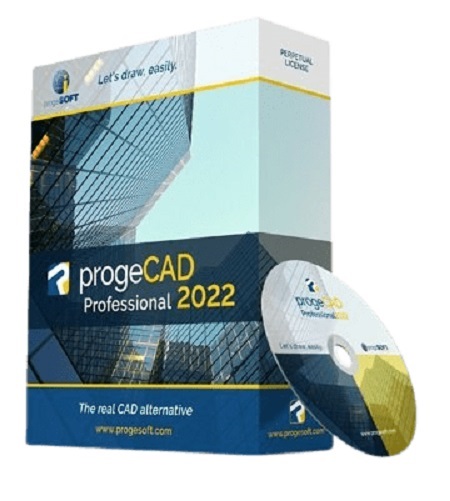
progeCAD 2022 Professional 22.0.12.12 (English)
Languages: English
File Size: 740.49 MB
progeCAD is an AutoCADВ® compatible 2D/3D CAD application that works with AutoCADВ® DWG files from v. 2.5 to v. 2022 and imports Autodesk RevitВ® and IFC files! The best solution for AEC, MCAD and all generic CAD usages. progeCAD sells with perpetual licensing and offers more CAD functions than AutoCADВ® LT at a fraction of the cost of AutoCADВ®, ArchiCADВ® or MicrostationВ®.
10 Reasons for progeCAD Professional
- Perpetual Licensing! No annual fee. You decide when to upgrade
- Nothing to learn, if you are AutoCADВ® users
- Works natively with DWG! Fully compatible with AutoCADВ® without conversion
- Import BIM projects and objects (Autodesk RevitВ® and IFC)
- PDF to DWG conversion included
- Convert your old paper draughts into CAD!
- Create architectural layouts in a flash with the EasyArch parametric plug-in
- 22.000 blocks ready to use + customizable blocks manager
- Import/Export - STEP, IGES, PDF, 3D PDF, DWF, 3DS, DAE, LWO, POV, Maya, OBJ, BMP, JPG, WMF, EMF, SVG
- Professional Artisan Render Engine included
progeCAD Advanced Features
- PDF Export with Layers - includes PDF/A ISO19005 Standard export
- PDF to DWG conversion
- Insert BIM models into DWG. IFC and Autodesk RevitВ® files supported
- Exports STEP, IGES, PDF, DWF, 3DS, DAE (Collada), STL, LWO, POV, MA(Maya), OBJ(Wavefront), BMP, JPG, WMF, EMF, SVG
- Imports STEP, IGES, IFC, Rvt/Rfa (RevitВ®), ESRI-SHAPE SHP, 3DS, DGN(Microstation), LWO, OBJ, STL, IFC, RGT, KMZ, DXF, DWF, DWFx
- PointCloud import (ReCapВ® .rcp, .rcs, .pcg, .isd, .xyz, .ply, .las, .laz)
- Customizable Toolpalettes for Blocks, Hatches and frequently used Commands
- 3D Print - STL export for 3D Printer output
- iCADLib Blocks Manager. More than 22.000 2D/3D ready-to-use blocks
- Direct access to Traceparts, Cadenas and BIM&CO with millions of blocks and BIM objects ready-to-use
- Dynamic blocks editing
- EasyArch - 2D and 3D building plugin for architects
- SuperHatch
- Helix and Loft Commands
- Multileaders
- ADDSELECTED - create a new object of the same type and general properties of a selected object.
- Gradient Hatch
- Bitmap/Raster support - Jpeg, TIFF, Png, Gif, ECW, MrSID and Jpeg 2000
- Bitmap polygonal clipping
- Plot Margin Customization - cover the entire sheet area
- Digital signatures to .dwg files
- AUTOSEZ automatic creation of surface profiles (Topographic Sections - AutoCAD Civil 3D Feature)
- SLOPE creation of slope patterns
- Block Editor (BEDIT)
- Availability of industrial standard PantoneВ® and RALв„ў Color Books
- Optimization for 4K displays
- Dynamic UCS
- Dynamic Input
- AEC, Civil, GeoMaps, Mechanical objects support
- Flatshot command - Generates an accurate flat view of a 3D model
- AREATEXT - Calculate boundary area and place the text with the value in the center of the area.
- Formulas in Tables: table cells can contain formulas
- ARRAYPATH - Place object copies uniformly along a path or a portion of a path
- Find and Replace
- Express Tools - A complete set of Extra functions for Blocks, Layers, Texts
- Annotative Objects
- Arc Aligned Text
- Multigrip Editing
- Render engine - progeCAD integrates for free the Artisan Renderer module
- Automatic Perspective image correction
- 3DConnection SpaceMouse support
- eTransmit - Compacting and transmitting DWG files with dependences by email
- Eattedit - Advanced Attribute editing
- Advanced Data Extraction
- QDIM - Quick dimensioning
- Google EarthTM Integration
- Spell Checker
- Publish (Batch Plot)
- Raster to Vector converter - Convert your paper drawings to editable DWG files
- Cloud - Share files on Cloud - Supports the major cloud services for file sharing and syncing like DropBox, Google Drive and Microsoft One Drive
- BetterWMF Integration
System Requirements
- Operating System: Windows 7В®, Windows 8В®, Windows 8.1В® , Windows 10В® or Windows 11В® (64-bit)
* Only 64 bit systems are supported
- CPU: 2.2 GHz or faster (recommended almost 2.5 GHz or more) ARM Processors are not supported.​​​​​
- RAM: Minimum 4 GB (8 GB recommended)
- Disk Space:: 4 GB of free space
- Video Card: For optimum performance, it is recommended to use machines with a dedicated video card nVidia or AMD (nVidia GeForce recommended for 3D and Render)
Link Download
Download Via UploadGig
https://uploadgig.com/file/download/eeCB68678aF535e1/progeCAD2022Professional2201212x64.part1.rar
https://uploadgig.com/file/download/90F65654432b8a34/progeCAD2022Professional2201212x64.part2.rar
Download Via Rapidgator
https://rapidgator.net/folder/6673387/progeCAD2022Professional2201212x64.html
Extract files with WinRar 5 or Latest !
We need your support!
Make a donation to help us stay online

Bitcoin (BTC)
bc1q08g9d22cxkawsjlf8etuek2pc9n2a3hs4cdrld

Bitcoin Cash (BCH)
qqvwexzhvgauxq2apgc4j0ewvcak6hh6lsnzmvtkem

Ethereum (ETH)
0xb55513D2c91A6e3c497621644ec99e206CDaf239

Litecoin (LTC)
ltc1qt6g2trfv9tjs4qj68sqc4uf0ukvc9jpnsyt59u

USDT (ERC20)
0xb55513D2c91A6e3c497621644ec99e206CDaf239

USDT (TRC20)
TYdPNrz7v1P9riWBWZ317oBgJueheGjATm
Information |
|||
 |
Users of GUESTS are not allowed to comment this publication. | ||