


Tekla Structures 2020 SP5 build 65293 Multilanguage (x64)
Category: Apps (SEO/Marketing/Design)
- views: 456
- date: 13 August 2021
- posted by: mata00
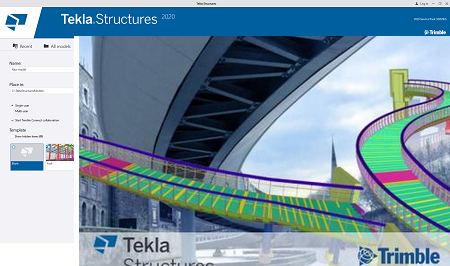
Trimble Tekla Structures 2020 SP5 build 65293 Multilanguage (x64) | 2.9 GB
Trimble introduced the last version of Tekla software for advanced Building Information Modeling (BIM) - Tekla Structures 2020 SP5 build 65293. In addition to fixes, this service pack delivers useful improvements: Document manager now has new quick access buttons for several commands and dimension mark placing has been improved.
2020 SP5: New features and improvements
New buttons in Document manager
The commands Lock, Unlock, Freeze, Freeze off, Mark drawing ready for issuing, Unmark drawing ready for issuing, Issue, and Unissue are now available for quick access as buttons at the top of the dialog box. You can hide this set of buttons by clicking the arrow next to the buttons. These commands are still available in the context menu as previously.
More controlled rebar dimension mark placing
Previously the manual rebar dimension mark creation ignored the defined dimension placing settings and always used free placing, and automatically determined the location of the dimension.
Now, the default value for the Placing setting in is fixed in all environments. When you create a rebar dimension mark, you will be asked to pick a location for the dimension line
You can create rebar dimension marks using the Dimension Mark command on the context menu or the Rebar command on the ribbon.
The Placing setting is considered during manual dimension creation as follows:
- If you have selected more than one rebar object, the Dimension Mark command ignores the fixed option and automatically places the rebar dimension mark for each selected rebar object.
- If you have selected only one rebar object, and Placing is set to fixed, you will be prompted to pick a position for the dimension.
- If you have selected only one rebar object, and Placing is set to free, the dimension will be placed automatically.
- With the Rebar command on the ribbon, you can create rebar dimension marks without selecting a rebar object first. In this case, you will be prompted to pick a rebar object:
-If Placing is set to fixed, you will be prompted to pick a position for the dimension, and if Placing is set to free, the dimension will be placed automatically.
-After the dimension has been placed either manually or automatically, you will be prompted to pick another rebar object.
Release info:
- Tekla Structures 2020 SP5 build 65293 Update Only Update
- Tekla Structures 2020 SP5 build 65293 Enviromenets All Languages
System Requirements:
Tekla Structures 2020 hardware recommendations
Operating system requirements
Tekla Structures 2020 runs on the following operating systems:
- 64-bit Windows 10
- 64-bit Windows 8.1
Other operating systems are not supported.
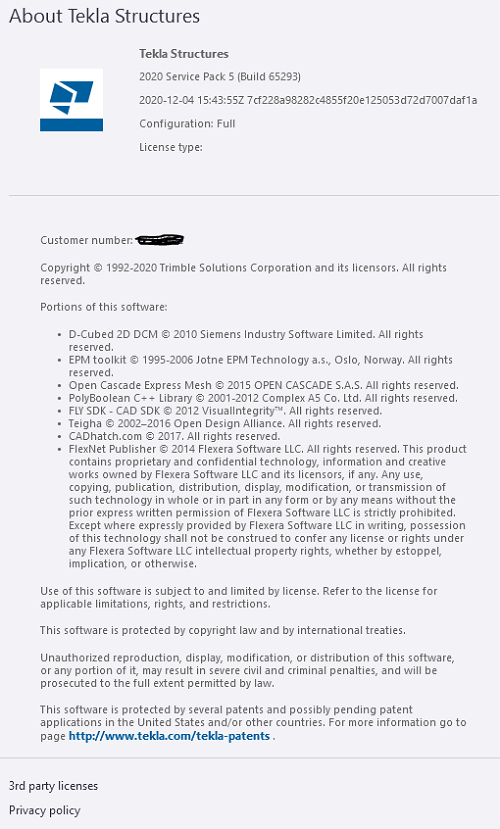
Product: Trimble Tekla Structures
Version: 2020 SP5 build 65293 Update *
Supported Architectures: x64
Language: multilanguage
System Requirements: PC **
Size: 2.9 Gb
Link Download
Download Via UploadGig
https://uploadgig.com/file/download/362f71d3Ed90E278/Tekla.Structures.2020.SP5.build.65293.Multilanguage.x64.part1.rar
https://uploadgig.com/file/download/e922e9DbdD298947/Tekla.Structures.2020.SP5.build.65293.Multilanguage.x64.part2.rar
https://uploadgig.com/file/download/dcd23e5b074E1C7c/Tekla.Structures.2020.SP5.build.65293.Multilanguage.x64.part3.rar
https://uploadgig.com/file/download/38FD3053851106F5/Tekla.Structures.2020.SP5.build.65293.Multilanguage.x64.part4.rar
Download Via Rapidgator
https://rapidgator.net/folder/6253402/TeklaStructures2020SP5build65293.html
Extract files with WinRar 5 or Latest !
We need your support!
Make a donation to help us stay online

Bitcoin (BTC)
bc1q08g9d22cxkawsjlf8etuek2pc9n2a3hs4cdrld

Bitcoin Cash (BCH)
qqvwexzhvgauxq2apgc4j0ewvcak6hh6lsnzmvtkem

Ethereum (ETH)
0xb55513D2c91A6e3c497621644ec99e206CDaf239

Litecoin (LTC)
ltc1qt6g2trfv9tjs4qj68sqc4uf0ukvc9jpnsyt59u

USDT (ERC20)
0xb55513D2c91A6e3c497621644ec99e206CDaf239

USDT (TRC20)
TYdPNrz7v1P9riWBWZ317oBgJueheGjATm
Information |
|||
 |
Users of GUESTS are not allowed to comment this publication. | ||