


Category: Tutorials
- views: 273
- date: 16 July 2022
- posted by: voska89

Jeff Hicks | Duration: 4h 23m | Video: H264 1280x720 | Audio: AAC 48 kHz 2ch | 620 MB | Language: English
This course is designed for Windows IT Pros who are using Windows PowerShell and Desired State Configuration to manage on-premises deployments and configurations of Windows servers
Deploying Windows servers and managing their configurations can be a difficult task. One technique is to create scripts to set up new servers. Or you can separate the configuration from the implementation and create processes that guarantee a server will always be configured the way you expect with minimal manual effort. In this course, Windows PowerShell Desired State Configuration, you'll learn to manage Windows server configurations with Windows PowerShell and Desired State Configuration (DSC). First, you'll learn the DSC basics such as creating a simple configuration and deploying it to a server. Next, you'll discover how to use advanced techniques such as configuration data. Finally, you'll learn how to leverage DSC in an enterprise setting using a pull server and features such as named configurations. When you're finished with this course, you'll have the skills and knowledge of DSC needed to manage server configurations of any size organization.
Homepage
 |
Download |  |
Post Comment [0] |
Category: Tutorials
- views: 268
- date: 16 July 2022
- posted by: voska89

Published 07/2022
MP4 | Video: h264, 1280x720 | Audio: AAC, 44.1 KHz, 2 Ch
Genre: eLearning | Language: English + srt | Duration: 65 lectures (5h 5m) | Size: 2.06 GB
Web Development for absolute beginners. Learn HTML and CSS from scratch
|
Download | |
Post Comment [0] |
Category: Tutorials
- views: 226
- date: 16 July 2022
- posted by: voska89

Last updated 9/2021
MP4 | Video: h264, 1280x720 | Audio: AAC, 44.1 KHz
Language: English | Size: 5.74 GB | Duration: 4h 36m
Vegan Thai cooking for home cooks & chefs taught by Chef Dao of Thai Chef School in Bangkok, fun teacher of Thai cooking
|
Download | |
Post Comment [0] |
Category: Tutorials
- views: 232
- date: 16 July 2022
- posted by: voska89

Last updated 9/2021
MP4 | Video: h264, 1280x720 | Audio: AAC, 44.1 KHz
Language: English | Size: 6.08 GB | Duration: 4h 51m
Vegan Thai cooking for home cooks & chefs taught by Chef Dao of Thai Chef School in Bangkok, fun teacher of Thai cooking
|
Download | |
Post Comment [0] |
Category: Tutorials
- views: 390
- date: 16 July 2022
- posted by: voska89
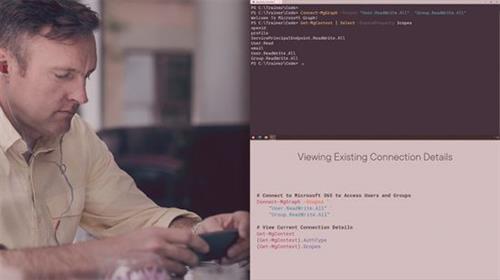
Liam Cleary | Duration: 4h 03m | Video: H264 1280x720 | Audio: AAC 48 kHz 2ch | 484 MB | Language: English
The current process for managing Microsoft 365 service using PowerShell requires the use of multiple modules, and can be complicated.
In this course, Using the Microsoft Graph PowerShell SDK, you'll learn to utilize PowerShell Commands for managing and automating tasks within Microsoft 365. First, you'll explore what the PowerShell Graph SDK is and what can be done with it. Next, you'll discover how to connect to the Graph and understand the use of permission scopes. Then, you'll learn how to perform management tasks within specific Microsoft 365 services. Finally, you'll learn how to convert existing PowerShell scripts to use the new commands. When you're finished with this course, you'll have the skills and knowledge of Microsoft Graph PowerShell SDK commands needed to manage Microsoft 365 services using the Microsoft Graph.
Homepage
|
Download | |
Post Comment [0] |