


Category: Templates/Themes
- views: 7 136
- date: 7 November 2010
- posted by: SharePlus

FeastMail - Christmas and Corporate Email Template
 |
Download |  |
Post Comment [1] |
Category: Blog (depraced!)
- views: 2 914
- date: 7 November 2010
- posted by: roscatu
To install this script, you must have the following
1. Linux/Unix/FreeBSD OS
2. Apache webserver
3. PHP4.x/MYSQL 3.x or higher
4. Having phpMyAdmin or another sql manager will make installation for newbies easier
Steps:
----------------
modify admin/connect.php and put your mysql username, password, and database name where indicated
Go into phpMyAdmin and dump everything thats in installsql.txt into your mysql database, this is the structure for the bloghost. To do this, click the sql tab in phpMyAdmin and paste the contents of installsql.txt in the box
open admin/var.php in notepad and edit the $youremail and $path variables.
Chmod the images folder to 777
Ok, now upload everything except installsql.txt
Go to admin/register.php and register yourself an administrator name and then delete admin/register.php and admin/reguser.php
Edit index.php and put your title where the variable your title is.
Only the administrator will have rights to add and delete users and have access to the sitewide poll. THe default template for the admin panel is in admin/style.css and the userpage templates are in style.css . Users have the ability to edit their own stylesheet.
header.php and footer.php are for you to put headers and footers.
|
Download | |
Post Comment [5] |
Category: Blog (depraced!)
- views: 2 471
- date: 7 November 2010
- posted by: roscatu
BloGenerator
|
Download | |
Post Comment [2] |
Category: Blog (depraced!)
- views: 3 247
- date: 7 November 2010
- posted by: roscatu
To install this script, you must have the following
1. Linux/Unix/FreeBSD OS
2. Apache webserver
3. PHP4.x/MYSQL 3.x or higher
5. GD library must be installed if you want to use the photo gallery
Steps:
----------------
modify admin/connect.php and put your mysql username, password, and database name where indicated
run install.php and install mysql tables, then delete install.php
run admin/register.php to register yourself an admin name and password then delete admin/register.php and admin/reguser.php
the admin login is at admin/login.php
To change colors and look of the blog, edit the admin/style.css file .
If you want to use the photo gallery, please chmod the photos and photos/thumbs folder to 777
Before using the custom right and left blocks I suggest you know some html and css
There is a header.php and footer.php, those are header and footers you can edit
Within the admin panel you will find all the options for your blog. Any questions please ask webmaster@java-gaming.com
|
Download | |
Post Comment [2] |
Category: Templates/Themes
- views: 3 493
- date: 7 November 2010
- posted by: SharePlus

SEASONS Newsletter– 5 Different Layouts
|
Download | |
Post Comment [1] |
Category: Plugins/Modules
- views: 5 234
- date: 7 November 2010
- posted by: nsbabra

jQuery Mobile 1.0a1
|
Download | |
Post Comment [1] |
Category: Multimedia (depraced!)
- views: 2 159
- date: 7 November 2010
- posted by: infutbackup
PSD Orbs Collection
4 PSD | 800x800 px | 14.5 MB
4 PSD | 800x800 px | 14.5 MB

|
Download | |
Post Comment [4] |
Category: CMS (depraced!)
- views: 8 985
- date: 7 November 2010
- posted by: nsbabra

Real Estate Management 1.27a
Real Estate Management script allows you to manage your real estate listings with a comprehensive real estate management system.
Real Estate Management is the perfect real estate management solution for real estate professionals.
Features:
- Get all your listings on the web with free, easy to use web-based real estate management software.
- Create your areas, school districts and property types and even upload images.
nd properi>Full featured searching available.
|
Download | |
Post Comment [1] |
Category: CMS (depraced!)
- views: 3 532
- date: 7 November 2010
- posted by: nsbabra

MaklerPlus 1.2
MaklerPlus application allows you to manage a real estate website.
MaklerPlus application allows you to manage a real estate website.
Features
General
- Platform-independence for the server as well as for the Clients
- Multiple language support thanks to UTF-8 - language-coding
- Uniform design and service
- PHP4 and PHP5 - capable
- based on PEAR - library for the support of numerous data bases, such as MySQL 3.x - 5.x, PostgreSQL and others
- Smarty Template Engine - for fast design adaptation
- Dialog-guided installation
- XHTML 1.1 compliant
User-administration
|
Download | |
Post Comment [4] |
Category: Blog (depraced!) / Templates/Themes
- views: 8 180
- date: 7 November 2010
- posted by: Share - Mafia

DeepFocus
Now you can turn your WordPress blog into a fully functional online photo gallery while still maintaining all of the features of a normal blog. Along with the gallery layout, DeepFocus comes with a robust blog and CMS-style homepage as well, making it an amazing solution for artists/photographers looking to build an online presence.
Demo :
http://www.nthemes.net/demo/?style=deepfocus
|
Download | |
Post Comment [4] |
Category: Ad Management (depraced!)
- views: 7 023
- date: 7 November 2010
- posted by: roscatu
Installation instructions
1) Copy all files and directories from pixeladraptor-xx to
your page's root directory.
2) Create the database structure from database.sql file.
3) Set the correct permissions to the images directory.
Webserver must have write access to it. Usually, set
write access to the 'world' or 'other' and your done.
Read this if you don't know what we are talking about:
http://en.wikipedia.org/wiki/Unix_security#Permissions
4) Edit config.php to match your needs.
5) Setup your site though administration panel.
Access it through http://(your_url)/admin/ using username
and password from config.php.
Change your site url value in the administration's settings section, don't
forget to append the trailing slash, otherwise site links will not work.
6) That's all. :)
|
Download | |
Post Comment [3] |
Category: Ad Management (depraced!)
- views: 3 222
- date: 7 November 2010
- posted by: roscatu
phpPgAds is compatible with the official PHP 5 releases, however it will not work properly if the PHP configuration variable "register_long_arrays" has been disabled.
|
Download | |
Post Comment [4] |
Category: Ad Management (depraced!)
- views: 4 897
- date: 7 November 2010
- posted by: roscatu
Here's the quick and dirty:
- Hardest part (and its pretty easy!): Configuring it!
- Open config.inc.php and edit the value in the $placonfig array
- Fill in the correct values for these fields:
db_host => 'localhost', // the host of your mysql database
db_user => 'pla', // the username to login to mysql with
db_pass => 'pla', // the password to login to mysql with
db_db => 'pla', // the database name itself
- Then edit this field:
tbl_prefix => 'pla',
// set it equal to the prefix you want before tables
// (this allows you to install multiple copied of the program by changing
// this prefix for each 'copy')
- Then set the login username and password
- Note that this is the login to the admin.php script, nothing else
user => 'admin',
pass => 'admin',
// defaults shown
- The other fields in the config are documented in the
source file. Feel free to mess around with stuff
- Upload all files (including directories) into a sub-directory of your
main site.
- chmod steps:
1) chmod data/ directory to 777
Here's a bash one-liner you can use if you've got shell access:
chmod -R 777 data/
- Go to install.php on your site:
http://www.yoursite.com/ledads/install.php
Follow the on-screen instructions (basically just click the link(s))
- Login to admin.php (default username/password: admin/admin)
- Start adding ads!
|
Download | |
Post Comment [6] |
Category: Ad Management (depraced!)
- views: 3 445
- date: 7 November 2010
- posted by: roscatu
phpAdsNew is compatible with the official PHP 5 releases, however it willnot work properly if the PHP configuration variable "register_long_arrays"
has been disabled.
|
Download | |
Post Comment [5] |
Category: Ad Management (depraced!)
- views: 4 172
- date: 7 November 2010
- posted by: roscatu
This script will allow you to:
1) Add, Remove, Edit banners
2) Change banner options
3) Stop on certain date, hits, unique hits, views or unique views
4) Live stat showing you all information
5) Password protected administation area (default: username: aziz, pass: 2598 - changable on login.php)
To use this script, place this code andwhere where you want the form to appear:
Whats been updated from V 1.0:
1) Code now uses full php implementation, no more javascript
2) Works on all browsers and systems
3) Code is much eaiser to read, understand or change
4) Faster generation
5) More accuracy in viewing and managing banners
6) Better Randomizing affect
|
Download | |
Post Comment [4] |
Category: CMS (depraced!) / Templates/Themes
- views: 5 060
- date: 7 November 2010
- posted by: kodakode
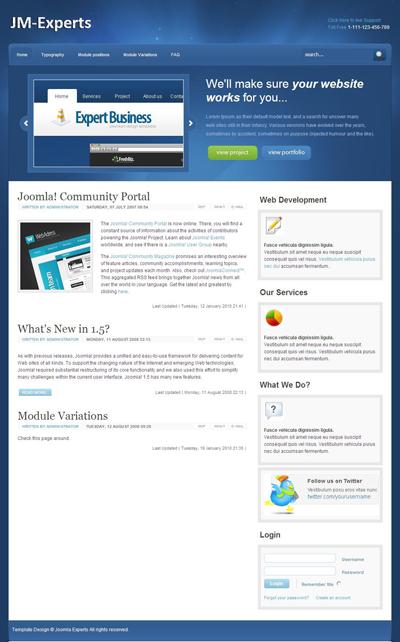
Demo
http://u.bb/1Ww
|
Download | |
Post Comment [5] |
Category: Blog (depraced!) / Templates/Themes
- views: 7 751
- date: 7 November 2010
- posted by: Share - Mafia

Polished
Polish up your blog with this silky-smooth design. My goal with this theme was to create something simple, refined, and well, polished! I hope this dark and “interfacey” design will be a welcomed addition the the ElegantThemes collection.
Demo :
http://www.nthemes.net/demo/?style=polished
|
Download | |
Post Comment [5] |
Category: CMS (depraced!) / Templates/Themes
- views: 2 943
- date: 7 November 2010
- posted by: kodakode
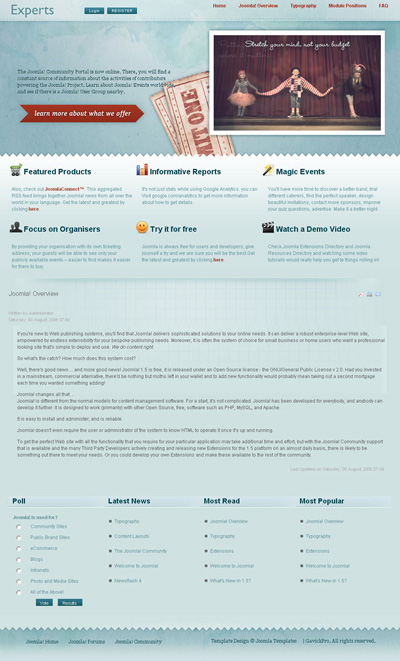
Demo
http://9.bb/3Tl
|
Download | |
Post Comment [4] |
Category: CMS (depraced!)
- views: 7 806
- date: 7 November 2010
- posted by: super_sp

When starting work on a new website idea, the first thing you probably do is to acquire the domain name and set up some sort of a coming soon page (remember those construction site gif animations? Don’t use them!).
It is actually a good idea to invest some time in the development of this page. This is the first encounter visitors have with you and your product. You can even use it as a marketing channel and let people subscribe to your launch newsletter.
This is why, today we are creating a stylish coming soon page, using PHP, MySQL and jQuery. It will allow you to collect visitors’ emails and store them in a simple database table. On the presentation side, it features a slick slideshow with the help of the Nivo Slider plugin.
Demo
http://u.bb/1Wt
|
Download | |
Post Comment [4] |
Category: CMS (depraced!) / Templates/Themes
- views: 2 681
- date: 7 November 2010
- posted by: kodakode

Pulse is a super-clean and flexible theme geared toward the medical industry.
Pulse is an exceptionally clean and flexible design geared toward the medical industry. With such features as 5-column layout, fixed or fluid width and virtually unlimited module positions - Pulse is one of the most versatile templates in the Joomlasphere today.
Features:
* Table-less design
* Valid CSS
* Fixed or Fluid Width
* SuperFish & Flyout Menu Systems
* Easy List Columnizer
* Zoombox
* Lazy-Load for Images
* Columnizing Module Zones
* Social Media Linker
* 15 Module Styles
Demo
http://9.bb/3Tn
|
Download | |
Post Comment [5] |
Category: CMS (depraced!) / Templates/Themes
- views: 2 075
- date: 7 November 2010
- posted by: kodakode
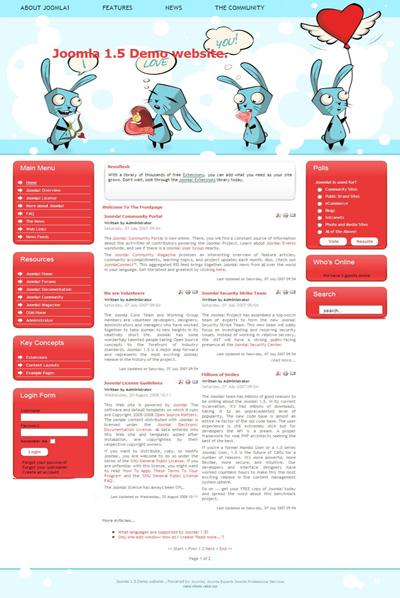
Demo
http://9.bb/3Tp
|
Download | |
Post Comment [2] |
Category: CMS (depraced!)
- views: 2 955
- date: 7 November 2010
- posted by: super_sp

When creating your web designs, you are always striving for a consistent look across the different browsers. Unfortunately, one of the most fundamental elements of your website – the browser controls – also prove the most difficult to style. Some of them, like the select element, are impossible to change beyond a certain extent.
This is why, today we are building a script that is going to take an ordinary select element, and replace it with a better looking, markup powered version, while keeping all the functionality intact.
Demo
http://u.bb/1Wq
|
Download | |
Post Comment [3] |
Category: CMS (depraced!) / Templates/Themes
- views: 2 163
- date: 7 November 2010
- posted by: kodakode
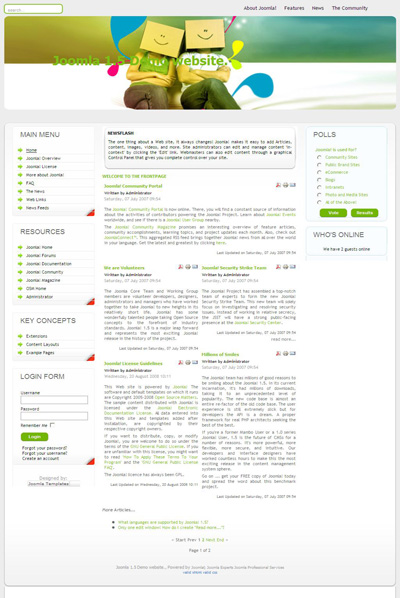
Demo
http://9.bb/3Ts
|
Download | |
Post Comment [2] |
Category: Education (depraced!)
- views: 1 572
- date: 7 November 2010
- posted by: super_sp

Trends in Functional Programming, Volume 6
Intellect 2007 | ISBN-10: 184150176X | 240 Pages | PDF | 12 MB
Intellect 2007 | ISBN-10: 184150176X | 240 Pages | PDF | 12 MB
Compiler writers often face a choice between implementing a simple, non-optimizing transformation pass that generates poor code which will require subsequent optimization, and implementing a complex, optimizing transformation pass that avoids generating poor code in the first place. A two-pass strategy is compelling because it is simpler to implement correctly, but its disadvantage is that the intermediate data structures can be large and traversing them unnecessarily can be costly.
In a system performing just-in-time compilation or run-time code generation, the costs associated with a two-pass compilation strategy can render it impractical. A one-pass optimizing transformation is compelling because it avoids generating intermediate data structures requiring further optimization, but its disadvantage is that the transformation is more difficult to implement.
Preview Book
http://u.bb/1Wm
|
Download | |
Post Comment [4] |
Category: Multimedia (depraced!)
- views: 3 321
- date: 7 November 2010
- posted by: NT

SleekSocial: Icon Pack
|
Download | |
Post Comment [5] |
Category: Education (depraced!)
- views: 1 903
- date: 7 November 2010
- posted by: super_sp

Trends In Functional Programming
Publisher: Intellect | ISBN: 1841501220 | edition 2005 | PDF | 137 pages | 13,8 mb
Publisher: Intellect | ISBN: 1841501220 | edition 2005 | PDF | 137 pages | 13,8 mb
This book collects the latest research developments in the use of functional programming languages. The contents highlight major research goals and engineering concerns in the subject including: real-time and resource-bounded functional programming; connections between static analysis methods and functional programming; implementation of mobile code functional languages; automated testing of application programs and system models; These research contributions are drawn from the international symposium on Trends in Functional Programming. This meeting provides a vital forum for the dissemination of the latest technical advances in the field.
Preview Book
http://u.bb/1Wh
|
Download | |
Post Comment [2] |
Category: Education (depraced!)
- views: 1 495
- date: 7 November 2010
- posted by: piplos

Springer (4-2010) | PDF | 220 pages | 1848829647 | 5.38Mb
From CSCW to Web 2.0: European Developments in Collaborative Design /by David Randall (Editor), Pascal Salembier (Editor) .Many challenges were identified in CSCW some thirty years ago, and some of these remain problematic today. However they are being progressively transformed and this edited volume contains contributions that demonstrate how these new challenges are being dealt with in a variety of ways, reflecting the balance of rigour and creativity that has always characterised the field.
|
Download | |
Post Comment [2] |
Category: Templates/Themes
- views: 4 918
- date: 7 November 2010
- posted by: SharePlus

Impresa - Business and Portfolio HTML Template
|
Download | |
Post Comment [6] |
Category: Image Galleries (depraced!)
- views: 1 796
- date: 7 November 2010
- posted by: ebest

This is a flex slideshow component with a nice design and a lot of features like auto play, xml configuration based and fully customizable design. Also had optional background music to play while viewing images.
|
Download | |
Post Comment [4] |
Category: Hosting Scripts (depraced!)
- views: 11 159
- date: 7 November 2010
- posted by: ebest

Coupon Script Features:
Site Settings
Change Site Title, Keywords and Description
Change Site Logo
Active/Inactive coupons Approval when user submit it on site.
Active/Inactive comments Approval when user submit it on site.
Google Analytics: Simply Put good analytics code or any other code for tracking.
|
Download | |
Post Comment [12] |