How to Create and Publish Coloring Books on Amazon KDP
Date: 5 May 2026 | Posted by: voska89
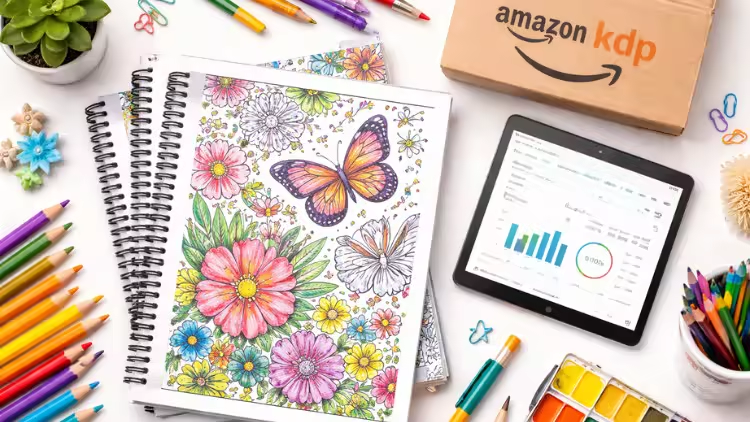
Free Download How to Create and Publish Coloring Books on Amazon KDP
Published 4/2026
MP4 | Video: h264, 1920x1080 | Audio: AAC, 44.1 KHz, 2 Ch
Language: English | Duration: 41m | Size: 1.07 GB
Create, Design & Publish Coloring Books on Amazon KDP Using Canva – From Planning to Launch
What you'll learn
Create professional coloring book interiors using Canva with correct page size, margins, and bleed for Amazon KDP
Design original, with AI or non Al coloring pages using simple and repeatable methods suitable for beginners
Design an eye-catching coloring book cover that meets Amazon KDP's technical
Requirements
Upload, publish, and successfully launch a coloring book on Amazon KDP step by step
Requirements
No prior design or publishing experience is required. A computer, internet connection, and free Canva account are enough
Description
AI Disclosure: This course contains the use of artificial intelligence.
Have you ever wanted to create and publish your own coloring book on Amazon KDP but didn't know where to start?
In this step-by-step course, you'll learn exactly how to plan, design, and publish a professional-quality coloring book — even if you're a complete beginner.
We'll start with a full overview so you understand the entire publishing process from start to finish. Then, you'll learn how to properly plan your coloring book, choose a profitable niche, and structure your interior for success.
Next, I'll walk you through setting up your interior in Canva, including the correct size, margins, and formatting required for Amazon KDP. You'll learn different methods to design clean, high-quality, print-ready coloring pages and how to keep your designs consistent and marketable.
You'll also complete a hands-on assignment where you'll design 3 original coloring pages using one of the methods taught in the course.
After that, we'll focus on creating a professional cover that stands out.
You'll learn how to
design both the front and back cover with the correct dimensions for KDP.Finally, I'll guide you step-by-step through the publishing process on Amazon KDP — from uploading your files to setting up your book and preparing it for launch.
By the end of this course, you'll have your own coloring book designed and ready to publish on Amazon.
This course is perfect for beginners, designers, creatives, and anyone looking to start a simple online publishing project.
Who this course is for
Beginners who want to create and publish coloring books on Amazon KDP, including creatives, side-hustlers, and anyone interested in low-content publishing
DOWNLOAD LINK
DDownload
nevtr.How.to.Create.and.Publish.Coloring.Books.on.Amazon.KDP.part1.rar
nevtr.How.to.Create.and.Publish.Coloring.Books.on.Amazon.KDP.part2.rar
Rapidgator
nevtr.How.to.Create.and.Publish.Coloring.Books.on.Amazon.KDP.part2.rar.html
nevtr.How.to.Create.and.Publish.Coloring.Books.on.Amazon.KDP.part1.rar.html
FreeDL
nevtr.How.to.Create.and.Publish.Coloring.Books.on.Amazon.KDP.part1.rar.html
nevtr.How.to.Create.and.Publish.Coloring.Books.on.Amazon.KDP.part2.rar.html
No Password - Links are Interchangeable
See full article