Blender 3D – Create Props And Assets For Games Step By Step
Date: 27 February 2026 | Posted by: AD-TEAM
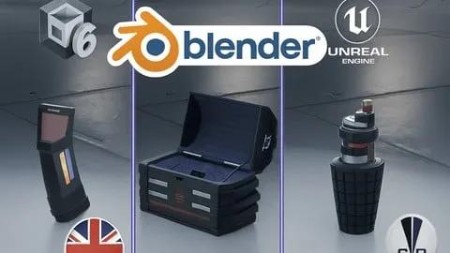
Blender 3D – Create Props And Assets For Games Step By Step
Published 9/2025
MP4 | Video: h264, 1920x1080 | Audio: AAC, 44.1 KHz
Language: English | Size: 16.14 GB | Duration: 15h 58m
Learn to model 3D assets and props for video games in Blender 4.4 using professional and procedural techniques.
What you'll learn
Model semi-realistic props and assets optimized for video games.
Use procedural texturing to speed up your workflow.
Create PBR materials from the textures you generate.
Build a reusable edge-detection node similar to EdgeWear in Substance Painter.
Apply basic rigging and animation to your models.
Export your assets seamlessly to Unity and Unreal Engine.
Requirements
A computer with Blender installed.
Basic Blender knowledge is recommended but not required.
Description
This course contains the use of artificial intelligence.Master the process of creating 3D game-ready assets with this practical and hands-on courseYou will build three progressively more complex assets, repeating each stage of the workflow to reinforce your skills and improve your efficiencyThe course covers everything from references and modeling to advanced materials, rigging, animation, and exporting to game engines like Unity and Unreal EngineWhat you'll do in this course:References & Planning: Prepare before starting any modelBlocking: Create accurate base shapesDetailing: Add complexity using Boolean tools and other techniquesGeometry Cleanup: Optimize your model for game performanceUV Mapping: Prepare the model for texturingEdge Smoothing: Achieve perfect shading with bevel nodesPBR Materials: Create realistic and optimized texturesReusable Nodes: Build your own edge wear detection shader for quick re-useAdvanced Texturing: Add dirt, decals, and fine detailsRigging & Animation: Animate one of your assets for in-game useExporting: Prepare and send your models to Unity and UnrealBy the end of the course, you will have a solid workflow for producing professional, optimized, and game-ready 3D assets that look great in any engineWho this course is forGame developers and 3D artists who want to create high-quality, optimized assets for real-time enginesCreators looking to improve their Blender skills and learn professional asset creation workflows
Overview
Section 1: Welcome and Course Introduction
Lecture 1 Welcome and Introduction to the Course
Lecture 2 Installing and Activating Add-ons
Lecture 3 Preparing the Blender Scene
Section 2: First Asset
Lecture 4 Section Introduction
Lecture 5 References and Planning
Lecture 6 Blocking Basic Shapes
Lecture 7 Details with Bool Tool
Lecture 8 Applying Bool Tool to Our Model
Lecture 9 Finalizing Modeling
Lecture 10 Cleaning Geometry, Part I
Lecture 11 Cleaning Geometry, Part II
Lecture 12 UV Map for Our Model
Lecture 13 Energy Level Detail
Lecture 14 Edge Smoothing via Shader
Lecture 15 Creating a Color Mask
Lecture 16 Base Colors and Ambient Occlusion
Lecture 17 Metallic Tint and Roughness
Lecture 18 Emission Map
Lecture 19 Edge Detection, Part I
Lecture 20 Edge Detection, Part II
Lecture 21 Adding Surface Dirt
Lecture 22 Decal-like Details with Stencil
Lecture 23 Metallic Tint and Roughness
Lecture 24 Conclusion
Section 3: Second Asset (Grenade)
Lecture 25 Section Introduction
Lecture 26 References and Planning
Lecture 27 Blocking Basic Shapes – Body
Lecture 28 Blocking Basic Shapes – Mechanism
Lecture 29 Detailing the Body, Part I
Lecture 30 Detailing the Body, Part II
Lecture 31 Detailing the Mechanism
Lecture 32 Cleaning Geometry, Part I
Lecture 33 Cleaning Geometry, Part II
Lecture 34 UVs for the Grenade – Body
Lecture 35 UVs for the Grenade – Mechanism
Lecture 36 Edge Smoothing via Shader
Lecture 37 Painting Details with Alphas
Lecture 38 Creating Color Mask – Mechanism
Lecture 39 Creating Color Mask – Body
Lecture 40 Base Colors for the Grenade
Lecture 41 Metallic Tint for the Grenade
Lecture 42 Roughness Map
Lecture 43 Emission Map
Lecture 44 Edge Detection for Wear
Lecture 45 Adding Surface Dirt
Lecture 46 Decal-like Details with Stencil
Lecture 47 Baking Remaining Textures, Part I
Lecture 48 Baking Remaining Textures, Part II
Lecture 49 Section 3 Conclusion
Section 4: Third Asset (Box)
Lecture 50 Section Introduction
Lecture 51 References and Planning
Lecture 52 Blocking Basic Shapes
Lecture 53 Detailing the Body, Part I
Lecture 54 Detailing the Body, Part II
Lecture 55 Finalizing Body Detailing
Lecture 56 Detailing the Lid, Part I
Lecture 57 Detailing the Lid, Part II
Lecture 58 Finalizing Lid Detailing
Lecture 59 Last Pieces of the Box
Lecture 60 Cleaning Geometry
Lecture 61 UV Map for the Body, Part I
Lecture 62 UV Map for the Body, Part II
Lecture 63 Finalizing UV Map for the Body
Lecture 64 UV Map for the Lid, Part I
Lecture 65 UV Map for the Lid, Part II
Lecture 66 Joining and Packing UVs
Lecture 67 Edge Smoothing via Shader
Lecture 68 Creating a Color Mask
Lecture 69 Applying Base Colors
Lecture 70 Metallic Tint for the Box
Lecture 71 Roughness for the Box
Lecture 72 Edge Detection and Wear
Lecture 73 Adding Surface Dirt
Lecture 74 Decal-like Details with Stencil
Lecture 75 Creating Interior Material – Body
Lecture 76 Creating Interior Material – Lid
Lecture 77 Baking Textures, Part I
Lecture 78 Baking Textures, Part II
Lecture 79 Finalizing Texture Baking
Lecture 80 Conclusion
Section 5: Rigging and Animation
Lecture 81 Introduction
Lecture 82 Basic Rigging for the Chest
Lecture 83 Adding More Bones
Lecture 84 Parenting Bones
Lecture 85 Restricting Bone Movement
Lecture 86 Adding Constraints to Bones
Lecture 87 Brief Introduction to Animation in Blender
Lecture 88 Planning Chest Animation
Lecture 89 Adjusting Chest Animation
Lecture 90 Conclusion
Section 6: Final Asset Integration
Lecture 91 Introduction
Lecture 92 Adding Grenade Holder Piece
Lecture 93 Cleaning Grenade Holder
Lecture 94 Adding Details to Grenade Holder
Lecture 95 Adding Material to Grenade Holder
Lecture 96 Baking Grenade Holder Textures
Lecture 97 Preparing Models for Export
Lecture 98 Preparing Unity to Import Models
Lecture 99 Importing Models into Unity
Lecture 100 Placing Models in the Unity Scene
Lecture 101 Fixing Emission with ORM Texture
Lecture 102 Exporting for Unreal
Lecture 103 Importing and Placing Chest in Unreal Engine
Lecture 104 Conclusion
Lecture 105 Course Farewell — Goodbye
Game developers and 3D artists who want to create high-quality, optimized assets for real-time engines.,Creators looking to improve their Blender skills and learn professional asset creation workflows.

DDownload
https://ddownload.com/dew66iqulhde/Udemy..Blender.3D.-.Create.Props.and.Assets.for.Games.Step.by.Step.part01.rar
https://ddownload.com/5pl1owzthfww/Udemy..Blender.3D.-.Create.Props.and.Assets.for.Games.Step.by.Step.part02.rar
https://ddownload.com/zmshbtvnb9d2/Udemy..Blender.3D.-.Create.Props.and.Assets.for.Games.Step.by.Step.part03.rar
https://ddownload.com/4a881rl4136x/Udemy..Blender.3D.-.Create.Props.and.Assets.for.Games.Step.by.Step.part04.rar
https://ddownload.com/rer5sq5t6eeq/Udemy..Blender.3D.-.Create.Props.and.Assets.for.Games.Step.by.Step.part05.rar
https://ddownload.com/wxf4ok5r7lr4/Udemy..Blender.3D.-.Create.Props.and.Assets.for.Games.Step.by.Step.part06.rar
https://ddownload.com/qbpmyxqgohu0/Udemy..Blender.3D.-.Create.Props.and.Assets.for.Games.Step.by.Step.part07.rar
https://ddownload.com/q40sc9bq731p/Udemy..Blender.3D.-.Create.Props.and.Assets.for.Games.Step.by.Step.part08.rar
https://ddownload.com/ihottjdo7prz/Udemy..Blender.3D.-.Create.Props.and.Assets.for.Games.Step.by.Step.part09.rar
https://ddownload.com/x9v1c8jbvmpw/Udemy..Blender.3D.-.Create.Props.and.Assets.for.Games.Step.by.Step.part10.rar
https://ddownload.com/rwtxnx2e6y66/Udemy..Blender.3D.-.Create.Props.and.Assets.for.Games.Step.by.Step.part11.rar
https://ddownload.com/5zas7qqm089u/Udemy..Blender.3D.-.Create.Props.and.Assets.for.Games.Step.by.Step.part12.rar
https://ddownload.com/e4yzrny64ad2/Udemy..Blender.3D.-.Create.Props.and.Assets.for.Games.Step.by.Step.part13.rar
RapidGator
https://rapidgator.net/file/5b6803d93441238767c02ed2b18de5c8/Udemy..Blender.3D.-.Create.Props.and.Assets.for.Games.Step.by.Step.part01.rar
https://rapidgator.net/file/6e9607e60aa5858bdecb84643fbda89a/Udemy..Blender.3D.-.Create.Props.and.Assets.for.Games.Step.by.Step.part02.rar
https://rapidgator.net/file/55da7d922e16aa7e3e012845d3f2e299/Udemy..Blender.3D.-.Create.Props.and.Assets.for.Games.Step.by.Step.part03.rar
https://rapidgator.net/file/e1a2ed2e11c06ae94662eebcd9a1da8b/Udemy..Blender.3D.-.Create.Props.and.Assets.for.Games.Step.by.Step.part04.rar
https://rapidgator.net/file/12682a6414430370193c2a258e7084d9/Udemy..Blender.3D.-.Create.Props.and.Assets.for.Games.Step.by.Step.part05.rar
https://rapidgator.net/file/0d7c529388382771b306c0bdbab314dc/Udemy..Blender.3D.-.Create.Props.and.Assets.for.Games.Step.by.Step.part06.rar
https://rapidgator.net/file/937b75ae5ed8c1b7a5d65bd09bfab926/Udemy..Blender.3D.-.Create.Props.and.Assets.for.Games.Step.by.Step.part07.rar
https://rapidgator.net/file/db76819dc0151ea18089c3dc3ace2757/Udemy..Blender.3D.-.Create.Props.and.Assets.for.Games.Step.by.Step.part08.rar
https://rapidgator.net/file/b0950c19e2dd2f9f90f5203a93446a0d/Udemy..Blender.3D.-.Create.Props.and.Assets.for.Games.Step.by.Step.part09.rar
https://rapidgator.net/file/13499c92e10bd0ce5b7be455bafbff1a/Udemy..Blender.3D.-.Create.Props.and.Assets.for.Games.Step.by.Step.part10.rar
https://rapidgator.net/file/944cdf718a233933ebb207e4bb524917/Udemy..Blender.3D.-.Create.Props.and.Assets.for.Games.Step.by.Step.part11.rar
https://rapidgator.net/file/e6220f60306273dcc159398a02586652/Udemy..Blender.3D.-.Create.Props.and.Assets.for.Games.Step.by.Step.part12.rar
https://rapidgator.net/file/f462a6a5dcc44a3ad02ff5b09295f35f/Udemy..Blender.3D.-.Create.Props.and.Assets.for.Games.Step.by.Step.part13.rar
NitroFlare
https://nitroflare.com/view/D919650704F267B/Udemy..Blender.3D.-.Create.Props.and.Assets.for.Games.Step.by.Step.part01.rar
https://nitroflare.com/view/585BB63CA9B0685/Udemy..Blender.3D.-.Create.Props.and.Assets.for.Games.Step.by.Step.part02.rar
https://nitroflare.com/view/F1DDD3D562F7E90/Udemy..Blender.3D.-.Create.Props.and.Assets.for.Games.Step.by.Step.part03.rar
https://nitroflare.com/view/509547E0436EE00/Udemy..Blender.3D.-.Create.Props.and.Assets.for.Games.Step.by.Step.part04.rar
https://nitroflare.com/view/E15518C78417BA7/Udemy..Blender.3D.-.Create.Props.and.Assets.for.Games.Step.by.Step.part05.rar
https://nitroflare.com/view/8A4DAD293FE4DC7/Udemy..Blender.3D.-.Create.Props.and.Assets.for.Games.Step.by.Step.part06.rar
https://nitroflare.com/view/6F440E1352AC477/Udemy..Blender.3D.-.Create.Props.and.Assets.for.Games.Step.by.Step.part07.rar
https://nitroflare.com/view/C192ABE101CE6E0/Udemy..Blender.3D.-.Create.Props.and.Assets.for.Games.Step.by.Step.part08.rar
https://nitroflare.com/view/A70B3BA4B586578/Udemy..Blender.3D.-.Create.Props.and.Assets.for.Games.Step.by.Step.part09.rar
https://nitroflare.com/view/0742BD9EAF29F9B/Udemy..Blender.3D.-.Create.Props.and.Assets.for.Games.Step.by.Step.part10.rar
https://nitroflare.com/view/5205BEF3E120024/Udemy..Blender.3D.-.Create.Props.and.Assets.for.Games.Step.by.Step.part11.rar
https://nitroflare.com/view/BDD339ACA0A438B/Udemy..Blender.3D.-.Create.Props.and.Assets.for.Games.Step.by.Step.part12.rar
https://nitroflare.com/view/9923F7447E0243A/Udemy..Blender.3D.-.Create.Props.and.Assets.for.Games.Step.by.Step.part13.rar
See full article