Shopify Theme Development: Online Store 2.0 + Tailwindcss
Date: 12 December 2025 | Posted by: AD-TEAM
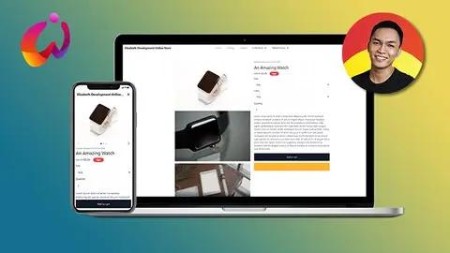
Shopify Theme Development: Online Store 2.0 + Tailwindcss
Last updated 9/2022
MP4 | Video: h264, 1280x720 | Audio: AAC, 44.1 KHz
Language: English | Size: 8.37 GB | Duration: 15h 37m
Learn how to create Shopify themes for Online Store 2.0 (JSON Templates) using Shopify CLI, Liquid, & TailwindCSS
What you'll learn
Learn about the new Online Store 2.0 and the new theme architecture of Shopify
Shopify Theme Development
Liquid Programming (Tags, Objects, & Filters)
How to use TailwindCSS in Shopify Theme Development
Create Shopify themes using Shopify CLI
Create an advanced product page w/ product carousels on mobile, variant selectors, and more!
Requirements
You must know HTML, CSS, & jаvascript
You must know how to use Node or npm
You must know your way around Shopify
Description
Shopify just recently updated their Shopify online experience and now they call it "Online Store 2.0". With this update, Shopify merchants can now customize their entire online store using sections & blocks. This opened a lot of doors not just for Shopify app developers but also for Shopify theme developers because now, you can add cool sections and blocks to the most commonly used pages like products page, collections page, blog page, etc.If you're a Shopify theme developer and you don't know yet how to create a Shopify theme for Online Store 2.0, then this is the best time to learn because Shopify is now accepting Shopify themes to be listed on their Shopify Theme Store!This means you can make money by selling your Shopify themes! So are you interested to learn more?In this course, we're going to learn how to create a Shopify theme for Online Store 2.0 using Shopify CLI with the help of TailwindCSS to design a cool online store.In this course you will learn:How to set up your development storeUsing TailwindCSS to design a Shopify themeOnline Store 2.0 (JSON Templates)Shopify CLISchema SettingsSearch Engine Optimization (SEO) for pages like articles, products, etc.Liquid language (Referencing asset files, loops, conditional statements, Shopify objects, filters, and many more)Customer pagesFrequently Asked QuestionsQ: Is this course beginner-friendly?A: If you're new to Shopify theme development, YES. However, if you're entirely new to Web Development, then this course is NOT for you since I won't be explaining how HTML works, how CSS utilities works, what is jаvascript, etc. If you're entirely new to web development, I suggest learning it first before taking this course.Q: What operating system are we required to use?A: I have used MacOS in this course, so if you want to use a different OS, you can do that. However, make sure that you know your way around your system since yours is going to be different from mine (e.g. Terminal/Powershell/Shell)If you think you're ready to start, signup now, and let's create the best Shopify theme together!
Overview
Section 1: Introduction
Lecture 1 Introduction
Lecture 2 Before We Get Started
Lecture 3 What is Online Store 2.0?
Lecture 4 What is Shopify Liquid?
Section 2: Setting up your partners account
Lecture 5 Creating Shopify Partners Account
Lecture 6 Creating Development Stores
Section 3: Installing Local Development Tools For Shopify CLI
Lecture 7 Read before you continue!
Lecture 8 Installing VSCode in MacOS
Lecture 9 Installing NodeJS
Lecture 10 Installing Shopify CLI
Section 4: Getting Started
Lecture 11 Creating The Shopify Theme Project using Shopify CLI
Lecture 12 Installing TailwindCSS
Lecture 13 For Those You Had Problems with TailwindCSS In The Previous Lesson
Section 5: Creating The Responsive Navigational Bar
Lecture 14 The Navigational Bar
Lecture 15 The Dropdown Menus
Lecture 16 The Problem With Nested Menus
Lecture 17 The Mobile Menu
Lecture 18 Fixing Missing Menus in 404 Page
Section 6: JSON Templates
Lecture 19 READ! THIS IS ABOUT THE FOLLOWING LESSONS!
Lecture 20 [404]: Learning about JSON Templates
Lecture 21 [404]: Settings Schema
Lecture 22 [404]: Designing The 404 Page
Lecture 23 [Article]: Creating Blog Posts
Lecture 24 [Article]: Liquid To JSON Template
Lecture 25 [Article]: Settings Schema
Lecture 26 [Article]: Designing The Article Page
Lecture 27 [Article]: Comments Section
Lecture 28 [Article]: Search Engine Optimization (SEO) #1
Lecture 29 [Article]: Search Engine Optimization (SEO) #2
Lecture 30 [Blog]: Liquid To JSON Template
Lecture 31 [Blog]: Setting Schema
Lecture 32 [Blog]: Designing The Blog Page
Lecture 33 [Blog]: Paginations
Lecture 34 [Cart]: Liquid To JSON Template
Lecture 35 [Cart]: Making a Working Cart Page
Lecture 36 [Cart]: Making a Test Order for Development Stores
Lecture 37 [Cart]: Schema Blocks
Lecture 38 [Collection]: Liquid To JSON Template
Lecture 39 [Collection] - Designing The Collection Page
Lecture 40 [Collection] - Creating The Product Card Snippet File
Lecture 41 [Collection] - Creating Schema Settings
Lecture 42 [Collection] - Creating That Zoom Effect on Hover
Lecture 43 [Index] - Liquid To JSON Template
Lecture 44 [Index] - Featured Collection
Lecture 45 [list]
- Creating a Working List Collections Page
Lecture 46 [Page] - Liquid To JSON Template
Lecture 47 [Page] - Rendering The Page Content
Lecture 48 [Page] - Designing The Page
Lecture 49 [Custom Section] - Contact Form
Lecture 50 [Page] - Contact Page
Lecture 51 [Product] - Liquid To JSON Template
Lecture 52 [Product] - Creating The Necessary Products For Testing
Lecture 53 [Product] - Rendering The Product Medias
Lecture 54 [Product] - Creating Product Media Carousels
Lecture 55 [Product] - Creating The Product Form
Lecture 56 Let's Fix Our Code
Lecture 57 [Product] - Creating Schema Blocks for the Product Form
Lecture 58 [Product] - The jаvascript Side of Product Template
Lecture 59 [Search] - Creating The Search Bar
Lecture 60 [Search] - Rendering Products in Search Results
Section 7: Customers
Lecture 61 [Customer] - Login Page
Lecture 62 [Customer] - Registration Page
Lecture 63 [Customer] - Testing Forgot Your Password Form
Lecture 64 [Customer] - Reset Password Form
Lecture 65 [Customer] - Guest Login
Lecture 66 [Customer] - Account Page
Lecture 67 [Customer] - Order Page #1
Lecture 68 [Customer] - Order Page #2
Lecture 69 [Customer] - Order Page #3
Lecture 70 [Customer] - Addresses Page (Creating the interface)
Lecture 71 [Customer] - Addresses Page (Creating The New Address Modal)
Lecture 72 [Customer] - Addresses Page (jаvascript Side of Customer Address Form)
Lecture 73 [Customer] - Addresses Page (Creating The Edit Address Modal)
Lecture 74 [Customer] - Addresses Page (Set as default address)
Lecture 75 [Customer] - Addresses Page (Deleting addresses)
Lecture 76 [Customer] - Activate Account Page
Section 8: Shopify CLI, Theme Check, AlpineJS & Tailwind Lessons
Lecture 77 Fixing AlpineJS Blipping Issue
Lecture 78 Fixing Shopify CLI Errors
Lecture 79 Using Theme Check
Lecture 80 Updating Shopify CLI
Lecture 81 Upgrading TailwindCSS to v3
Lecture 82 Fixing SwiperJS error and the media size
Section 9: Learning about 3D Models in Shopify themes
Lecture 83 Using 3D Models in Shopify
Lecture 84 What is Model Viewer?
Lecture 85 Setting up the product model custom element
Lecture 86 Setting up the product model modal window
Lecture 87 Creating jаvascript of custom element
Lecture 88 Writing the CSS style of the Model Viewer to maximize its size
Lecture 89 Using the Model Viewer UI Feature of Shopify
Beginner to Intermediate "Shopify developers" NOT web developers,Students who wants to learn how to create Shopify themes using Shopify CLI,Shopify merchants who wants to learn about Shopify themes,Web Developers who wants to learn about Shopify theme architecture

RapidGator
https://rapidgator.net/file/fc02f220f9689efc8899999a5b97d25a/.shopify.theme.development.online.store.3.0._.tailwindcss.1080.part01.rar
https://rapidgator.net/file/858c3aa52442d70a3293c3e95bb26045/.shopify.theme.development.online.store.3.0._.tailwindcss.1080.part02.rar
https://rapidgator.net/file/2b9853f91cfc891b216c0a63c17abe06/.shopify.theme.development.online.store.3.0._.tailwindcss.1080.part03.rar
https://rapidgator.net/file/aef1da490d135cc76168226f0973a958/.shopify.theme.development.online.store.3.0._.tailwindcss.1080.part04.rar
https://rapidgator.net/file/a07253bef5773bf6c348d00b7afd3aea/.shopify.theme.development.online.store.3.0._.tailwindcss.1080.part05.rar
https://rapidgator.net/file/bc129119fdc49d50f879e73d526803a2/.shopify.theme.development.online.store.3.0._.tailwindcss.1080.part06.rar
https://rapidgator.net/file/2eb285a8a87a26c82227b3eaf546d3dc/.shopify.theme.development.online.store.3.0._.tailwindcss.1080.part07.rar
https://rapidgator.net/file/b2b33612cb98026446bee0c08b5b5a88/.shopify.theme.development.online.store.3.0._.tailwindcss.1080.part08.rar
https://rapidgator.net/file/0ca2548fe3ceda266f4619fc3e69faf2/.shopify.theme.development.online.store.3.0._.tailwindcss.1080.part09.rar
https://rapidgator.net/file/60fa186cc4206a3618e26f55142c22a3/.shopify.theme.development.online.store.3.0._.tailwindcss.1080.part10.rar
See full article