Windows Presentation Foundation Masterclass
Date: 3 October 2025 | Posted by: AD-TEAM

Windows Presentation Foundation Masterclass
Last updated 11/2023
MP4 | Video: h264, 1920x1080 | Audio: AAC, 44.1 KHz
Language: English | Size: 13.44 GB | Duration: 20h 33m
Leverage WPF with C# and XAML to build real world skills with Azure, REST, MVVM and Machine Learning
What you'll learn
Be able to build desktop apps that leverage WPF
Be able to create your own cloud services
Learn languages and patterns that open up opportunities to create iOS, Android and UWP applications using Xamarin
Learn to better structure your code for easier maintenance, better code reuse, and greater compatibility with other projects (such as Xamarin and UWP)
Build your own app from start to finish including its cloud services such as databases and file storage
Requirements
Some previous programming experience in C# or a similar language like Java is recommended, but not essential
Access to a computer running Windows (previously Windows 10, but Windows 7 or 8 is ok as well).
If not running Windows natively, a Virtual machine running Windows is required.
Description
Do you know a little programming in C# or another language, but are struggling to get an interview, let alone a job?
Maybe you are stuck in a low paying programming job, and want to move up to a better, more senior position.Perhaps you want to learn a new skill and expand your rèsumè.Or maybe you want to improve your .NET skills by learning a new and valuable framework.If one or more of these things describe you, then I'd suggest you give serious consideration to this course.This course will teach you how to create applications that have a rich user interface, using Microsoft's Windows Presentation Foundation (WPF).What is WPF ?
WPF is part of the .NET framework and provides a consistent programming model for building applications by separating the user interface from business logic. It uses XAML (an XML based language) and C#. The runtime libraries are included with all versions of Microsoft Windows since Windows Vista. It's heavily supported by Microsoft and is a mature and powerful framework.Why should you bother to learn it?Many, perhaps most enterprise level .NET applications are built in WPF because of it's ability to create loosely coupled apps where the business logic and presentation layer are separated. This also applies to apps in general that are developed in .NET. A good portion of Winforms based projects are being upgraded to WPF as well.WPF developers are in high demand and WPF is fully supported by Microsoft in the latest versions of Visual studio and .NET. It's a key part of Microsoft's strategy moving forward.What will you learn in this course?
WPF is developed using C# and XAML. You will learn how to use WPF to build and access powerful REST services (specifically weather information and machine learning in this course). You will also learn to create your own cloud services, and learn languages and patterns the open up future opportunities in Xamarin as well (iOS, Android and the Universal Windows Platform (UWP).In addition, in this course you will learn C#, XAML, the MVVM (Model-View-ViewModel) architectural pattern, Azure App and Storage services, and SQLite and more.Why enrolling in this course is the best decision you can make.
Other courses focus on isolated examples on what you can do with WPF. Not this course! This course guides you through the creation of real world applications as you learn more and more about WPF. You will:Build a calculator as you learn:C#XAMLStylesBuild a contacts app as you learn:SQLiteUsing ListViewsCreating Custom ControlsBuild a machine learning classifier as you learn:REST servicesPicking images from the computerBuild a weather app as you learn:The MVVM architectural patternMore RESTBuild a notes app as you learn:More WPF controls such as toolbar, speech to text, toggle buttons, comboboxes, context menus and rich text format editorsTo add Azure App Services for cloud hosted databasesTo add Azure Storage Account services for storing files in the cloudTo add AnimationsYour instructor, Eduardo Rosas, is a certified Xamarin Mobile Developer who has been building apps with C# and XAML since 2012.
This means you are learning from someone who has all the professional training, skills, and experience you need to teach you how to become proficient with WPF in the fastest possible way. But all the while being taught the right way to program.
If you are ready to get that first paid programming job, or to move up to a more senior programming position, then this course is for you!
After completing this course, you will have the necessary skills to be able to use create your own WPF desktop apps giving you increase career opportunities.The sooner you sign up for this course, the sooner you will have the skills and knowledge you need to increase your job or consulting opportunities. Your new job or consulting opportunity awaits!
Why not get started today?
Click the Signup button to sign up for the course!
Overview
Section 1: Intro to WPF
Lecture 1 Windows Presentation Foundation
Lecture 2 Getting the Tools Ready
Lecture 3 The Structure of a WPF project
Lecture 4 Hello World with WPF
Lecture 5 Hello World with WPF & .NET Core
Lecture 6 .NET Core vs .Net Framework
Section 2: XAML - The Calculator App
Lecture 7 What is XAML?
Lecture 8 The XAML Syntax
Lecture 9 Setting Property Values
Lecture 10 The Grid
Lecture 11 Communication with Code Behind
Lecture 12 How XAML to C# Linking Works
Lecture 13 Creating Event Handlers from XAML
Section 3: C# - The Calculator App
Lecture 14 The C# Language
Lecture 15 Creating Event Handlers from C#
Lecture 16 Working with Methods
Lecture 17 Using the Sender as a Button
Lecture 18 Creating Custom Types
Lecture 19 Testing the App
Lecture 20 Displaying a Message Box
Lecture 21 Percentage Challenge
Section 4: Improving the UI with Resources and Styles
Lecture 22 Styling XAML Controls
Lecture 23 XAML Static Resources
Lecture 24 Application-Wide Resources
Lecture 25 Implicit Styles
Lecture 26 Explicit Styles
Section 5: Practicing C#
Lecture 27 Creating a Console Project
Lecture 28 Variables and Scope
Lecture 29 Classes and Namespaces
Lecture 30 Properties of a Class
Lecture 31 Objects
Lecture 32 Inheritance
Lecture 33 Method Overloading
Lecture 34 Method Overriding
Lecture 35 Interfaces
Lecture 36 Implementing an Interface
Section 6: SQLite - The Contacts App
Lecture 37 Working with More Windows
Lecture 38 Opening and Closing Windows
Lecture 39 Adding SQLite
Lecture 40 The Contacts Class
Lecture 41 More SQLite Attributes
Lecture 42 Inserting into a Table
Lecture 43 The Using Statement
Lecture 44 Reading from the Table
Section 7: ListView
Lecture 45 Defining a ListView
Lecture 46 The ToString method
Lecture 47 Intro to DataBinding
Lecture 48 Using an ItemTemplate
Lecture 49 Filtering a List
Lecture 50 Linq
Lecture 51 Deleting from the Table
Lecture 52 Update the SQLite Table
Lecture 53 Update the ListView after closing the Window
Section 8: Custom User Controls
Lecture 54 Creating a Custom User Control
Lecture 55 Using Custom Controls
Lecture 56 Binding to a Custom Control - Dependency Properties
Lecture 57 Extend the ListView items
Lecture 58 Improving the User Interface
Section 9: REST and AI
Lecture 59 Microsoft's CustomVision API
Lecture 60 Creating a Custom Vision Project
Lecture 61 Training the AI
Lecture 62 Selecting a File from the Computer
Lecture 63 Sending a request to the REST Service
Lecture 64 Reading the Response as JSON
Lecture 65 Deserializing JSON
Lecture 66 Displaying the Results using a GridView
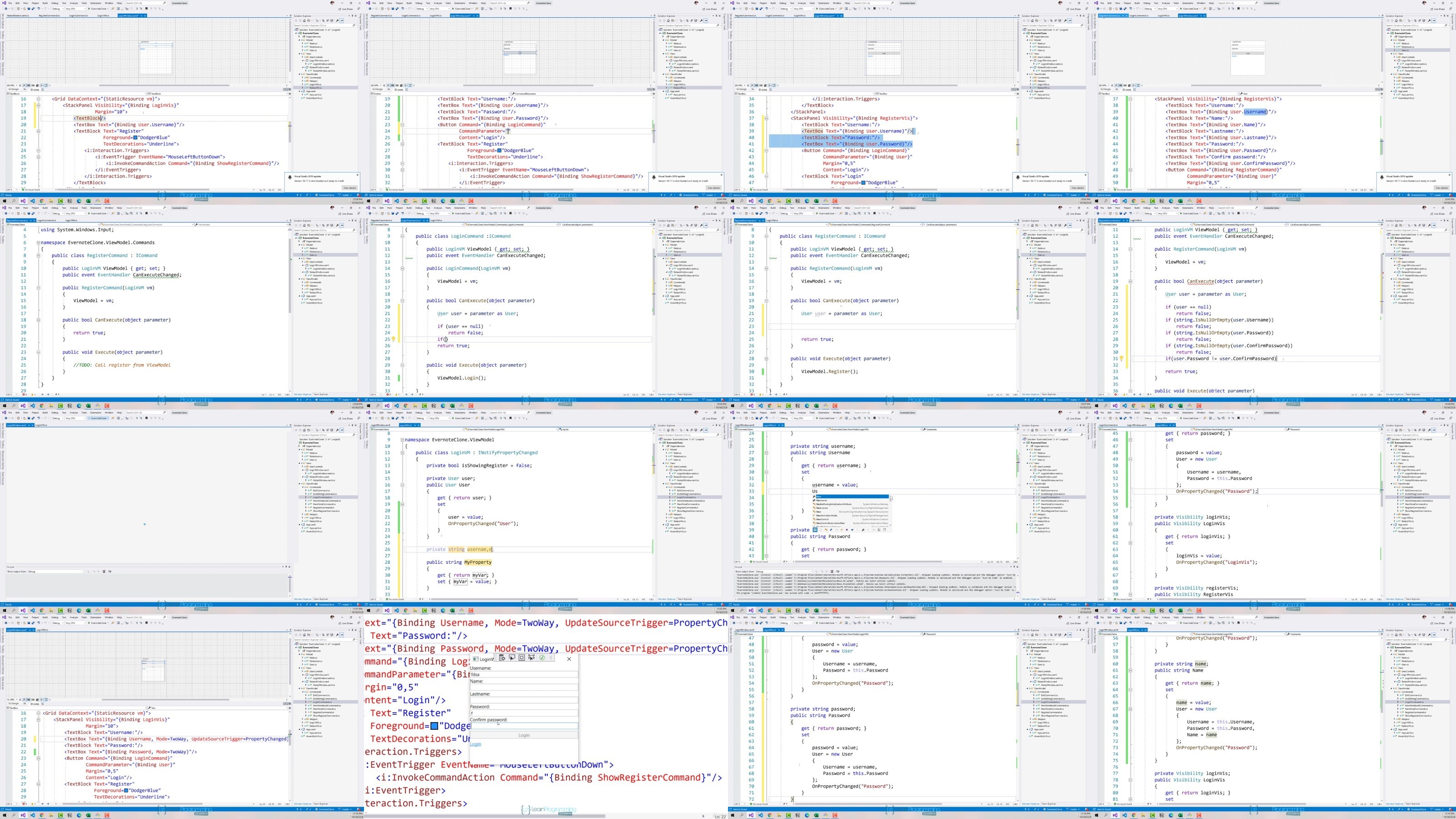
Section 10: MVVM - The Weather App
Lecture 67 Intro to the MVVM pattern
Lecture 68 AccuWeather API
Lecture 69 The Endpoints that We Will Use
Lecture 70 The Model
Lecture 71 Defining the Classes
Lecture 72 The View Model
Lecture 73 Requests to the AccuWeather API
Lecture 74 The View
Lecture 75 Defining the UI
Lecture 76 The INotifyPropertyChanged interface
Lecture 77 Implementing the INotifyPropertyChanged interface
Lecture 78 Binding Context and Design Time Binding
Lecture 79 Using Design Mode Bindings
Lecture 80 The ICommand interface
Lecture 81 Implementing the ICommand interface
Lecture 82 Binding the ICommand
Lecture 83 Using a Command Parameter
Lecture 84 The ObservableCollection class
Lecture 85 Using the Observable Collection class - PART 1
Lecture 86 Using the Observable Collection class - PART 2
Lecture 87 The IValueConverter interface
Lecture 88 Implementing the IValueConverter
Section 11: Cloning Evernote
Lecture 89 The Model
Lecture 90 The SQLite Functionality
Lecture 91 The View Model
Lecture 92 Working with Menus
Lecture 93 Using a Toolbar
Lecture 94 Displaying Notebooks and Notes
Lecture 95 The RichTextBox and StatusBar
Lecture 96 Speech Recognizer with .NET Core
Lecture 97 Speech Recognizer with .NET Framework
Lecture 98 Working with a ToggleButton
Lecture 99 Working with a ComboBox
Lecture 100 Creating Custom Controls
Lecture 101 Adding a Context Menu - PART 1
Lecture 102 Adding a Context Menu - Binding Event Handlers
Lecture 103 Saving and Reading files
Section 12: Google Firebase Services
Lecture 104 Define Login and Register View - Part 1
Lecture 105 Define Login and Register View - Part 2
Lecture 106 Registering user with Firebase Authentication
Lecture 107 Logging users with Firebase Authentication
Lecture 108 Inserting into a Firebase Database
Lecture 109 Reading from a Firebase Database
Lecture 110 Updating and deleting from a Firebase Database
Section 13: Azure Storage Account Service
Lecture 111 Creating a Storage Account Service
Lecture 112 Creating a Container
Lecture 113 Connecting WPF to the Storage Account
Lecture 114 Uploading a File to a Storage Account blob
Lecture 115 Downloading a File from the Storage Account
Section 14: Animations
Lecture 116 Intro to Blend
Lecture 117 Exploring Blend for Visual Studio
Lecture 118 Storyboards and Keyframes
Lecture 119 Triggers for interactivity
Lecture 120 Adding Easing Functions
Section 15: Deploying your WPF App
Lecture 121 Adding a Window Icon
Lecture 122 Complete the App Challenge
Lecture 123 Preparing the Project
Lecture 124 AppxUpload Package
Lecture 125 The Microsoft Windows Store
Section 16: Dependency Injection
Lecture 126 The Model
Lecture 127 The View Model
Lecture 128 The View
Lecture 129 Creating the Interface
Lecture 130 Unity Containers
Section 17: Extra Information - Source code, and other stuff
Lecture 131 Source Codes
Lecture 132 Bonus Lecture and Information
Anyone wanting to understand and use Windows Presentation Foundation (WPF),Anyone wanting to increase career options by learning an important Microsoft Windows development technology
RapidGator
https://rapidgator.net/file/723f7e1684136a59802815a38a752eea/yxusj.Windows.Presentation.Foundation.Masterclass.part1.rar
https://rapidgator.net/file/499aff403ba4935355d710d06ed685cd/yxusj.Windows.Presentation.Foundation.Masterclass.part2.rar
https://rapidgator.net/file/383c550b6613530620fdae5eb96b3eda/yxusj.Windows.Presentation.Foundation.Masterclass.part3.rar
https://rapidgator.net/file/f141cb488c54d15a6eb6d2e3e46e8263/yxusj.Windows.Presentation.Foundation.Masterclass.part4.rar
https://rapidgator.net/file/140b2c9164378c37d1ffee7cf83ad868/yxusj.Windows.Presentation.Foundation.Masterclass.part5.rar
https://rapidgator.net/file/0c0a8ee055ca17b9e827ac3132eaa79c/yxusj.Windows.Presentation.Foundation.Masterclass.part6.rar
https://rapidgator.net/file/39d661b8fc31b68348832e9a9d815206/yxusj.Windows.Presentation.Foundation.Masterclass.part7.rar
NitroFlare
https://nitroflare.com/view/146165C16D69F74/yxusj.Windows.Presentation.Foundation.Masterclass.part1.rar
https://nitroflare.com/view/052D81567B31585/yxusj.Windows.Presentation.Foundation.Masterclass.part2.rar
https://nitroflare.com/view/855461AF182A1A7/yxusj.Windows.Presentation.Foundation.Masterclass.part3.rar
https://nitroflare.com/view/D8A7D6E1EC050AC/yxusj.Windows.Presentation.Foundation.Masterclass.part4.rar
https://nitroflare.com/view/E15FC03AAF3B28E/yxusj.Windows.Presentation.Foundation.Masterclass.part5.rar
https://nitroflare.com/view/E7A45FD2A2DF093/yxusj.Windows.Presentation.Foundation.Masterclass.part6.rar
https://nitroflare.com/view/723E8D9009114AC/yxusj.Windows.Presentation.Foundation.Masterclass.part7.rar
DDownload
https://ddownload.com/9b885ebw77g4/yxusj.Windows.Presentation.Foundation.Masterclass.part1.rar
https://ddownload.com/v6j96hvt2foy/yxusj.Windows.Presentation.Foundation.Masterclass.part2.rar
https://ddownload.com/exr3lz7qm4oj/yxusj.Windows.Presentation.Foundation.Masterclass.part3.rar
https://ddownload.com/h2qdgto31vgw/yxusj.Windows.Presentation.Foundation.Masterclass.part4.rar
https://ddownload.com/1e4u63s29gf1/yxusj.Windows.Presentation.Foundation.Masterclass.part5.rar
https://ddownload.com/z5bpds79yiag/yxusj.Windows.Presentation.Foundation.Masterclass.part6.rar
https://ddownload.com/1b1nk601qatx/yxusj.Windows.Presentation.Foundation.Masterclass.part7.rar
See full article