The Complete Excel Pivot Table: Data Analysis And Reporting
Date: 29 September 2025 | Posted by: 0nelove
The Complete Excel Pivot Table: Data Analysis And Reporting
Published 9/2025
Created by Brighter Futures Hub
MP4 | Video: h264, 1280x720 | Audio: AAC, 44.1 KHz, 2 Ch
Level: All | Genre: eLearning | Language: English | Duration: 22 Lectures ( 2h 26m ) | Size: 1.25 GB
A Step By Step Guide To Mastering Pivot Tables in Excel—Perfect For Data Analysts and Excel Users at Any Level.
What you'll learn
Overview of Excel as a Data Analysis Tool
Key Excel Features for Analysts
Creating Your First Pivot Table (Step-by-Step)
Understanding Pivot Table Interface
Best Practices for Structuring Raw Data
Removing Duplicates and Handling Blanks
Formatting Data for Analysis
Value Summarization: Sum, Count, Average, etc.
Using the Field List and Pivot Table Settings
Managing Grand Totals and Subtotals
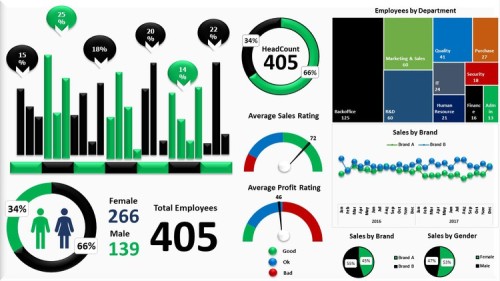
Creating Interactive Dashboards with Slicers and Timelines
Formatting and Customizing Charts for Reports
Using Multiple Pivot Tables from the Same Data Source
Sales Analysis Dashboard
Financial Reporting with Pivot Tables
Requirements
No prior experience with Pivot Tables required
Description
Pivot Tables are one of the most powerful tools in Microsoft Excel for analyzing, summarizing, and reporting data. Yet many professionals only use a fraction of their potential. This course is designed to give you a complete, hands on mastery of Pivot Tables, helping you transform raw data into clear, actionable insights.Whether you're a beginner just learning Excel or an experienced user looking to sharpen your data analysis skills, this course will guide you step by step through building dynamic Pivot Tables and professional reports used in business, finance, marketing, and beyond.What You Will Learn:What is Data Analysis?Overview of Excel as a Data Analysis ToolKey Excel Features for AnalystsWhat Is a Pivot Table and Why Use It?Creating Your First Pivot Table (Step-by-Step)Understanding Pivot Table Interface: Rows, Columns, Values, FiltersBest Practices for Structuring Raw DataCleaning Data Using Excel ToolsRemoving Duplicates and Handling BlanksUsing Tables as Dynamic Pivot Data SourcesFormatting Data for AnalysisSorting and Filtering Pivot DataGrouping Data by Dates, Numbers, or TextValue Summarization: Sum, Count, Average, etc.Using the Field List and Pivot Table SettingsAdding and Using Calculated FieldsCreating Custom Calculations with % of Total, Difference, Running TotalUsing Show Values As for Advanced ComparisonsManaging Grand Totals and SubtotalsIntroduction to Pivot ChartsCreating Interactive Dashboards with Slicers and TimelinesLinking Pivot Tables to ChartsFormatting and Customizing Charts for ReportsUsing Multiple Pivot Tables from the Same Data SourceConnecting Slicers Across Multiple TablesConsolidating Multiple Data RangesDrill-Down and Exploring Underlying DataSales Analysis DashboardFinancial Reporting with Pivot TablesWhy This Course?Learn by working directly with real datasetsFrom basics to advanced techniques in Pivot TablesSkills used by analysts, managers, and consultants worldwideNo prior experience with Pivot Tables requiredBy the end of this course, you will be able to use Pivot Tables to analyze complex datasets, build interactive reports, and make data driven decisions with confidence.
Who this course is for
Anyone who wants to quickly and effectively summarize, analyze, and present data
Students and job seekers preparing for data driven roles
Excel users who want to move beyond basic formulas into powerful data analysis
Professionals in finance, accounting, marketing, operations, or HR
https://way4share.com/djeM/The_Complete_Excel_Pivot_Table_Data_Analysis_and_Reporting.part2.rar
https://way4share.com/djeO/The_Complete_Excel_Pivot_Table_Data_Analysis_and_Reporting.part1.rar
https://rapidgator.net/file/41ea244c29355452ed9b7e1258cb1d30/The_Complete_Excel_Pivot_Table_Data_Analysis_and_Reporting.part2.rar.html
https://rapidgator.net/file/4948ea32c8bd32abc6325561e1ff1544/The_Complete_Excel_Pivot_Table_Data_Analysis_and_Reporting.part1.rar.html
See full article