Linux Mastery: Lpic1 (101500 And 102500) Ultimate Prep
Date: 14 August 2025 | Posted by: AD-TEAM

Linux Mastery: Lpic-1 (101-500 And 102-500) Ultimate Prep
Published 6/2025
MP4 | Video: h264, 1920x1080 | Audio: AAC, 44.1 KHz
Language: English | Size: 13.19 GB | Duration: 45h 25m
LPIC-1 exam practice questions: Bash, Networking, Process Control, Storage Management, Logs, and Scripting. Pass 100%
What you'll learn
ass both LPIC-1 certification exams (101-500 & 102-500) with comprehensive practice questions and hands-on lab exercises covering all objectives.
Master essential Linux commands, file management, and system navigation to confidently administer Linux servers in professional environments.
Configure network services, manage users and permissions, and troubleshoot system issues using industry-standard tools and best practices.
Write powerful Bash scripts for automation, manage storage systems, and implement security measures for enterprise Linux environments.
Requirements
No prior Linux experience required! You just need basic computer skills and willingness to learn. We provide complete lab setup instructions for Windows, Mac, or existing Linux systems. All software used in the course is free and open-source. A computer with at least 4GB RAM is recommended for running virtual machines, but we'll show you lightweight alternatives if your system has limitations.
Description
Linux Mastery: LPIC-1 (101-500 & 102-500) Ultimate Certification PrepTransform Your Career with Professional Linux SkillsBecome a certified Linux professional and unlock high-paying opportunities in the fastest-growing sector of ITAre you ready to master the world's most powerful operating system? This comprehensive LPIC-1 certification course is your complete pathway from Linux beginner to certified professional, featuring over 390 hands-on lessons designed to give you real-world expertise that employers demand.Why This Course is Your Best Investment Complete Career TransformationMaster both LPIC-1 exams (101-500 & 102-500) with confidenceBuild enterprise-level Linux administration skillsJoin the ranks of professionals earning $70,000-$120,000+ annuallyOpen doors to DevOps, Cloud Computing, and Cybersecurity careers Learn Through Practice - Not Just Theory118 exam-focused practice questions for certification readiness272 hands-on practice lessons with real command-line exercisesBuild and manage multiple Linux distributions (RHEL, SUSE, Ubuntu)Set up complete lab environments with VirtualBox and VagrantPractice on actual enterprise scenarios you'll face on the jobWhat Makes This Course UniqueExam-Ready Practice QuestionsSections 1-2: 118 Targeted Practice Questions Master both LPIC-1 exams with carefully crafted questions covering:Section 1 (72 questions): System administration fundamentals and troubleshootingSection 2 (46 questions): Network configuration and security conceptsCommand-line proficiency and system monitoringPackage management across different distributionsFile system operations and process managementComprehensive Hands-On Learning272 Practical Lessons Across 22 Specialized SectionsLab Environment Setup: Build professional testing environmentsLinux Fundamentals: Master core concepts and system architectureShell Mastery: From basic commands to advanced scriptingVim Editor: Complete proficiency in Linux's powerful text editorSystem Administration: User management, permissions, and securityNetwork Configuration: TCP/IP, DNS, and network troubleshootingStorage Management: File systems, LVM, and advanced storageProcess & Service Management: Systemd, monitoring, and optimizationReal-World Lab EnvironmentsMultiple Linux distributions: Red Hat Enterprise Linux, SUSE Linux Enterprise, OpenSUSEVirtual machine management with KVM and CockpitContainer technologies and cloud integrationNetwork services configuration and managementAdvanced Skills That Set You ApartBash Scripting Mastery: Write powerful automation scriptsSystem Security: Configure SSH, manage certificates, implement access controlsNetwork Administration: Master TCP/IP, DNS, and network troubleshootingPerformance Tuning: Optimize system performance and resource managementStorage Management: Work with LVM, file systems, and advanced storage featuresYour Learning JourneyPhase 1: Comprehensive Exam Preparation (118 Practice Questions)Start with targeted practice questions across two focused sections that mirror the actual LPIC-1 exam format:Section 1: System administration, monitoring, and core Linux conceptsSection 2: Network configuration, security, and system servicesPhase 2: Hands-On Mastery (272 Practice Lessons)Progress through 22 comprehensive sections of practical exercises, from basic Linux concepts to advanced system administration, ensuring you can confidently handle real-world scenarios.Specialized ModulesVim Editor Mastery: Become proficient with Linux's most powerful text editorShell Scripting: Automate tasks and create powerful system administration toolsPackage Management: Master RPM, YUM, APT, and Zypper across different distributionsSystem Monitoring: Use advanced tools for performance analysis and troubleshootingWho This Course Is ForPerfect for:IT professionals seeking Linux certificationSystem administrators wanting to advance their careersNetwork administrators expanding into LinuxDevelopers needing strong Linux foundation skillsCareer changers entering the high-demand Linux fieldStudents preparing for LPIC-1 certification examsPrerequisites: Basic computer literacy - we'll teach you everything else!What You'll AchieveBy course completion, you'll confidently:Pass both LPIC-1 certification exams (101-500 & 102-500)Administer Linux systems in enterprise environmentsTroubleshoot complex system issues using advanced diagnostic toolsAutomate routine tasks with sophisticated shell scriptsConfigure network services including DNS, DHCP, and web serversImplement security best practices for user management and system accessManage storage solutions including logical volumes and file systemsYour Success GuaranteeThis course provides everything you need to pass the LPIC-1 certification and excel in your Linux career:118 targeted practice questions covering every exam objective272 hands-on practice lessons with real-world scenariosMultiple Linux distributions for diverse experienceComplete lab environments for practical learningExpert instruction Start Your Linux Journey TodayThe demand for Linux professionals continues to soar across industries. Cloud computing, DevOps, cybersecurity, and enterprise infrastructure all depend on Linux expertise. This is your opportunity to join this high-demand field with comprehensive, practical training that employers value.Enroll now and transform your career with professional Linux skills that pay.Join thousands of successful students who have launched their Linux careers with this comprehensive certification course. Your future in technology starts here.
Overview
Section 1: Practice Questions: lpic-1 (500-101)
Lecture 1 Administration and Monitoring with udevadm
Lecture 2 Understanding and Monitoring IRQ
Lecture 3 UDEV Configuration and Device Management
Lecture 4 Kernel Module Management: Using modprobe and rmmod
Lecture 5 Installation and Package Management Troubleshooting
Lecture 6 USB Device Detection and Management in Linux: Using lsusb
Lecture 7 Using dmesg for System Monitoring and Troubleshooting in
Lecture 8 Understanding Linux Run Levels: System Maintenance and Tr
Lecture 9 ls-pci Command Capabilities for System Hardware Analysis
Lecture 10 Manual File System Mounting and systemd Behavior
Lecture 11 Log Filtering with grep Time Range Extraction
Lecture 12 Command Redirection Effects on Non-existent Files
Lecture 13 Regular Expressions for File Renaming on Transforming Out
Lecture 14 Man Command Usage for Displaying Section 1 Manual Pages
Lecture 15 Hard and Symbolic Links Creation Using ln Command
Lecture 16 Grep Command with -v Option for Inverting Match Output
Lecture 17 Default File System Created by mkfs Command
Lecture 18 SystemV init configuration What happens when run levels c
Lecture 19 Debian package management How to locate package owners
Lecture 20 Archive manipulation What remains after gunzip on tgz fil
Lecture 21 BIOS boot sequence Understanding the initial startup proc
Lecture 22 DPKG package management Removing configuration files on u
Lecture 23 Nice Levels in Linux Process Management On What and How
Lecture 24 Bash Output Redirection Techniques On Standard Streams
Lecture 25 Current Working Directory in Bash On Methods to Display
Lecture 26 Identifying Root-Owned Processes On Effective Commands
Lecture 27 Extracting User Information from etc passwd On Techniques
Lecture 28 Linux Command Path and the Which Command on Executables
Lecture 29 Package Management Uninstallation Retaining Config Files
Lecture 30 Init Process ID in Unix-like Systems and Its Significance
Lecture 31 Preventing Faulty Kernel Module Loading at System Boot
Lecture 32 Zypper Package Manager and Pattern-Based Installation
Lecture 33 VI Editor File Saving Commands in Unix-like Systems
Lecture 34 Extracting User Data from etc passwd with Cut Command
Lecture 35 VI Editor Reverse Search and Text Manipulation
Lecture 36 Process Signals and Job Control in Unix-like Systems
Lecture 37 Command Output Redirection Using the tee Command
Lecture 38 GRUB2 Standard Installation Files What You Need to Know
Lecture 39 Advanced File Search Techniques Locating Root-Owned Files
Lecture 40 Vi Command for Deleting Multiple Lines in Unix Systems
Lecture 41 Default Reserved Space Percentage in Ext4 File Systems
Lecture 42 Here Document Syntax for Multiline Input in Linux
Lecture 43 Modifying File System Check Interval on Ext3 Systems
Lecture 44 Converting Windows to Linux Line Endings Using tr
Lecture 45 SIGINT Signal Sent by CTRL-C and Process Management
Lecture 46 GRUB Installation Command for First Disk and Partitions
Lecture 47 APT-GET Dist-Upgrade for Updating All Installed Packages
Lecture 48 Listing Installed Packages with RPM Query All Command
Lecture 49 Installing GRUB2 on Third Hard Disk Command and Usage
Lecture 50 Background Processes Understanding the Ampersand in Shell
Lecture 51 VM Cloning on What to Modify for System Security
Lecture 52 Process Niceness Maximum Value for Regular Users
Lecture 53 XFS File System Recovery Methods After Power Outage
Lecture 54 Valid Reasons Not to Use Hardlinks in Linux Systems
Lecture 55 Standard Location of Man Pages in Linux File System
Lecture 56 Removing Directory with Special Characters in Name
Lecture 57 Understanding Shell Command Processing with 'type'
Lecture 58 Displaying Inode Numbers Using 'ls' and 'stat' Commands
Lecture 59 Viewing Compressed Archives with 'tar' and 'gzip'
Lecture 60 Dividing Files into Segments Using the 'split' Command
Lecture 61 Understanding Initramfs in the Linux Boot Process
Lecture 62 YUM Repository Configuration How are repos managed
Lecture 63 Linux Boot Process What is the initial program started
Lecture 64 File Content Search How does grep use regular expressions
Lecture 65 Hard Links in Backups What advantages do they offer
Lecture 66 Limiting Search Depth with find Command max-depth Option
Lecture 67 Comparing Linux Containers and Virtual Machines Key Diffe
Lecture 68 Alternative Device Identifiers in etcfstab UUID and Label
Lecture 69 VI Command to Insert Deleted Content Below Current Line
Lecture 70 Understanding etcfstab Structure Number of Fields in etcf
Lecture 71 Executing Shell Scripts Without Subshells How and Why
Lecture 72 Restricting Shell Login How to prevent interactive sessio
Section 2: Practice Questions: lpic-1 (500-102)
Lecture 73 TCP Wrapper Configuration Limiting access to network serv
Lecture 74 Private IPv4 Networks IANA reserved ranges for local rout
Lecture 75 Braille Display Technology Tactile interface for visually
Lecture 76 User Primary Group Assignment Location in Linux system fi
Lecture 77 Understanding IPv6 Address Structure and Validation
Lecture 78 IPv6 Header Hop Limit Field Function and Behavior
Lecture 79 Email Forwarding Configuration Using .forward File
Lecture 80 IPv4 Subnetting Principles and Host Address Calculation
Lecture 81 Process ID in Linux - What does echo $$ command display
Lecture 82 DNS Configuration - Keywords in etcresolv.conf file
Lecture 83 Environment Variables - Command to display all variables
Lecture 84 Network Services - File for enabling and disabling servic
Lecture 85 User Account Creation - Options for useradd command
Lecture 86 DNS Query Commands - Understanding dig command output
Lecture 87 Systemd Timers - Command to display active timers
Lecture 88 IP Routing - Packet handling based on routing table
Lecture 89 DNS Debugging Using the Dig Command on Linux Systems
Lecture 90 Password Storage and Shadow Passwords in Linux Systems
Lecture 91 SSH Client Configuration Files and Custom User Settings
Lecture 92 Network Manager Behavior and Configuration in Linux
Lecture 93 File System Comparison Operators for Test Command in Linux
Lecture 94 Journalctl Time Frame Parameters for Log Queries
Lecture 95 Network Manager States for System Connectivity
Lecture 96 Print Queue Commands for Displaying Job Lists
Lecture 97 User Account Modification with Chage Command
Lecture 98 Virtual Machine Video Output Protocol and SPICE Function
Lecture 99 X11 Configuration File Structure in xorg.conf
Lecture 100 IPv6 Characteristics and Broadcast Address Support
Lecture 101 Bash Login Shell File Reading Order and .bashrc Usage
Lecture 102 Network Manager WiFi Connection Creation with nmcli
Lecture 103 NSSwitch Configuration File Syntax and Host Resolution
Lecture 104 Network Manager Connection Types and Configuration
Lecture 105 Global Shell Variables Configuration in etc profile
Lecture 106 Locale Configuration Variables in locale.conf File
Lecture 107 Sudo Configuration Syntax and User Permissions
Lecture 108 SPICE Protocol Features for Remote Computing
Lecture 109 Systemd Timer Unit Structure and Configuration
Lecture 110 Bash Script Output Analysis with While Loop and Read
Lecture 111 Date Command Functionality in Linux Systems
Lecture 112 Find Command Usage for Root-Owned SetUID Files
Lecture 113 Time Zone Configuration for Canadian Eastern Time
Lecture 114 User Profile Configuration and .profile File Syntax
Lecture 115 Standard TCP Port for HTTPS Service
Lecture 116 Elements Present in etc group File for Linux Systems
Lecture 117 Primary Function of SSH Host Keys in Secure Communication
Lecture 118 Shell Variable Assignment with Command Substitution
Section 3: LPIC-1 Comprehensive System Administration Lessons. Building Your Lab
Lecture 119 Introduction to Red Hat Distro
Lecture 120 Installing VirtualBox (on Mac)
Lecture 121 RHEL: Installation
Lecture 122 RHEL: Registration with Subscription Management
Lecture 123 Nested Virtualization with KVM
Lecture 124 RHEL: Virtual Machine Creation and Management with Cockpit
Lecture 125 RHEL: Customizing Hostnames and Creating Snapshots with Cockpit
Lecture 126 Creating Lab Environments: Installing and Configuring Vagrant on RHEL
Lecture 127 OpenSUSE Installation: From Download to Setup
Lecture 128 Installing Multiple Linux Distributions with Windows Subsystem for Linux (WSL)
Section 4: Introduction to Linux
Lecture 129 Linux History and Open-Source Development
Lecture 130 Linux Advantages: Collaborative Development and Rapid Fixes
Lecture 131 Linux Licensing Models
Lecture 132 Components of Linux Distributions
Lecture 133 Common Uses of Linux
Lecture 134 Linux in the Cloud Overview
Section 5: Shell Basics
Lecture 135 Linux Shell Basic Commands
Lecture 136 Using Basic Commands
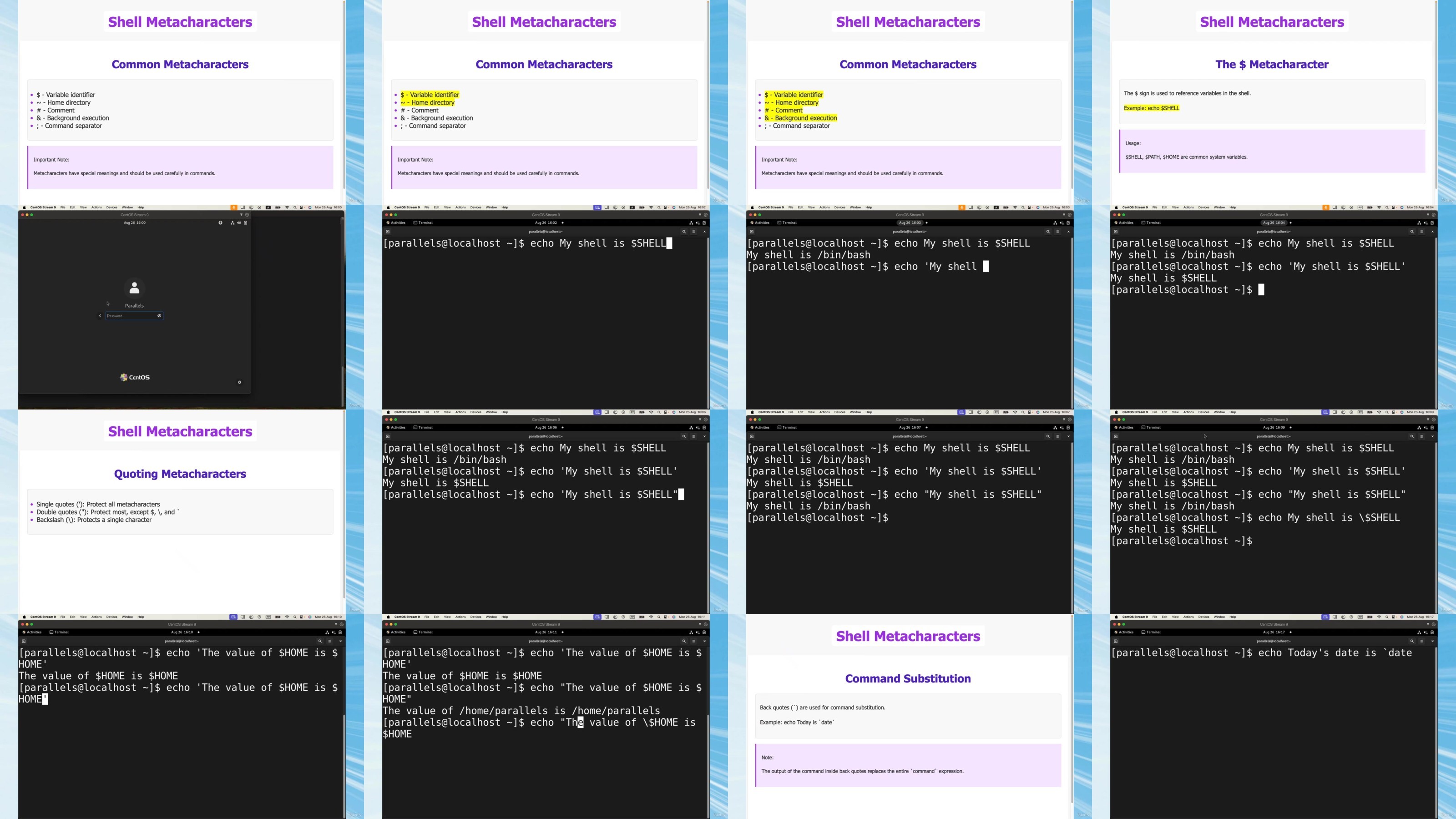
Lecture 137 Introduction to Shell Metacharacters in Linux
Lecture 138 Linux Help Systems and Proper Shutdown Procedures
Lecture 139 Navigating the Linux File System: Understanding Directory Structures
Lecture 140 Linux Directory Navigation: Essential Commands
Lecture 141 Understanding Linux File Types
Lecture 142 File Listing Techniques in Linux: Exploring ls Command Options and Beyond
Lecture 143 Wildcard Metacharacters in Linux File Management
Lecture 144 File Content Display in Linux
Lecture 145 Text Processing with Grep in Linux
Lecture 146 File and Directory Management: Essential Linux Commands
Lecture 147 File Manipulation: Copying, Moving, and Removing
Lecture 148 File Security: Understanding and Utilizing File Attributes in Linux
Lecture 149 Searching in Linux: the 'find' Command for Efficient File Location
Lecture 150 Searching in Linux: Part 2
Lecture 151 Searching in Linux: Part 3
Lecture 152 Searching in Linux: Part 4
Lecture 153 Hands-On Guide to Finding Large Files and Creating a Long Listing in Linux
Lecture 154 Setting up File Permissions: Essential Linux Security Concepts
Lecture 155 File Access Control with Linux Permissions
Lecture 156 Setting Up Group Permissions in Linux
Lecture 157 Hands-On Demo: Configuring Linux Permissions for Team Development Environments
Section 6: Vim
Lecture 158 Introduction to Basic Navigation in Vim
Lecture 159 Hands-on Practice: Vim Installation and Basic Navigation
Lecture 160 Fundamentals of Editing in Vim
Lecture 161 Basic Vim Navigation
Lecture 162 Advanced Vim Navigation
Lecture 163 Vim Search and Replace
Lecture 164 Vim Copy and Insert
Lecture 165 Vim Fundamentals: A Comprehensive Review of Core Concepts and Commands
Lecture 166 Overview of Exercise Lessons. What will we learn?
Lecture 167 Exercise 1: Editing in Vim
Lecture 168 Exercise 2: Editing in Vim
Lecture 169 Exercise 3: Editing in Vim
Lecture 170 Exercise 4: Editing in Vim
Lecture 171 Navigating and Editing Multiple Files in Vim
Section 7: Shell Basics. Processes and Scheduling. Essential Linux Tools
Lecture 172 Searching the needed info with grep&wc
Lecture 173 Cat and output redirection
Lecture 174 Using pipes
Lecture 175 Processes revealed
Lecture 176 Processes and jobs
Lecture 177 Exploring all running processes with top command
Lecture 178 Understanding process states
Lecture 179 Changing process priority with nice
Lecture 180 Controlling processes with signals
Lecture 181 Changing password and working with PATH
Lecture 182 Special characters and command-line keystrokes
Lecture 183 Chaining operators
Lecture 184 Sed and awk
Lecture 185 Sed and awk. Part 2
Lecture 186 Performing exit, reboot or shutdown on the system
Lecture 187 Using BASH history
Lecture 188 Using aliases to create your own commands
Lecture 189 Watching files updates live with watch command
Lecture 190 Gaining administrative privileges with sudo command
Section 8: Managing Packages
Lecture 191 Packages overview
Lecture 192 Managing packages with rpm command
Lecture 193 Installing and modifying packages with rpm command
Lecture 194 Viewing pgp keys and verifying package attributes
Lecture 195 YUM package manager. Part 1
Lecture 196 YUM package manager. Part 2
Lecture 197 YUM package manager. Part 3
Section 9: Networking Basics
Lecture 198 Configuring hostname
Lecture 199 IPv4 concepts and traceroute command usage
Lecture 200 Using 'ip' command
Lecture 201 Validating and Troubleshooting Network Configuration
Lecture 202 Practice Lab: Examining Network Configuration
Lecture 203 Configuring Networking with nmcli
Lecture 204 Validating Network Configuration (with Guided Exercise)(
Lecture 205 Editing Network Configuration Files (with Guided Exercise)
Lecture 206 Lab: Managing Networking
Section 10: System Administration. Managing Local users
Lecture 207 Users: Intro, id command, passwd file
Lecture 208 Users: Gaining Superuser Access. su and sudo commands
Lecture 209 Users: Configuring sudo
Lecture 210 Users: Guided Exercise Using sudo
Lecture 211 Users: Using useradd, userdel and usermod
Lecture 212 Users: Practice excersise with useradd, userdel and usermod
Lecture 213 Groups: groupadd, groupdel and groupmod
Lecture 214 Groups: adding users to groups
Lecture 215 Users: working with passwords
Lecture 216 Users: Practice. Working with passwords
Lecture 217 Lab: Managing Users and Groups
Section 11: System Administration. Linux File System Permissions
Lecture 218 File permissions
Lecture 219 Changing Permissions for Files and Directories
Lecture 220 Changing Ownership for Files and Directories
Lecture 221 Guided Exercise: Managing File System Permissions
Lecture 222 Umask and Managing Default Permissions and File Access
Lecture 223 Guided Exercise: Umask and Managing Default Permissions
Lecture 224 Lab: Controlling Access to Files
Section 12: Monitoring and Managing Linux Processes
Lecture 225 Listing Processes and Process States
Lecture 226 Controlling Jobs
Lecture 227 Killing Processes
Lecture 228 Monitoring process activity
Lecture 229 Lab: Monitoring and Managing Processes
Lecture 230 Controlling Services and Daemons
Lecture 231 Controlling Services and Daemons: Guided Exercises
Section 13: Configuring and Securing SSH
Lecture 232 Configuring SSH key-based authentication
Lecture 233 Configuring and securing SSH
Section 14: Analyzing and Storing Logs
Lecture 234 Describing System Log Architecture
Lecture 235 Reviewing Syslog Files
Lecture 236 Reviewing System Journal Entries
Lecture 237 Preserving the System Journal
Lecture 238 Maintaining Accurate Time
Lecture 239 Lab: Analyzing and Storing Logs
Section 15: Archiving and Transferring Files
Lecture 240 Archiving and Compressing Files
Lecture 241 Transferring Files Between Systems Securely
Section 16: Scheduling Future Tasks
Lecture 242 Using 'at' Package
Lecture 243 Scheduling Recurring Tasks with 'crontab'
Lecture 244 Scheduling Recurring System Jobs
Lecture 245 Guided Exercise: Scheduling Recurring System Jobs
Lecture 246 Managing Temporary Files
Lecture 247 Guided Exercise: Managing Temporary Files
Section 17: Tuning System Performance
Lecture 248 Adjusting Tuning Profiles
Lecture 249 Adjusting Process Scheduling
Lecture 250 Guided Exercise: Changing Process Scheduling
Section 18: Controlling Access to Files with ACLs
Lecture 251 Securing Files with ACLs
Lecture 252 Guided Exercise: Securing Files with ACLs
Section 19: Managing Storage
Lecture 253 Adding Partitions, File Systems, and Persistent Mounts
Lecture 254 Guided Exercise: Adding Partitions, File Systems, and Persistent Mounts
Lecture 255 Managing Swap Space
Lecture 256 Lab: Managing Basic Storage
Lecture 257 Managing Logical Volumes
Lecture 258 Extending Logical Volumes
Lecture 259 Guided Exercise: Extending Logical Volumes
Lecture 260 Lab: Managing Logical Volumes
Lecture 261 Managing Layered Storage with Stratis
Lecture 262 Guided Exercise: Managing Layered Storage with Stratis
Lecture 263 Compresson and Deduplicating Storage with VDO
Lecture 264 Lab: Implementing Advanced Stirage Features
Lecture 265 Accessing Network-Attached Storage
Lecture 266 Guided Exercise: Accessing Network-Attached Storage
Section 20: Controlling and Troubleshooting the Boot Process
Lecture 267 Describing the Boot Process
Lecture 268 Guided Exercise: Selecting the Boot Target
Lecture 269 Guided Exercise:Resetting the Root Password. Using Debug Mode and Logs.
Lecture 270 Lab: Controlling the Boot Process
Section 21: Managing Networking. Part 2
Lecture 271 Describing Networking Concepts
Lecture 272 IPv4 settings. Defining subnets
Lecture 273 IPv4 Guided Exercises. Public and Private Adresses
Lecture 274 Lab: Planning an IPv4 network
Section 22: Managing Certificates
Lecture 275 Using OpenSSL on Red Hat Linux to Create, Operate, and Secure a Certificates
Lecture 276 Creating Certificate Authority (Self-Signed)
Lecture 277 Hands-On Lab on OpenSSL
Section 23: Hands-On Scripting: Fast track
Lecture 278 Your First Bash Script. Part 1
Lecture 279 Your First Bash Script. Part 2
Lecture 280 Bash Syntax Fundamentals. Part 1
Lecture 281 Bash Syntax Fundamentals. Part 2
Lecture 282 Bash Syntax Fundamentals. Part 3
Lecture 283 Working with Files and Permissions. Part 1
Lecture 284 Working with Files and Permissions. Part 2
Lecture 285 Working with Files and Permissions. Part 3
Lecture 286 Script Example: File Operations and Bash Concepts
Lecture 287 'if' Statement. Part 1
Lecture 288 'if' Statement. Part 2
Lecture 289 Loops in Bash. Part 1
Lecture 290 Loops in Bash. Part 2
Lecture 291 Hands-on Lab: Interactive Menu Script. Part 1
Lecture 292 Hands-on Lab: Interactive Menu Script. Part 2
Lecture 293 Hands-on Lab: Linux Administration Interactive Menu Scrip
Lecture 294 Hands-on Lab: Linux Administration Interactive Menu Scrip
Lecture 295 Functions in Bash. Part 1
Lecture 296 Functions in Bash. Part 2
Lecture 297 Error Handling and Debugging in Bash. Part 1
Lecture 298 Error Handling and Debugging in Bash. Part 2
Lecture 299 Error Handling and Debugging in Bash. Part 3
Lecture 300 Advanced Bash Scripting Techniques - Examples Explained.
Lecture 301 Advanced Bash Scripting Techniques - Examples Explained.
Lecture 302 Advanced Bash Scripting Techniques - Examples Explained.
Lecture 303 Advanced Bash Scripting Techniques - Practical Example Wa
Lecture 304 Bash Script Optimization and Performance. Part 1
Lecture 305 Bash Script Optimization and Performance. Part 2
Lecture 306 Bash Script Optimization and Performance. Part 3
Lecture 307 Bash Script Optimization and Performance. Part 4
Lecture 308 Bash Script Optimization and Performance. Practical Examp
Section 24: Hands-On Scripting Step-by-Step
Lecture 309 Writing Simple Bash Scripts
Lecture 310 Guided Exercise: Writing Your First Script
Lecture 311 Using Loops
Lecture 312 Guided Exercise: Using Loops
Lecture 313 Describing a Simple Regular Expression
Lecture 314 Guided Exercise: Using grep with RegEx
Lecture 315 Using grep with RegEx
Lecture 316 Lab: Your First Script
Lecture 317 Building Scripts: Using Variables and Redirecting Input/O
Lecture 318 Building Scripts: the if-then statements
Lecture 319 Building Scripts: Trying the Test command. Using Comparis
Lecture 320 Building Scripts: Using File Comparison
Lecture 321 Compound Testing. Working wit Advanced If-Then Statements
Lecture 322 A Practical Example
Lecture 323 Looping with the 'for' statement
Lecture 324 Looping with the 'for' statement. Part 2
Lecture 325 Using 'while' and 'until' commands. Using Loops
Lecture 326 Using Loops. Part 2
Lecture 327 Practical Examples Using Loops
Lecture 328 Passing Parameters
Lecture 329 Using Special Parameter Variables
Lecture 330 Working with Options
Lecture 331 Using Read Command
Lecture 332 A Practical Example
Lecture 333 Understanding Input and Output
Lecture 334 Redirecting Output in Scripts
Lecture 335 Read/Write file descriptors
Lecture 336 Supressing Command Output. Using temp files. Logging Mess
Lecture 337 A practical example: using input and output
Lecture 338 Signaling the Bash shell
Lecture 339 Using traps
Lecture 340 Running scripts in background
Lecture 341 Running Scripts without a Hang-up
Lecture 342 Controlling the Job. Viewing Jobs
Section 25: SuSe Linux Administration
Lecture 343 Installing SuSe Linux
Lecture 344 Managing users with YaST
Lecture 345 Adding and modifying users and groups with YaST
Lecture 346 Configuring language and time settings in YaST
Lecture 347 Introduction
Lecture 348 Get to know YaST
Lecture 349 Understanding SuSEconfig
Lecture 350 Managing Network Configuration from YaST
Lecture 351 Installing Software Packages
Lecture 352 Managing Installation Repositories
Lecture 353 Summary
Lecture 354 Introduction
Lecture 355 Accessing and Using Man Pages
Lecture 356 Using Info Pages
Lecture 357 Accessing Release Notes, White Papers, Help and Online He
Lecture 358 Summary
Lecture 359 Course Overview
Lecture 360 Understand the File System Hierarchy Standard
Lecture 361 The Hierarchical Structure of the File System 1
Lecture 362 The Hierarchical Structure of the File System 2
Lecture 363 The Hierarchical Structure of the File System 3
Lecture 364 The Hierarchical Structure of the File System 4
Lecture 365 The Hierarchical Structure of the File System 5
Lecture 366 Mounting File Systems
Lecture 367 Using Mounting Command Demo
Lecture 368 File Types
Lecture 369 Managing Directories
Lecture 370 Get to Know the Command Shells
Lecture 371 Get to know History function and how to switch to User ro
Lecture 372 Work with Variables and Aliases
Lecture 373 Using Search Patterns, locale and Special Characters
Lecture 374 Practice exercises: Creating an Alias and Working with Co
Lecture 375 Using Piping and Redirection
Lecture 376 User and Group Administration with YaST
Lecture 377 Hands-On Exercise: Manage User and Group Accounts with Ya
Lecture 378 Check User and Group Information on Your Server
Lecture 379 Hands-On Exercise: Check User and Group Information on Yo
Lecture 380 Manage User and Group Accounts from the Command Line
Lecture 381 Hands-On Exercise: Manage User and Group Accounts from th
Lecture 382 Manage File Permissions and Ownership
Lecture 383 Hands-On Exercise: Manage File Permissions and Ownership
Lecture 384 Installing SUSE Linux Enterprise Server 15 SP5. Part 1
Lecture 385 Installing SUSE Linux Enterprise Server 15 SP5. Part 2
Lecture 386 Installing SUSE Linux Enterprise Server 15 SP5. Part 3
Lecture 387 First Login. SSH remote login. Registering th System. BAS
Lecture 388 SUSE Linux Directory Structure
Lecture 389 A Note on How to Use 'sudo' and 'su' commands
Lecture 390 Yast security module
This course is perfect for IT professionals seeking Linux certification, system administrators wanting to advance their careers, network engineers expanding into Linux, developers needing strong foundation skills, and career changers entering the high-demand Linux field. Whether you're a complete beginner or have some Linux exposure, this comprehensive course will take you from basics to professional certification level. Ideal for anyone looking to increase their earning potential in cloud computing, DevOps, cybersecurity, or enterprise IT roles.
DDownload
https://ddownload.com/ewtszq065tgq/yxusj.Udemy_Linux_Mastery_LPIC_1_101_500_and_102_500_Ultimate_Prep.part01.rar
https://ddownload.com/fjj6vmlazg2u/yxusj.Udemy_Linux_Mastery_LPIC_1_101_500_and_102_500_Ultimate_Prep.part02.rar
https://ddownload.com/4jmhve6c9vod/yxusj.Udemy_Linux_Mastery_LPIC_1_101_500_and_102_500_Ultimate_Prep.part03.rar
https://ddownload.com/tiu1ffocdveg/yxusj.Udemy_Linux_Mastery_LPIC_1_101_500_and_102_500_Ultimate_Prep.part04.rar
https://ddownload.com/gb6kavc9odqd/yxusj.Udemy_Linux_Mastery_LPIC_1_101_500_and_102_500_Ultimate_Prep.part05.rar
https://ddownload.com/gxf1zex5j815/yxusj.Udemy_Linux_Mastery_LPIC_1_101_500_and_102_500_Ultimate_Prep.part06.rar
https://ddownload.com/nxr7km3jquj0/yxusj.Udemy_Linux_Mastery_LPIC_1_101_500_and_102_500_Ultimate_Prep.part07.rar
https://ddownload.com/zp64caupi3zp/yxusj.Udemy_Linux_Mastery_LPIC_1_101_500_and_102_500_Ultimate_Prep.part08.rar
https://ddownload.com/f7mybkt2ak06/yxusj.Udemy_Linux_Mastery_LPIC_1_101_500_and_102_500_Ultimate_Prep.part09.rar
https://ddownload.com/3m7jvfg0x514/yxusj.Udemy_Linux_Mastery_LPIC_1_101_500_and_102_500_Ultimate_Prep.part10.rar
https://ddownload.com/49a62e2b6i1d/yxusj.Udemy_Linux_Mastery_LPIC_1_101_500_and_102_500_Ultimate_Prep.part11.rar
https://ddownload.com/ahh9hzpn294i/yxusj.Udemy_Linux_Mastery_LPIC_1_101_500_and_102_500_Ultimate_Prep.part12.rar
https://ddownload.com/7h9xkiuksdn6/yxusj.Udemy_Linux_Mastery_LPIC_1_101_500_and_102_500_Ultimate_Prep.part13.rar
https://ddownload.com/10xsh0kyzes9/yxusj.Udemy_Linux_Mastery_LPIC_1_101_500_and_102_500_Ultimate_Prep.part14.rar
https://ddownload.com/h8kkrxzejk29/yxusj.Udemy_Linux_Mastery_LPIC_1_101_500_and_102_500_Ultimate_Prep.part15.rar
https://ddownload.com/rd82ax8kc4lr/yxusj.Udemy_Linux_Mastery_LPIC_1_101_500_and_102_500_Ultimate_Prep.part16.rar
RapidGator
https://rapidgator.net/file/20389319c136ceb9653ea4366ee5f85f/yxusj.Udemy_Linux_Mastery_LPIC_1_101_500_and_102_500_Ultimate_Prep.part01.rar
https://rapidgator.net/file/15631fc6a99a1cc179d2ab2797b0aa2a/yxusj.Udemy_Linux_Mastery_LPIC_1_101_500_and_102_500_Ultimate_Prep.part02.rar
https://rapidgator.net/file/3072e85be5384cc5bfbba2f859c074d0/yxusj.Udemy_Linux_Mastery_LPIC_1_101_500_and_102_500_Ultimate_Prep.part03.rar
https://rapidgator.net/file/00c8d71239591b8aec302ee58a5aab45/yxusj.Udemy_Linux_Mastery_LPIC_1_101_500_and_102_500_Ultimate_Prep.part04.rar
https://rapidgator.net/file/0877d1c808d1710439f2858f8616da73/yxusj.Udemy_Linux_Mastery_LPIC_1_101_500_and_102_500_Ultimate_Prep.part05.rar
https://rapidgator.net/file/626c3e9b37d278736c1e33b21b5be143/yxusj.Udemy_Linux_Mastery_LPIC_1_101_500_and_102_500_Ultimate_Prep.part06.rar
https://rapidgator.net/file/1bee7d7025a2bdf2165ef6d0aa3840fb/yxusj.Udemy_Linux_Mastery_LPIC_1_101_500_and_102_500_Ultimate_Prep.part07.rar
https://rapidgator.net/file/9284574054bb43dfd1659ccf1ea631c4/yxusj.Udemy_Linux_Mastery_LPIC_1_101_500_and_102_500_Ultimate_Prep.part08.rar
https://rapidgator.net/file/897065b5d47cfda6878c08ed9d3a6701/yxusj.Udemy_Linux_Mastery_LPIC_1_101_500_and_102_500_Ultimate_Prep.part09.rar
https://rapidgator.net/file/8aa26912575cd29a2c41c4a62d76f283/yxusj.Udemy_Linux_Mastery_LPIC_1_101_500_and_102_500_Ultimate_Prep.part10.rar
https://rapidgator.net/file/709f10a97fd7ce04d9e4a88eaae20e34/yxusj.Udemy_Linux_Mastery_LPIC_1_101_500_and_102_500_Ultimate_Prep.part11.rar
https://rapidgator.net/file/956c0f2c88fde6909033a74eac1e12f3/yxusj.Udemy_Linux_Mastery_LPIC_1_101_500_and_102_500_Ultimate_Prep.part12.rar
https://rapidgator.net/file/2ad3a866303b12d192ebb6fdea2813fb/yxusj.Udemy_Linux_Mastery_LPIC_1_101_500_and_102_500_Ultimate_Prep.part13.rar
https://rapidgator.net/file/7d29617c6d760f70607ac39aecf9d443/yxusj.Udemy_Linux_Mastery_LPIC_1_101_500_and_102_500_Ultimate_Prep.part14.rar
https://rapidgator.net/file/b50752bae2bbb95d84919676f00b6793/yxusj.Udemy_Linux_Mastery_LPIC_1_101_500_and_102_500_Ultimate_Prep.part15.rar
https://rapidgator.net/file/747cc48d9cc2f089f21462c1e26befe8/yxusj.Udemy_Linux_Mastery_LPIC_1_101_500_and_102_500_Ultimate_Prep.part16.rar
See full article