AI Presentation Mastery: ChatGPT & Canva for Slide Creation
Date: 26 July 2025 | Posted by: 0nelove
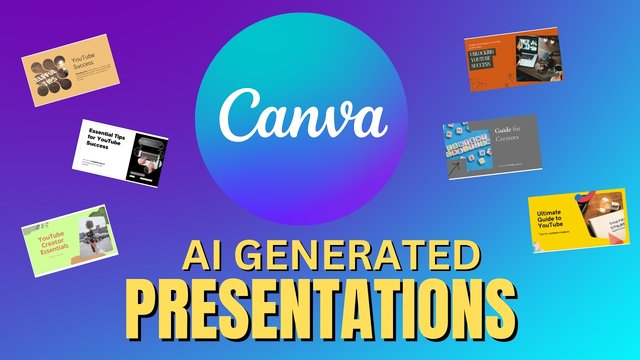
AI Presentation Mastery: ChatGPT & Canva for Slide Creation
Published 7/2025
MP4 | Video: h264, 1920x1080 | Audio: AAC, 44.1 KHz
Language: English | Size: 3.27 GB | Duration: 4h 8m
AI Presentations with ChatGPT, Canva, Gamma, Gemini, DALL·E, Slide Design, LLMs Prompt Engineering, AI Image Generation
What you'll learn
Prompt Engineering in ChatGPT, Gemini & Grok – Expert methods for structured content creation
Slide Creation Automation with Canva, Gamma & Slidesgo – Build presentations fully with AI workflows
Content Generation in ChatGPT for Slides – High-precision outlines, scripts, and structured flow
AI Image Generation using DALL·E, Canva & ChatGPT – Creative visuals with powerful visual prompting
YouTube-to-Slides Workflow with ChatGPT & Slidesgo – Convert videos into presentations using transcripts
Custom GPTs for Branded Slide Templates – Build reusable GPTs for consistent and scalable output
Slide Design Techniques in Canva AI – Apply expert layout rules and color hacks for visual clarity
Deep Research with ChatGPT, Gemini & Grok – Extract high-value, accurate content from LLMs
Prompting Strategies in Offline & Online LLMs – Adapt your workflow based on tool connectivity
Real-Time Capstone Build with ChatGPT, Canva & Gamma – Complete a full AI-powered presentation
Seamless Tool Integration with GPTs, Canva & Image AI – Optimize your workflow using multiple AI tools
Responsible AI Use with ChatGPT Visuals – Copyright, attribution, and ethical standards for slides
Requirements
No AI Experience Required
ChatGPT Account (Free or GPT-4 Recommended)
Optional Access to Gemini, Grok, Canva & Gamma
Description
Note: This is not just another course on making slides with AI tools. Instead, it takes you deep into real-world workflows using ChatGPT, Canva, Gamma, and custom GPTs, where you'll learn through a project-based approach how to automate slide creation and generate branded, high-impact content using smart AI prompting techniques.
• What separates a basic ChatGPT user from someone who designs full AI-powered presentations in minutes?
• How can YouTube videos be turned into ready-to-deliver slide decks using tools like Slidesgo and Gamma?
• What does it take to build reusable GPTs for branded templates and consistent slide creation?
In this course, you'll learn how to design and automate presentations using ChatGPT, Canva, Gemini, Grok, DALL·E, and more. You'll go step by step through the complete process—from writing high-impact prompts and creating visuals to building your own GPTs and streamlining AI workflows. Whether you're a content creator, coach, marketer, freelancer, or educator, this course will help you deliver better presentations, faster.
Headlines
1. Prompt Engineering in ChatGPT, Gemini & Grok – Expert methods for structured content creation
2. Slide Creation Automation with Canva, Gamma & Slidesgo – Build presentations fully with AI workflows
3. Content Generation in ChatGPT for Slides – High-precision outlines, scripts, and structured flow
4. AI Image Generation using DALL·E, Canva & ChatGPT – Creative visuals with powerful visual prompting
5. YouTube-to-Slides Workflow with ChatGPT & Slidesgo – Convert videos into presentations using transcripts
6. Custom GPTs for Branded Slide Templates – Build reusable GPTs for consistent and scalable output
7. Slide Design Techniques in Canva AI – Apply expert layout rules and color hacks for visual clarity
8. Deep Research with ChatGPT, Gemini & Grok – Extract high-value, accurate content from LLMs
9. Prompting Strategies in Offline & Online LLMs – Adapt your workflow based on tool connectivity
10. Real-Time Capstone Build with ChatGPT, Canva & Gamma – Complete a full AI-powered presentation
11. Responsible AI Use with ChatGPT Visuals – Copyright, attribution, and ethical standards for slides
12. Seamless Tool Integration with GPTs, Canva & Image AI – Optimize your workflow using multiple AI tools
Enroll now and start creating presentations with powerful, streamlined AI workflows.
If you have any questions during the course, feel free to ask — I offer 24/7 support to help you learn faster and grow with confidence.
Who this course is for
Presentation Designers
Educators
Online Instructors
Course Creators
Content Creators
Digital Marketers
Social Media Managers
Coaches
Freelancers
Startup Founders
Entrepreneurs
Business Consultants
Corporate Professionals
Product Managers
Sales Professionals
Instructional Designers
Learning & Development Specialists
Prompt Engineers
AI & Data Science Students
Marketing Students
Education Majors
Computer Science Students
YouTubers
Influencers
Public Speakers
Webinar Hosts
Interns in Creative or Tech Roles
All Students Who Need to Present Academic Work or Projects
All Working Professionals Who Create Presentations
Anyone Who Has to Create a Presentation — Even Once in Their Life
https://rapidgator.net/file/ad1689ef969e4086d9bd3267e3d91ad5/AI_Presentation_Mastery_ChatGPT_Canva_for_Slide_Creation.part2.rar.html
https://rapidgator.net/file/90fa156a1e9e0e7704aa0fc82a5a2a01/AI_Presentation_Mastery_ChatGPT_Canva_for_Slide_Creation.part3.rar.html
https://rapidgator.net/file/e3f09701d2d5b2977ffcc5ab33f45993/AI_Presentation_Mastery_ChatGPT_Canva_for_Slide_Creation.part4.rar.html
https://rapidgator.net/file/35055b1d968a36e0d281dc1473da6f57/AI_Presentation_Mastery_ChatGPT_Canva_for_Slide_Creation.part1.rar.html
https://nitroflare.com/view/C162F0976389FCD/AI_Presentation_Mastery_ChatGPT_Canva_for_Slide_Creation.part1.rar
https://nitroflare.com/view/3D36B0DAAC253D1/AI_Presentation_Mastery_ChatGPT_Canva_for_Slide_Creation.part2.rar
https://nitroflare.com/view/9A5C9B78C96FB46/AI_Presentation_Mastery_ChatGPT_Canva_for_Slide_Creation.part3.rar
https://nitroflare.com/view/E66266DF0FF0EA6/AI_Presentation_Mastery_ChatGPT_Canva_for_Slide_Creation.part4.rar
See full article