Floral Chintz & Chinoiserie In Photoshop
Date: 7 June 2025 | Posted by: 0nelove
Floral Chintz & Chinoiserie In Photoshop
Published 6/2025
MP4 | Video: h264, 1280x720 | Audio: AAC, 44.1 KHz, 2 Ch
Language: English | Duration: 1h 2m | Size: 986 GB
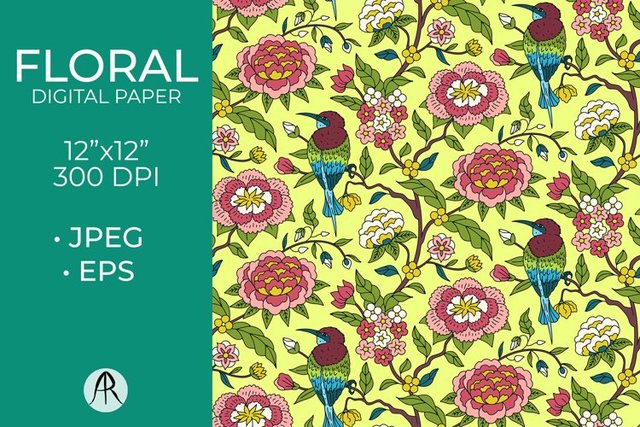
In this class, we'll walk through the complete process of creating a hand-drawn Chintz-inspired print.
What you'll learn
Tips for sketching, illustrating, and preparing your motifs for pattern creation
Simple scanning, Photoshop skills to clean up and arrange your final pattern
Simple scanning, Photoshop skills to clean up and arrange your final pattern
How to create a trailing, bouquet and stripe layout pattern in Photoshop
Requirements
Any painting medium and Photoshop software
Description
Part 1 - Floral Chintz in Photoshop: Create Three Unique Pattern StylesIn this class you'll learn:Tips for sketching, illustrating, and preparing your motifs for pattern creationHow to create a trailing layout pattern in PhotoshopHow to create a bouquet layout pattern in PhotoshopHow to create a stripe layout pattern in PhotoshopThese patterns can have a range of applications, here are a few examples:Surface Pattern DesignsArt PrintsAnimationStickersJournalingPersonal ProjectsGreeting CardsNotebook CoversWho this class is for:Intermediate Level: Anyone who knows the basics of PhotoshopYou'll need:Digital or traditional tools for illustrationA scanner or a camera to digitize your artworkPhotoshop software for pattern-makingMy drawing tools:150 GSM mixed-media paperStaedtler watercolor pencilsBy the end of the class, you'll have not just three individual patterns, but a mini collection that works beautifully together which is ideal for fabric, wallpaper, stationery, and more!Part 2 - Chinoiserie: Design Your Own Elegant PrintI'll guide you step-by-step through my creative process, covering four key stages:1) Moodboard & Inspiration2) Illustration3) Scanning & Refining4) Pattern in PhotoshopBy the end of the class, you'll learn:How to make a basic moodboard to gather inspiration for your printBasic sketching techniques for drawing botanical and nature-inspired elementsTips for illustrationSimple scanning, Photoshop skills to clean up and arrange your final patternYou'll need:Digital or traditional tools for illustrationScanner or any device for scanning or photographing your artworkPhotoshop softwareMy drawing tools:300 GSM, Mix media A3 size paperSteadlers watercolour pencils
Who this course is for
Intermediate Level: Anyone who knows the basics of Photoshop
Buy Premium From My Links To Get Resumable Support and Max Speed
https://rapidgator.net/file/75ca984e75824fe4ab47bd27bba0fb22/Floral_Chintz_&_Chinoiserie_in_Photoshop.rar.html
https://nitroflare.com/view/182478264940602/Floral_Chintz_%26amp%3B_Chinoiserie_in_Photoshop.rar
https://rapidgator.net/file/75ca984e75824fe4ab47bd27bba0fb22/Floral_Chintz_&_Chinoiserie_in_Photoshop.rar.html
https://nitroflare.com/view/182478264940602/Floral_Chintz_%26amp%3B_Chinoiserie_in_Photoshop.rar
See full article