Electron From Scratch: Build Desktop Apps With JavaScript (2020)
Date: 11 February 2025 | Posted by: AD-TEAM
Electron From Scratch: Build Desktop Apps With jаvascript (2020)
WEBRip | English | MP4 + Project Files | 1280 x 720 | AVC ~676 kbps | 30 fps
AAC | 128 Kbps | 44.1 KHz | 2 channels | ~6 hours | 2.27 GB
Genre: eLearning Video / Development, Programming, Electron Framework
Create 3 useful desktop applications with web technologies using Electron
What you'll learn
Learn how to build desktop apps with Electron
Create and package 3 complete cross-platform applications
Use IPC to communicate between Main & Renderer Processes
Use Vanilla JS & React with Electron
Create custom menu items, system tray apps and more
Work with local data as well as MongoDB Atlas database
Requirements
jаvascript Fundamentals
Description
This is a hands on, project based course on learning how to build and package cross-platform desktop applications using Electron. Many popular apps including VSCode, Slack and Skype are built on Electron.
We will build 3 apps
ImageShrink - An app to optimize images for websites
SystTop - RealTime CPU monitor with notifications and system tray
BugLogger - CRUD app to track logs which uses React and the MongoDB Atlas cloud database
Some stuff you will learn:
Create app windows with BrowserWindow
Create menus with custom items
Menu roles
Shell module to open files and folders
Create system tray icons with context menus
App events
Main process & Renderer process
Communication between processes with IPCMain & IPCRenderer
Packaging Electron apps
Creating log files
Interact with system hardware
Create a data store file with settings data
Integrate React with Electron
Integrate a MongoDB database with Mongoose
Some jаvascript stuff that you may not have known
Who this course is for:
Developers that want to build desktop apps with web technologies
also You can find my other helpful
(if old file-links don't show activity, try copy-paste them to the address bar)
General
Complete name : 011. menu-global-shortcuts.mp4
Format : MPEG-4
Format profile : Base Media
Codec ID : isom (isom/iso2/avc1/mp41)
File size : 29.1 MiB
Duration : 5 min 0 s
Overall bit rate : 812 kb/s
Writing application : Lavf58.12.100
Video
ID : 1
Format : AVC
Format/Info : Advanced Video Codec
Format profile : Main@L3.1
Format settings : CABAC / 4 Ref Frames
Format settings, CABAC : Yes
Format settings, RefFrames : 4 frames
Format settings, GOP : M=4, N=60
Codec ID : avc1
Codec ID/Info : Advanced Video Coding
Duration : 5 min 0 s
Bit rate : 676 kb/s
Nominal bit rate : 3 000 kb/s
Width : 1 280 pixels
Height : 720 pixels
Display aspect ratio : 16:9
Frame rate mode : Constant
Frame rate : 30.000 FPS
Color space : YUV
Chroma subsampling : 4:2:0
Bit depth : 8 bits
Scan type : Progressive
Bits/(Pixel*Frame) : 0.024
Stream size : 24.2 MiB (83%)
Writing library : x264 core 148
Encoding settings : cabac=1 / ref=3 / deblock=1:0:0 / analyse=0x1:0x111 / me=umh / subme=6 / psy=1 / psy_rd=1.00:0.00 / mixed_ref=1 / me_range=16 / chroma_me=1 / trellis=1 / 8x8dct=0 / cqm=0 / deadzone=21,11 / fast_pskip=1 / chroma_qp_offset=-2 / threads=22 / lookahead_threads=3 / sliced_threads=0 / nr=0 / decimate=1 / interlaced=0 / bluray_compat=0 / constrained_intra=0 / bframes=3 / b_pyramid=2 / b_adapt=1 / b_bias=0 / direct=1 / weightb=1 / open_gop=0 / weightp=2 / keyint=60 / keyint_min=6 / scenecut=0 / intra_refresh=0 / rc_lookahead=60 / rc=cbr / mbtree=1 / bitrate=3000 / ratetol=1.0 / qcomp=0.60 / qpmin=0 / qpmax=69 / qpstep=4 / vbv_maxrate=3000 / vbv_bufsize=6000 / nal_hrd=none / filler=0 / ip_ratio=1.40 / aq=1:1.00
Audio
ID : 2
Format : AAC
Format/Info : Advanced Audio Codec
Format profile : LC
Codec ID : mp4a-40-2
Duration : 5 min 0 s
Duration_LastFrame : -1 ms
Bit rate mode : Constant
Bit rate : 128 kb/s
Channel(s) : 2 channels
Channel positions : Front: L R
Sampling rate : 44.1 kHz
Frame rate : 43.066 FPS (1024 SPF)
Compression mode : Lossy
Stream size : 4.59 MiB (16%)
Default : Yes
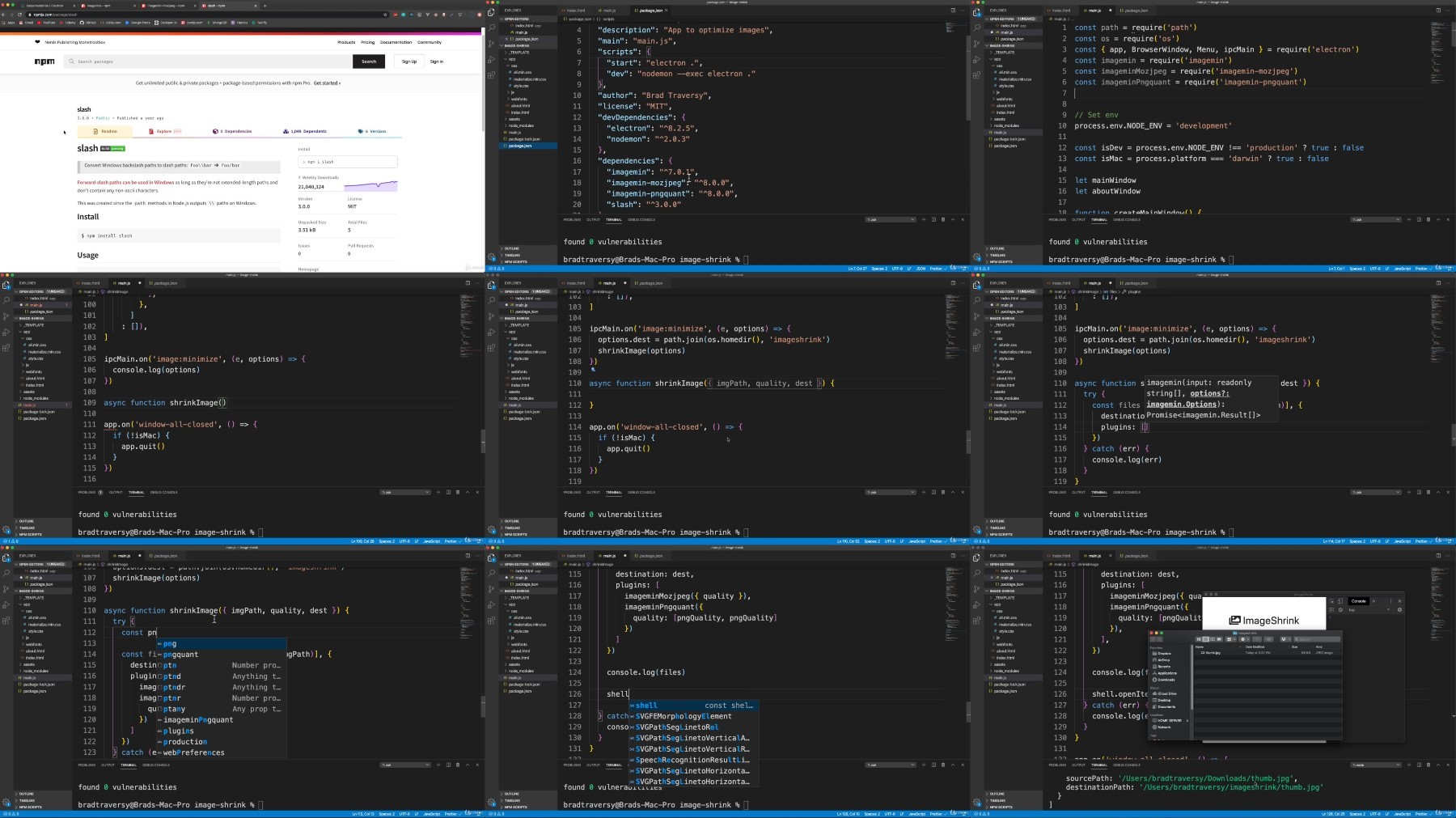
Alternate group : 1 Screenshots
✅ Exclusive eLearning Videos ← add to bookmarks
Feel free to contact me
when links are dead or want any repost
TurboBit
https://turbobit.net/nbmbmgasn8ws/.Electron.From.Scratch..Build.Desktop.Apps.With.jаvascript.part1.rar.html
https://turbobit.net/frp7govawn75/.Electron.From.Scratch..Build.Desktop.Apps.With.jаvascript.part2.rar.html
RapidGator
https://rapidgator.net/file/dc97df08dacdf3e9ef6a5d8dfdba1c92/.Electron.From.Scratch..Build.Desktop.Apps.With.jаvascript.part1.rar
https://rapidgator.net/file/c638a4eec523843b153b67194b8571ed/.Electron.From.Scratch..Build.Desktop.Apps.With.jаvascript.part2.rar
AlfaFile
FileFactory
See full article