A Crashcourse In Monday Crm
Date: 26 October 2024 | Posted by: AD-TEAM

A Crashcourse In Monday Crm
Published 10/2024
MP4 | Video: h264, 1920x1080 | Audio: AAC, 44.1 KHz
Language: English | Size: 1.50 GB | Duration: 3h 40m
Get up and running quickly with Monday CRM
What you'll learn
Sign up for Monday CRM & get your Free Pro Trial
Navigate the System Efficiently and Effectively
Create and Use Boards & Columns to Store Client Data
Survey your Clients with Proffessional Workforms
Visualize your Sales Pipeline with the Kanban View
Basic Automations to Increase Efficiency
The Basics of Third-Party Integrations and Automation
Manage User Permissions and Access
Requirements
All you need is internet access and a willingness to learn, we'll use a free Trial of Monday to get you going.
Description
Here's a course description for your Monday CRM Crash Course:Jumpstart Your Monday CRM Journey in No Time!Are you new to Monday CRM and eager to learn how to manage your client relationships effectively? This Monday CRM Crash Course will equip you with the foundational knowledge and skills to start using Monday CRM quickly and efficiently.In this course, you'll follow a project-based approach, covering the essential tools and features that will help you manage your sales pipeline, client relationships, and communication. Whether you're a team member or a manager, this course ensures you're ready to take full advantage of Monday CRM for your business or workplace.What You'll Learn:How to sign up and set up your Monday CRM account.Navigating and managing boards specifically designed for CRM workflows.Setting up and customizing columns to track sales leads, clients, and deals.Creating basic CRM automations to streamline follow-ups and communications.Integrating key third-party tools to enhance CRM functionality.Using Gantt charts to manage timelines and track client projects.Exporting and importing data to and from Monday.This crash course covers all the core features you need to get started, making it perfect for beginners or anyone looking for a straightforward, easy-to-follow introduction to Monday CRM. If you're looking for a quick overview to kick off your CRM system, this course is the ideal choice!MasterClass vs. Crash-Course: Which One Fits Your Needs?Both my MasterClass and Crash-Course provide a solid foundation in Monday CRM, but if you're looking for a more in-depth understanding, the MasterClass offers additional insights and advanced techniques to help you fully master the system.Here's how the two courses differ:Comprehensive Column and View Types: In the MasterClass, you'll explore a broader range of column types and view configurations, giving you deeper control over your CRM customization.Excel Import/Export: If you plan to work with data beyond Monday CRM, the MasterClass walks you through detailed steps for importing and exporting boards and items using Excel—ideal for those handling large datasets.Advanced Automation: The MasterClass includes extended examples in automations, providing more complex, real-world scenarios to streamline your workflow.Deeper Integrations: You'll learn to integrate third-party tools on a deeper level, with exclusive content on automatic document generation and population, reserved solely for the MasterClass.Which Course is Right for You?If you're looking for a quick, practical overview of Monday CRM, the Crash-Course is perfect to get you up and running.But if you're ready to take a deep dive into more advanced features, need more comprehensive automation and integration examples, or plan to manage more complex projects, the MasterClass is the right choice.Whether you choose the MasterClass or the Crash-Course, you'll gain the tools and skills to master Monday CRM. The choice depends on how deep you want to go!
Overview
Section 1: Getting Started
Lecture 1 Adding Monday CRM to your Existing Monday Work Management Platform
Lecture 2 Signing Up
Lecture 3 Navigating Monday
Lecture 4 Completing your Profile
Lecture 5 Basic Setup and Aesthetics
Lecture 6 Administration
Section 2: Workspaces
Lecture 7 An Intro to Workspaces
Section 3: Organizing your Workspace
Lecture 8 Create your First Board
Lecture 9 Create Logical Groups Within Your Board
Lecture 10 Let's Create Some Deals
Lecture 11 Adding Sub-Items to your Deals
Lecture 12 Who Gets to Access my Boards
Section 4: Display & Customize Workflow Data
Lecture 13 The Basics of Columns
Lecture 14 Some Simple Columns (Label, Short Text, Phone Number, Email)
Lecture 15 Storing Locations and Files in Columns
Lecture 16 Adding a Deal/Job Number and Status Column
Lecture 17 Pulling Data from Other Boards (Connect Boards and Mirror Column)
Lecture 18 Creating a Deal Type Dropdown Column
Lecture 19 Dates and Durations
Lecture 20 Perform Calculations with the Formula Column
Lecture 21 Adding a Deal Scope Column
Lecture 22 Adding a Rich Text (Monday Doc) Column
Lecture 23 Adding Button and Quote Price Columns
Lecture 24 Adding a Deal Contract (File) Column
Section 5: Project - Let's Create Our First CRM Board
Lecture 25 Your First CRM Board
Section 6: Commmunicate with Clients and Visualize your Data
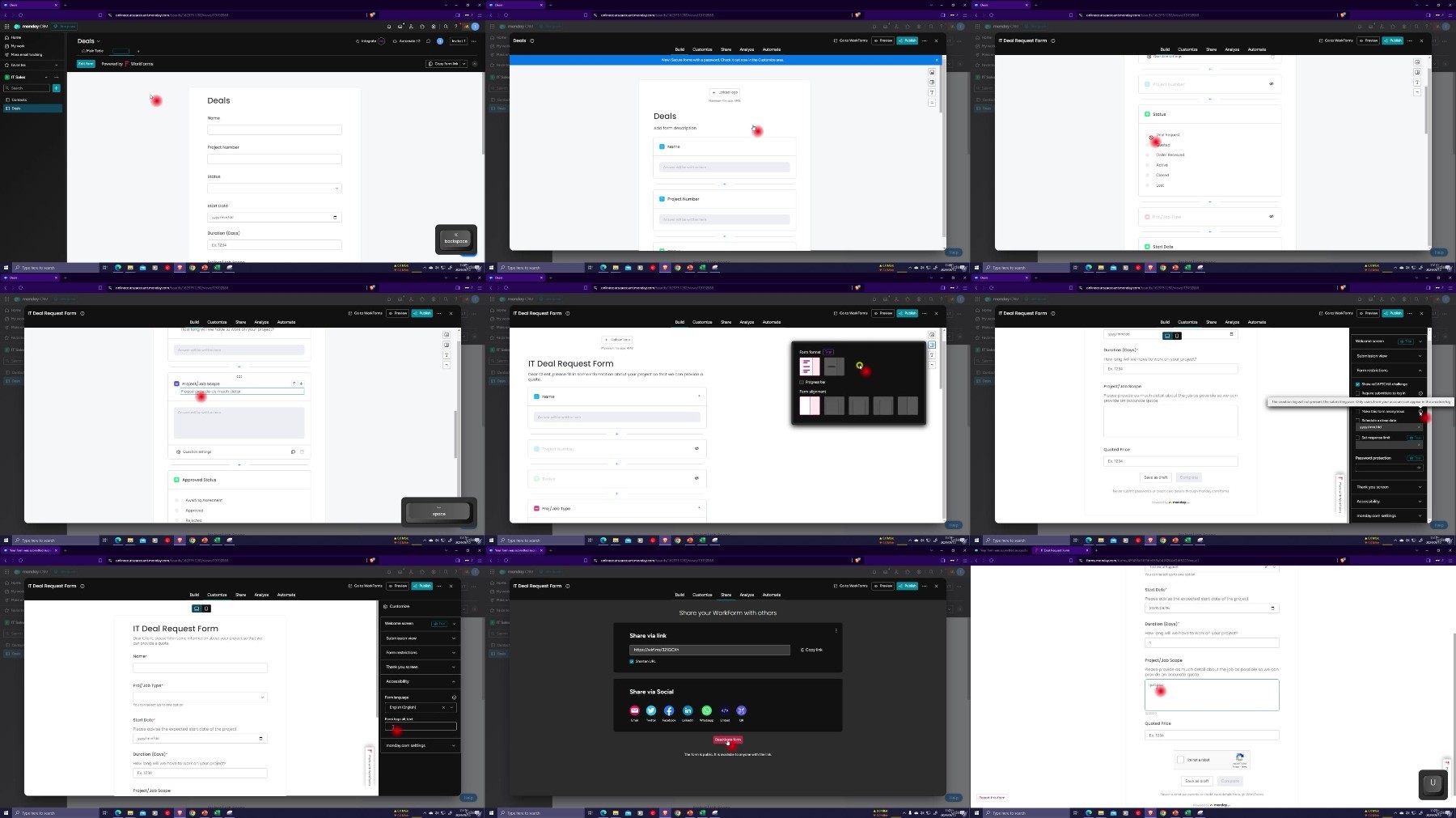
Lecture 26 Professional Client Surveying using Workforms
Lecture 27 Visualizing your Sales Pipeline with the Kanban View
Section 7: Fixing Your Mistakes and Monitoring Activity
Lecture 28 Using the Trash Feature
Lecture 29 Monitor Activity & Changes with the Activity Log
Section 8: Automations in Monday
Lecture 30 A Basic Automation Example
Section 9: Integrate and Automate with Third Party Tools
Lecture 31 A Basic Integration Example
Section 10: Level Up Your Workspace
Lecture 32 Adding a Workspace Dashboard
Section 11: Tools, Tips and Tricks
Lecture 33 A Personalized View (My Work)
Lecture 34 Filtering and Sorting
Lecture 35 Searching and Grouping
Lecture 36 Hiding and Pinning Columns
Section 12: Control User Access and Permissions
Lecture 37 An Intro to User Access and Permissions
Lecture 38 User Roles and Permissions
Lecture 39 Control who can see and Edit Columns
Lecture 40 Control who can Access and Edit your Boards
Lecture 41 A Summary of User Access and Permissions
Section 13: Project - Test out your new Skills
Lecture 42 Testing our your new Skills
Section 14: Conclusion
Lecture 43 Conclusion
Anyone new to Monday CRM,Employees & Team Members,Business Owners considering using Monday CRM,Sales People,Anyone Considering using Monday in their Business or Workplace
What you'll learn
Sign up for Monday CRM & get your Free Pro Trial
Navigate the System Efficiently and Effectively
Create and Use Boards & Columns to Store Client Data
Survey your Clients with Proffessional Workforms
Visualize your Sales Pipeline with the Kanban View
Basic Automations to Increase Efficiency
The Basics of Third-Party Integrations and Automation
Manage User Permissions and Access
Requirements
All you need is internet access and a willingness to learn, we'll use a free Trial of Monday to get you going.
Description
Here's a course description for your Monday CRM Crash Course:Jumpstart Your Monday CRM Journey in No Time!Are you new to Monday CRM and eager to learn how to manage your client relationships effectively? This Monday CRM Crash Course will equip you with the foundational knowledge and skills to start using Monday CRM quickly and efficiently.In this course, you'll follow a project-based approach, covering the essential tools and features that will help you manage your sales pipeline, client relationships, and communication. Whether you're a team member or a manager, this course ensures you're ready to take full advantage of Monday CRM for your business or workplace.What You'll Learn:How to sign up and set up your Monday CRM account.Navigating and managing boards specifically designed for CRM workflows.Setting up and customizing columns to track sales leads, clients, and deals.Creating basic CRM automations to streamline follow-ups and communications.Integrating key third-party tools to enhance CRM functionality.Using Gantt charts to manage timelines and track client projects.Exporting and importing data to and from Monday.This crash course covers all the core features you need to get started, making it perfect for beginners or anyone looking for a straightforward, easy-to-follow introduction to Monday CRM. If you're looking for a quick overview to kick off your CRM system, this course is the ideal choice!MasterClass vs. Crash-Course: Which One Fits Your Needs?Both my MasterClass and Crash-Course provide a solid foundation in Monday CRM, but if you're looking for a more in-depth understanding, the MasterClass offers additional insights and advanced techniques to help you fully master the system.Here's how the two courses differ:Comprehensive Column and View Types: In the MasterClass, you'll explore a broader range of column types and view configurations, giving you deeper control over your CRM customization.Excel Import/Export: If you plan to work with data beyond Monday CRM, the MasterClass walks you through detailed steps for importing and exporting boards and items using Excel—ideal for those handling large datasets.Advanced Automation: The MasterClass includes extended examples in automations, providing more complex, real-world scenarios to streamline your workflow.Deeper Integrations: You'll learn to integrate third-party tools on a deeper level, with exclusive content on automatic document generation and population, reserved solely for the MasterClass.Which Course is Right for You?If you're looking for a quick, practical overview of Monday CRM, the Crash-Course is perfect to get you up and running.But if you're ready to take a deep dive into more advanced features, need more comprehensive automation and integration examples, or plan to manage more complex projects, the MasterClass is the right choice.Whether you choose the MasterClass or the Crash-Course, you'll gain the tools and skills to master Monday CRM. The choice depends on how deep you want to go!
Overview
Section 1: Getting Started
Lecture 1 Adding Monday CRM to your Existing Monday Work Management Platform
Lecture 2 Signing Up
Lecture 3 Navigating Monday
Lecture 4 Completing your Profile
Lecture 5 Basic Setup and Aesthetics
Lecture 6 Administration
Section 2: Workspaces
Lecture 7 An Intro to Workspaces
Section 3: Organizing your Workspace
Lecture 8 Create your First Board
Lecture 9 Create Logical Groups Within Your Board
Lecture 10 Let's Create Some Deals
Lecture 11 Adding Sub-Items to your Deals
Lecture 12 Who Gets to Access my Boards
Section 4: Display & Customize Workflow Data
Lecture 13 The Basics of Columns
Lecture 14 Some Simple Columns (Label, Short Text, Phone Number, Email)
Lecture 15 Storing Locations and Files in Columns
Lecture 16 Adding a Deal/Job Number and Status Column
Lecture 17 Pulling Data from Other Boards (Connect Boards and Mirror Column)
Lecture 18 Creating a Deal Type Dropdown Column
Lecture 19 Dates and Durations
Lecture 20 Perform Calculations with the Formula Column
Lecture 21 Adding a Deal Scope Column
Lecture 22 Adding a Rich Text (Monday Doc) Column
Lecture 23 Adding Button and Quote Price Columns
Lecture 24 Adding a Deal Contract (File) Column
Section 5: Project - Let's Create Our First CRM Board
Lecture 25 Your First CRM Board
Section 6: Commmunicate with Clients and Visualize your Data
Lecture 26 Professional Client Surveying using Workforms
Lecture 27 Visualizing your Sales Pipeline with the Kanban View
Section 7: Fixing Your Mistakes and Monitoring Activity
Lecture 28 Using the Trash Feature
Lecture 29 Monitor Activity & Changes with the Activity Log
Section 8: Automations in Monday
Lecture 30 A Basic Automation Example
Section 9: Integrate and Automate with Third Party Tools
Lecture 31 A Basic Integration Example
Section 10: Level Up Your Workspace
Lecture 32 Adding a Workspace Dashboard
Section 11: Tools, Tips and Tricks
Lecture 33 A Personalized View (My Work)
Lecture 34 Filtering and Sorting
Lecture 35 Searching and Grouping
Lecture 36 Hiding and Pinning Columns
Section 12: Control User Access and Permissions
Lecture 37 An Intro to User Access and Permissions
Lecture 38 User Roles and Permissions
Lecture 39 Control who can see and Edit Columns
Lecture 40 Control who can Access and Edit your Boards
Lecture 41 A Summary of User Access and Permissions
Section 13: Project - Test out your new Skills
Lecture 42 Testing our your new Skills
Section 14: Conclusion
Lecture 43 Conclusion
Anyone new to Monday CRM,Employees & Team Members,Business Owners considering using Monday CRM,Sales People,Anyone Considering using Monday in their Business or Workplace
See full article