Configuring The Synology NetWork Attached Storage Appliance
Date: 17 April 2024 | Posted by: AD-TEAM
Configuring The Synology Network Attached Storage Appliance
Last updated 3/2017
MP4 | Video: h264, 1280x720 | Audio: AAC, 44.1 KHz
Language: English
| Size: 437.51 MB[/center]
| Duration: 3h 24m
Leverage the Synology NAS appliances and get them to help you with your work with their many productive functions
What you'll learn
Understand the concepts of Synology NAS Appliances
Learn to configure basic system parameters
Learn how to use DSM Assistant
Configure volumes and storage parameters
Configure connections and targets
Configure shares, file services, users and groups
Work with application packages for extra functionality
Configure backup and replication
Monitor Storage use, harware resources and logs
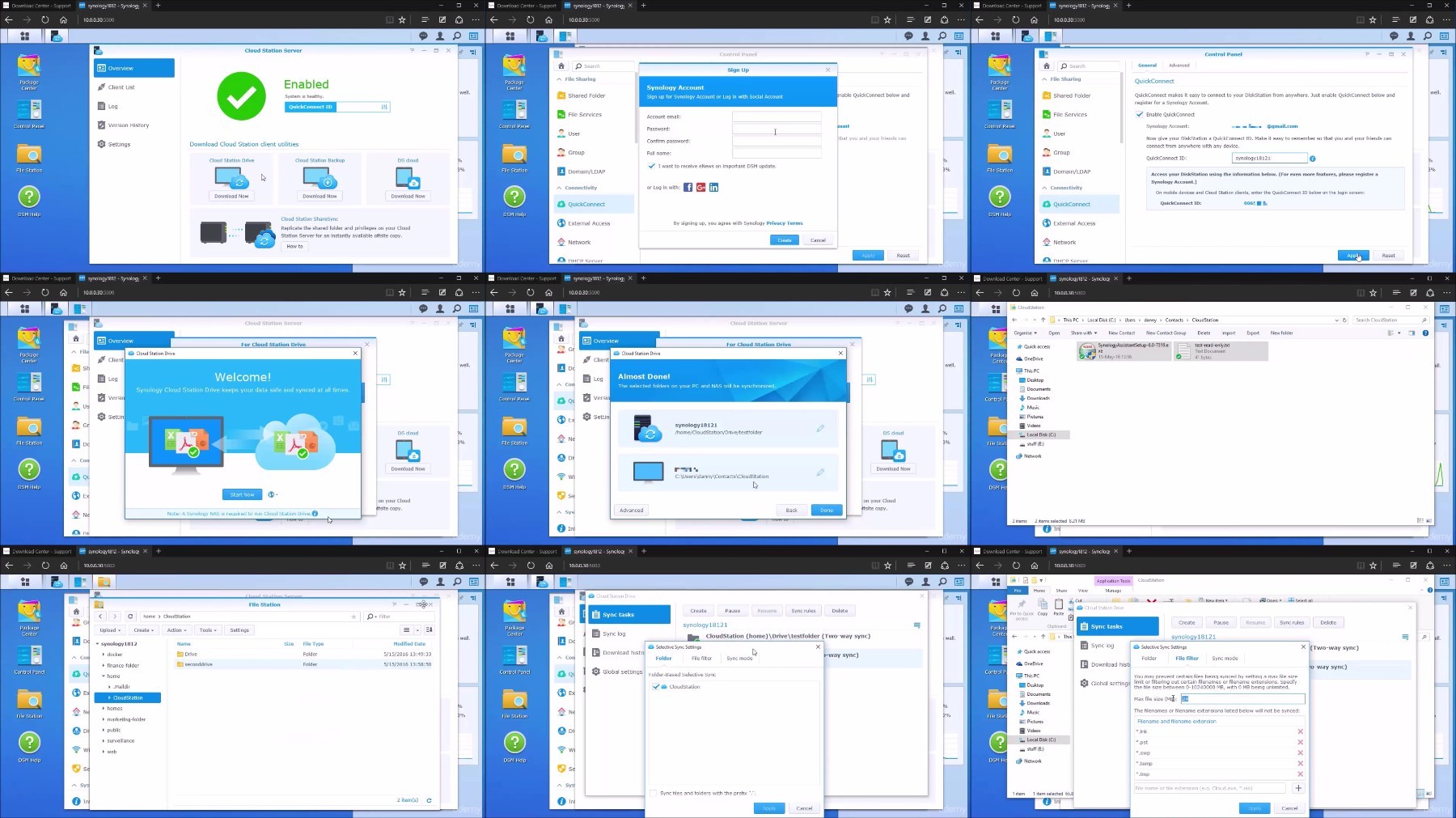
Configure and use Cloudstation as a private cloud storage solution
Learn about the video surveillance capabilities
Requirements
Basic networking knowledge
Basic drive volumes and storage knowledge
Description
Have you heard about storage, SAN, NAS? Are these concepts new to you or are you curious to find out more? Do you want to learn how to configure a Synology Storage appliance?
Well then, you've come to the right place!
In this course you will learn how to work with the Synology network attached storage appliances, which will give you many functions that will help you everyday. You'll get to create your own private cloud storage that can rival Dropbox, learn how to connect and record footage from IP surveillance cameras, learn how to create files, shared folders, volumes and even how to install and use a web server on the unit and many more.
This prerequisites for this course are basic networking knowledge, basic hard drives and storage knowledge and generally a desire to learn new things.
By the end of the course you should be able to take a Synology storage appliance and configure the multitude of functions, while also working with it to be more productive in your day-to-day operations. On top of that, you'll know how to keep your data safe!
Overview
Section 1: Introduction to Synology and NAS appliances
Lecture 1 Intro
Lecture 2 NAS Concepts and Introduction to Synology
Section 2: System walkthrough and initial setup
Lecture 3 DSM Assistant and First Connection
Lecture 4 Update, restore and password reset
Lecture 5 Network connectivity
Lecture 6 System setup
Lecture 7 Storage Manager
Section 3: Configure services and operations
Lecture 8 Users and Groups
Lecture 9 Configure shared folders and permissions
Lecture 10 Configure and use file services and the FileStation Utility
Lecture 11 Integrate with AD
Lecture 12 WiFi and Bluetooth
Lecture 13 Security
Lecture 14 Security Advisor
Lecture 15 External devices
Lecture 16 Task Scheduler and the Power schedule
Lecture 17 DHCP server, Quickconnect and external access
Lecture 18 High Availability
Lecture 19 Resource Monitor and Logs
Lecture 20 Package center
Lecture 21 Antivirus
Lecture 22 Storage Analyzer
Lecture 23 Document Viewer and Notes
Lecture 24 DNS server
Lecture 25 CloudStation
Lecture 26 DownloadStation
Lecture 27 Docker
Lecture 28 Mail Server and Mail Station
Lecture 29 Surveillance Station
Lecture 30 WebStation and Wordpress
Lecture 31 Hyper Backup
Section 4: Conclusion
Lecture 32 Conclusion
Anyone interested in understanding how to operate a Synology NAS
https://voltupload.com/aa7bovj6b3ba/_Configuring_The_Synology_Network_Attached_Storage_Appliance.zip
Free search engine download: Udemy - Configuring The Synology Network Attached Storage Appliance
See full article