Power Bi Mastery: Zero To Hero Data Skills
Date: 16 April 2024 | Posted by: AD-TEAM

Power Bi Mastery: Zero To Hero Data Skills
Published 4/2024
MP4 | Video: h264, 1920x1080 | Audio: AAC, 44.1 KHz
Language: English
| Size: 3.37 GB[/center]
| Duration: 6h 33m
Learn Data Visualization, Advanced Charts, Power Query, and HR Analytics with Power BI
What you'll learn
Master the basics of Power BI, including its components and workflow.
Efficiently download and install Power BI on your system.
Create and analyze basic to advanced charts and visualizations.
Develop geographical insights using various map features in Power BI.
Utilize tables and matrices for detailed data representation.
Implement and manage dynamic cards and filters for interactive reports.
Customize slicers for effective data segmentation and exploration.
Harness advanced charting techniques like bar chart races and sunbursts.
Link objects to actions for interactive Power BI reports and dashboards.
Publish, share, and manage Power BI reports and dashboards effectively.
Requirements
No prior experience with Power BI required.
Basic understanding of data handling is helpful.
Access to a computer with internet connection.
Power BI Desktop installed (free download from Microsoft).
Description
Dive deep into the world of data with our comprehensive course, "Power BI Mastery: Zero to Hero Data Skills". This meticulously crafted course is tailored for beginners and intermediate users looking to harness the full potential of Power BI for business intelligence and data analysis. Over the span of our modules, you will start with the fundamentals, learning what Power BI is and how it functions. Quickly move from basic concepts to mastering sophisticated data visualization techniques including column charts, maps, and advanced charts like Sankey diagrams and animated bar races.Beyond visuals, the course covers essential Power BI services, teaching you to create and publish comprehensive reports, manage dashboards, and share insights across teams with ease. We also delve deep into Power Query, where you will master text, date, and number functions essential for data manipulation.Practical, real-world applications are central to the learning experience. Engage in projects such as an HR Data Analytics Project to apply what you've learned in a meaningful way. By the end of this course, you will not only understand Power BI inside out but also be able to make informed decisions using your data, present findings effectively, and advance your career in data science or any data-driven field. Join us to transform raw data into compelling stories with Power BI!
Overview
Section 1: Introduction to Power BI
Lecture 1 Introduction to Power BI
Section 2: Download and installation
Lecture 2 Download and installation
Section 3: Basic Charts in Power BI
Lecture 3 Column chart
Lecture 4 Stacked column chart
Lecture 5 Pie chart
Lecture 6 Donut chart
Lecture 7 Funnel chart
Lecture 8 Ribbon chart
Section 4: How to Create a Map in Power BI
Lecture 9 Simple Map
Lecture 10 Filled map
Lecture 11 Map with pie chart
Lecture 12 Formatting in map
Lecture 13 Background changes in map
Section 5: Table & Matrix in Power BI
Lecture 14 Creating a simple table
Lecture 15 Formatting in table
Lecture 16 Conditional formatting in table
Lecture 17 Changing aggregation in table
Lecture 18 Creating a matrix in power bi
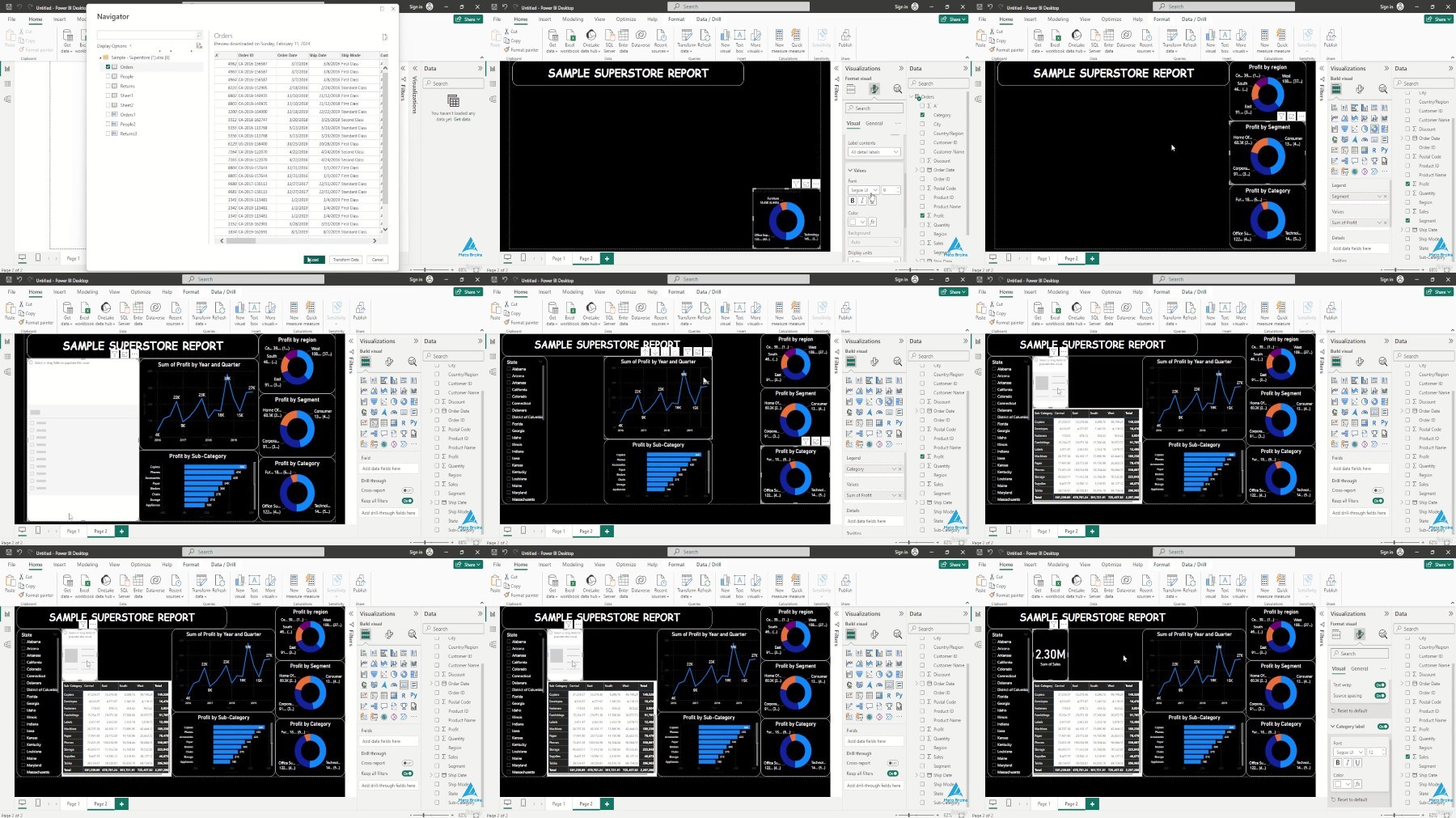
Lecture 19 Conditional formatting in matrix
Lecture 20 Automatic hierarchy in matrix
Lecture 21 Subtotal and grand total
Lecture 22 Number formatting in table and matrix
Section 6: Cards & Filters in Power BI
Lecture 23 Number card
Lecture 24 Text card
Lecture 25 Date card
Lecture 26 Multi-row card
Lecture 27 Filter on visual
Lecture 28 Filter on page
Lecture 29 Filter on all pages
Section 7: Slicers in Power BI
Lecture 30 Slicer for text
Lecture 31 Format text slicer
Lecture 32 Slicer for Date
Lecture 33 Format date slicer
Lecture 34 Number slicer
Section 8: Advanced Charts in Power BI
Lecture 35 Clear-RecycleBin -Confirm false
Lecture 36 Drill down donut chart
Lecture 37 Word cloud
Lecture 38 Sankey chart
Lecture 39 Infographic
Lecture 40 Play axis
Lecture 41 Scroller
Lecture 42 Sunburst
Lecture 43 Histogram
Section 9: Objects & Actions (Hyperlinks)
Lecture 44 Insert object
Lecture 45 Insert text
Lecture 46 Insert shapes
Lecture 47 Insert buttons
Lecture 48 Action-web URL
Lecture 49 Page navigation
Lecture 50 Bookmark
Section 10: ower BI Service Introduction
Lecture 51 Creating a superstore report
Lecture 52 Publish report to power bi service account
Lecture 53 Export(PPT,PDF,PBIX)report and share
Lecture 54 Create a dashboard in power bi service
Lecture 55 Problem in power bi dashboard and its solution
Section 11: Text Functions in Power Query
Lecture 56 Merge
Lecture 57 Split and trim
Lecture 58 Upper,lower and proper
Lecture 59 Add suffix and prefix
Lecture 60 Left,right and mid
Lecture 61 Extract text with delimiter
Section 12: Date Functions in Power Query
Lecture 62 Year,quarter,month,day
Lecture 63 Difference between dates,earliest and latest
Lecture 64 Name of day and name of month
Lecture 65 Day of week/month/year & week of month/year
Lecture 66 Extract date from date and time
Lecture 67 Calculate age in 2 button clicks
Lecture 68 Which day of year,quarter,month your date of birth is
Section 13: Number Functions in Power Query
Lecture 69 Add,subtract,divide,multiply
Lecture 70 Percentage,percent of,modulo
Lecture 71 Rounding the numbers
Lecture 72 IsEven,IsOdd and sign
Section 14: Appending Files & Tables in Power BI
Lecture 73 Append multiple csv files from a folder
Lecture 74 Append multiple excel tables/sheets from single file
Lecture 75 Append excel tables with different numbers of columns
Lecture 76 Append multiple excel files from a folder
Lecture 77 Append different data source files in power query
Section 15: HR Data Analytics Project parts 1
Lecture 78 HR Data Analytics Project parts 1
Section 16: HR Data Analytics Project parts 2
Lecture 79 HR Data Analytics Project parts 2
Beginners in Data Science: Ideal for those starting their journey in data analytics.,Business Analysts: Professionals seeking to enhance their data visualization skills.,Project Managers: Managers needing to visualize and report on project data effectively.,Marketing Professionals: Marketers who want to leverage data for strategic decisions.,Small Business Owners: Owners needing to analyze business data without heavy IT support,Students in Business or IT: Academics aiming to bolster their data handling capabilities.
https://voltupload.com/zdjix19rt9cw/Power_BI_Mastery_Zero_to_Hero_Data_Skills.z01
https://voltupload.com/ds3788wbx1y2/Power_BI_Mastery_Zero_to_Hero_Data_Skills.z02
https://voltupload.com/ka26djyhohsr/Power_BI_Mastery_Zero_to_Hero_Data_Skills.z03
https://voltupload.com/7v7s6aa3q4o7/Power_BI_Mastery_Zero_to_Hero_Data_Skills.zip
https://rapidgator.net/file/e1aa274a9abd187b3552ae47d5a7bf92/Power_BI_Mastery_Zero_to_Hero_Data_Skills.z01
https://rapidgator.net/file/72a37d1a09b6c7910c7f3ca420d84a25/Power_BI_Mastery_Zero_to_Hero_Data_Skills.z02
https://rapidgator.net/file/dae6bd6c47e5d89639be286a2351cd6f/Power_BI_Mastery_Zero_to_Hero_Data_Skills.z03
https://rapidgator.net/file/d048d24e48206ab1d3ba2359051b17c8/Power_BI_Mastery_Zero_to_Hero_Data_Skills.zip
Free search engine download: Power BI Mastery Zero to Hero Data Skills
See full article