Canva For Social Media Graphic Design And Video Editing
Date: 13 April 2024 | Posted by: AD-TEAM

Canva For Social Media Graphic Design And Video Editing
Published 4/2024
MP4 | Video: h264, 1920x1080 | Audio: AAC, 44.1 KHz
Language: English
| Size: 3.84 GB[/center]
| Duration: 5h 43m
Canva for Every Post: Create Stunning Social Media Graphics and Videos for Instagram, Facebook, YouTube, TikTok and More
What you'll learn
Canva Fundamentals: Navigate the interface with ease and explore its extensive library of templates, fonts, and design elements.
Mastering Graphic Design: Craft stunning visuals for various social media platforms like Facebook, Instagram, and YouTube.
Learn about composition, color theory, and creating brand-consistent content.
Video Editing Made Easy: Discover Canva's video editing features. Trim, cut, and add transitions to create captivating social media videos.
Pro Tips & Tricks: Unlock the secrets to design efficiency and discover advanced techniques to make your content stand out.
Real-World Projects: Put your skills to the test by creating engaging social media graphics and videos for different platforms.
Requirements
No prior design experience is required
Description
Unleash Your Creativity: Canva for Social Media Graphic Design & Video EditingThis comprehensive course equips you with the skills to design eye-catching social media graphics and edit engaging video content using the powerful and user-friendly platform, Canva. Whether you're a complete beginner or looking to refine your social media presence, this course is your one-stop shop for mastering Canva's design and video editing tools.Here's what you'll learn:Canva Fundamentals: Navigate the interface with ease and explore its extensive library of templates, fonts, and design elements.Mastering Graphic Design: Craft stunning visuals for various social media platforms like Facebook, Instagram, and YouTube. Learn about composition, color theory, and creating brand-consistent content.Video Editing Made Easy: Discover Canva's video editing features. Trim, cut, and add transitions to create captivating social media videos.Pro Tips & Tricks: Unlock the secrets to design efficiency and discover advanced techniques to make your content stand out.Real-World Projects: Put your skills to the test by creating engaging social media graphics and videos for different platforms.By the end of this course, you'll be able to:Design professional-looking social media graphics and visuals.Edit engaging videos for impactful social media content.Build a strong brand identity across your social media platforms.Save time and resources by creating high-quality content with ease.This course is perfect for:Entrepreneurs and small business ownersSocial media managers and marketersContent creators and bloggersAnyone who wants to create impactful social media contentNo prior design experience is required! With easy-to-follow instructions and practical exercises, this course gets you started quickly and confidently.Enroll today and unleash your creative potential on social media with Canva!
Overview
Section 1: Introduction
Lecture 1 Introduction
Lecture 2 Introduction to Social Media graphics design
Lecture 3 Social Media graphics designing principles
Lecture 4 Social media Logo Design
Lecture 5 Social Media Poster Design
Lecture 6 Facebook Cover Photo Design
Lecture 7 Instagram Post Design
Lecture 8 Instagram E-Commerce Banner Design
Lecture 9 Instagram template design part 1
Lecture 10 Instagram Template Design Part 2
Lecture 11 Youtube Thumbnail design
Lecture 12 Youtube Cover Photo Design
Lecture 13 Motion Graphics AD Design Part 1
Lecture 14 11. Motion Graphics AD Design Part 2
Lecture 15 Animated Post design
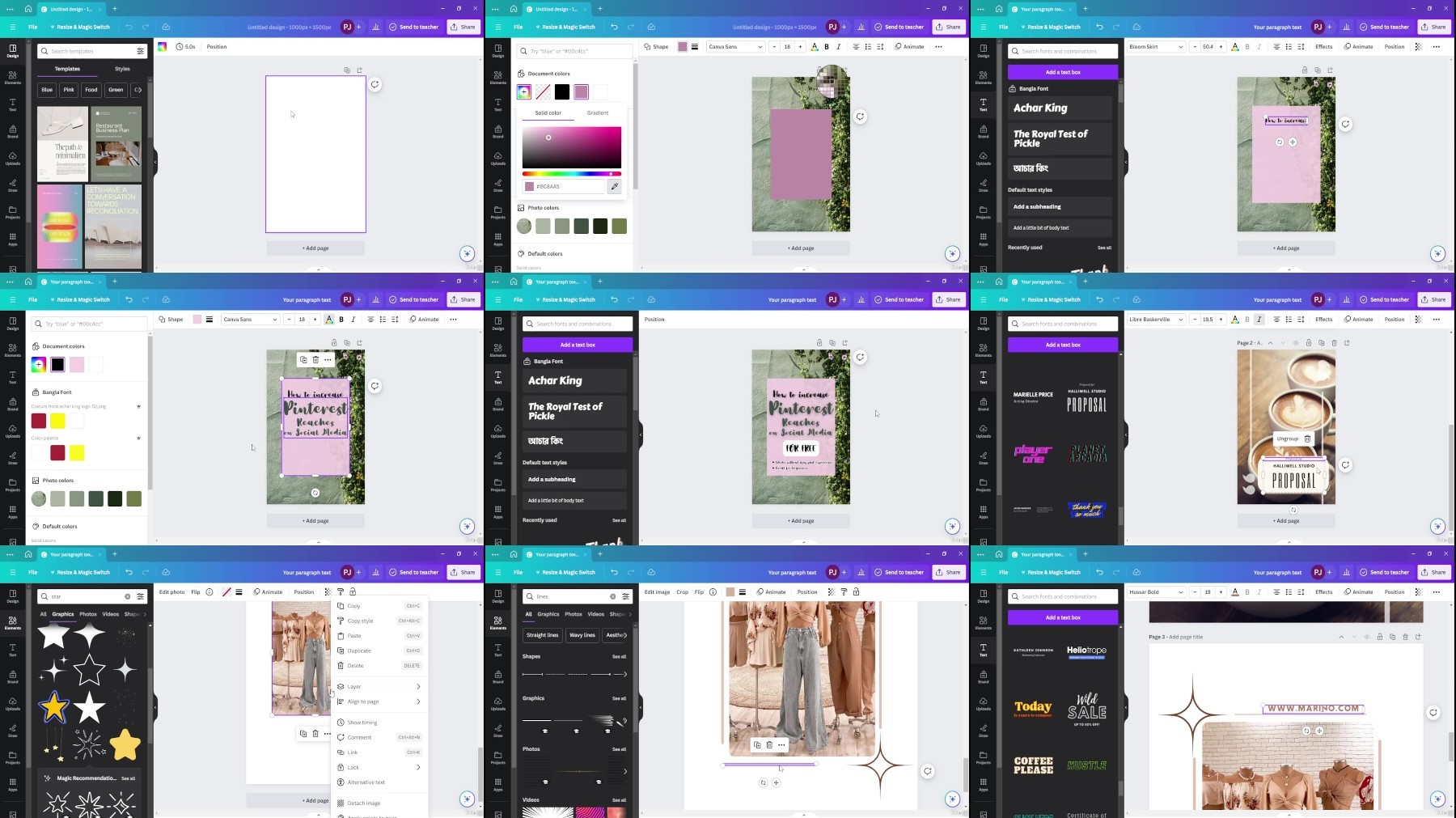
Lecture 16 Pinterest Post design
Lecture 17 Tiktok video edit
Lecture 18 Class Project 1
Lecture 19 Class Project 2
Entrepreneurs and small business owners,Social media managers and marketers,Content creators and bloggers,Anyone who wants to create impactful social media content
https://voltupload.com/yu5ida7pnuld/Canva_for_Social_Media_Graphic_Design_and_Video_Editing.z01
https://voltupload.com/1tcugs0ezvfd/Canva_for_Social_Media_Graphic_Design_and_Video_Editing.z02
https://voltupload.com/6ca0z14dur9f/Canva_for_Social_Media_Graphic_Design_and_Video_Editing.z03
https://voltupload.com/laxnwdko0qu7/Canva_for_Social_Media_Graphic_Design_and_Video_Editing.zip
https://rapidgator.net/file/c339fa17fb799c9936dd5cafb03d6cb6/Canva_for_Social_Media_Graphic_Design_and_Video_Editing.z01
https://rapidgator.net/file/c46afb67854a9a2247e4d6a369241229/Canva_for_Social_Media_Graphic_Design_and_Video_Editing.z02
https://rapidgator.net/file/7acc255830800861ed4592d78763a0f8/Canva_for_Social_Media_Graphic_Design_and_Video_Editing.z03
https://rapidgator.net/file/e336cb8c3395c1a2516f6c2c4f8c9db3/Canva_for_Social_Media_Graphic_Design_and_Video_Editing.zip
Free search engine download: Canva for Social Media Graphic Design and Video Editing
See full article