Mastering Mui (Material Ui): Component Customization [2024]
Date: 13 April 2024 | Posted by: AD-TEAM

Mastering Mui (Material Ui): Component Customization [2024]
Published 1/2024
MP4 | Video: h264, 1920x1080 | Audio: AAC, 44.1 KHz
Language: English
| Size: 12.87 GB[/center]
| Duration: 25h 11m
React's Most Popular Component Library: Master MUI with In-Depth Expert Insights and Advanced Customization Techniques
What you'll learn
Learn from a bestselling MUI instructor who has contributed to the MUI source code and spoken about MUI at React conferences
Understand how to use every Material UI component including all props
Customize every detail of every Material UI component with your own design - override the defaults!
Adjust your styles and layouts for different screen sizes with the integrated responsive design system
Breakdown complex layouts with a simple, repeatable method using the Grid system
Utilize all the powerful features of the Material UI styling system with the sx prop
Create a systematic mental framework of concepts that will even work on new components in the future
Put your MUI Mastery to the test with assignments, quizzes, and a final mastery assessment
Know when to use one component instead of another with specific use cases, like the Box vs Paper
Centralize your most commonly used styles with the MUI theme and access them anywhere
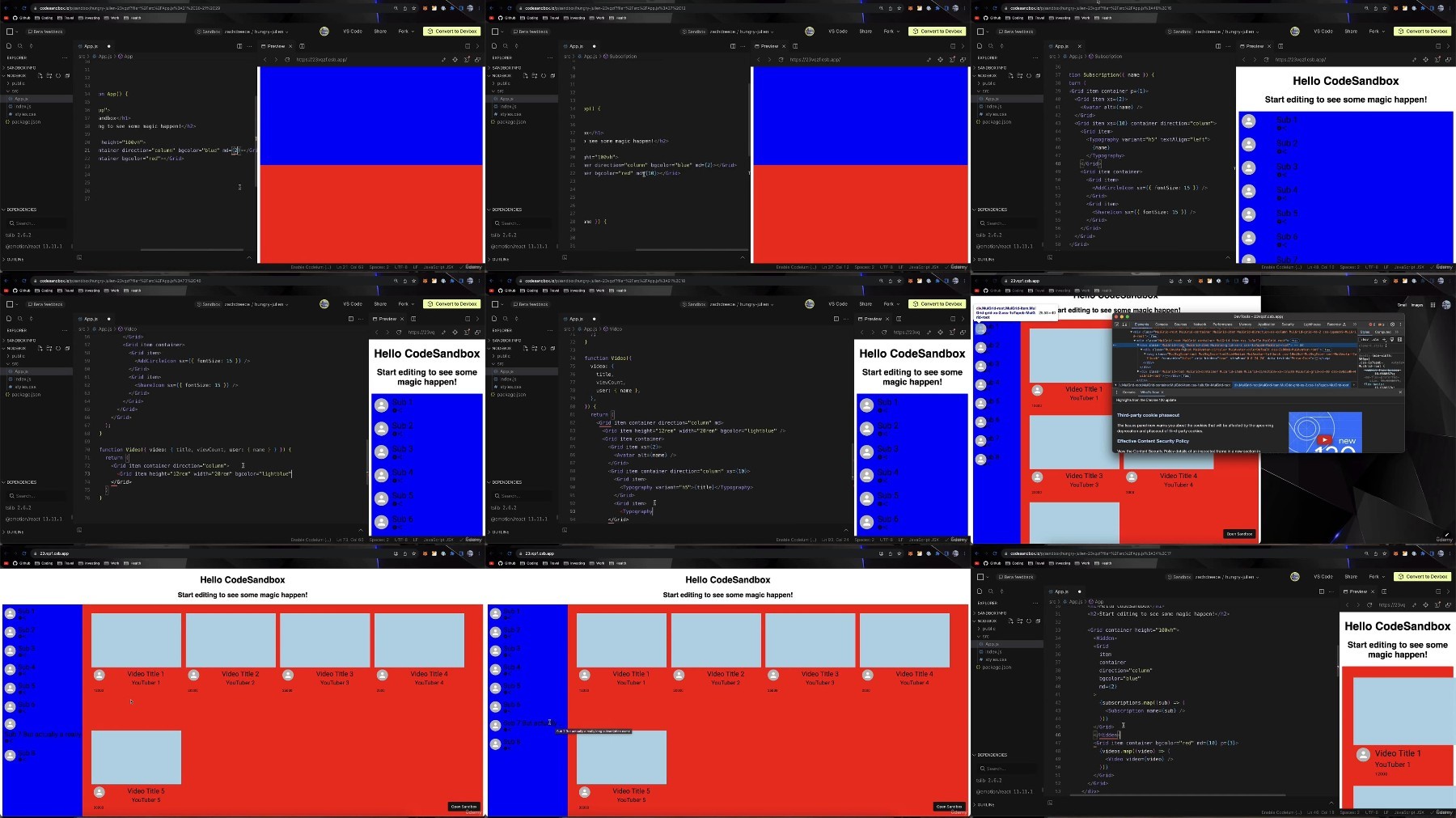
Master the foundations of Material UI to start building web applications faster with ease and prepare for more advanced concepts
Develop deep understanding of how to get the most out of Material UI's most powerful features
Take a look behind the scenes with the Component X-ray to see how each MUI component really works under the hood
Requirements
Basic React skills - if you know about components, props, and state then you're ready!
No Material UI experience is necessary! This course will teach you everything from the very basics to advanced styling techniques
Description
Welcome to Mastering MUI: Component Customization!Whether you're just starting out with React or Material UI, or you've been using MUI for years, you just found the best, most comprehensive course to deepen your knowledge and expand your skills. Mastering MUI was created by Zachary Reece, a best-selling MUI instructor of over 20,000 students, who has even contributed to the MUI source code! Buckle up for a deep dive into the most popular React component library used by some of the biggest tech companies in the world like Spotify, Amazon, NASA, and Netflix! If you're looking to develop a marketable skillset that can get you into these high-earning positions then a new chapter of your journey starts here.Material UI (MUI) is the most popular React component library with over 90,000 stars on GitHub! That's more than any competing libraries - even more than TailwindCSS and Bootstrap. MUI is so popular because it is so powerful. If you're still relatively new to React then you may ask - what is a component library? I'm glad you asked! A component library is a collection of pre-built React components for all the most common web elements like sliders, switches, ratings, alerts, and so much more. Every application you build requires these basic components. Instead of building them from scratch every time, using MUI allows you to start out with an entire suite of these ready-to-go components so you can get going faster and focus on building the new, more interesting parts of your web app! Learn to let Material UI do the heavy lifting for you with its comprehensive customizable component library with integrated styling, theming, layout, and responsive design systems.MUI is not just a simple component library. What makes it so powerful is the fact that it comes with an entire ecosystem of tools all integrated together which solve all the most common problems you face when working with a large number of components! MUI has an amazing built-in styling system allowing you to customize your components in any way imaginable to match your own custom designs. To simplify your customizations you can centralize all your most commonly used styles in one convenient place and access them from anywhere using the theming system! Anything stored in the theme can easily be accessed in any component which streamlines your styles, reduces redundancy, and makes your code more maintainable to update in the future. MUI also comes with an integrated layout system to arrange your components on the screen in a consistent and predictable way using the Grid component. Finally, there is an incredible responsive design system built into the components, the layout system, and the styling and theming systems to adapt your styles and layouts to the user's device ensuring your applications look perfect on every screen size.This is a truly unique course on Material UI - there's no other course like it! We will examine every single component in the component library. That includes everything about how each component works, specific use cases for when to use one component over another, the underlying DOM elements that each component renders, and advanced techniques for customizing every little detail of each component (even when it's in different states like disabled or focused). You'll learn customizations that you can't even find in the MUI documentation!Not only will you learn every secret tip and trick to every component, but you'll also learn all the foundational core concepts of Material UI and how to get the most out of all its powerful features. When you're learning anything new it's so important to start with the basics and develop a rock solid understanding of the core concepts. This builds a strong foundation that you can then build on top of by learning more advanced concepts and techniques in the future - that's exactly what this course delivers!The course is also full of quizzes that test your understanding of the functionality and customization techniques for every component to ensure you're learning all of the most important concepts. The course ends with a final Mastery Assessment to put all your knowledge to the test and see if you have really mastered MUI!Material UI has started expanding beyond just a component library into an entire ecosystem under MUI. This now includes Base UI, Joy UI, Material UI, MUI X, and MUI System. As this ecosystem continues to evolve there's more information to learn, it becomes more difficult for beginners to know where to start, and even seasoned developers have a hard time keeping up with all the changes. That's exactly why Mastering MUI was created. We are dedicated to providing you with the most comprehensive MUI education, broken apart into digestible pieces with a clear structure that sets you up for success with deep understanding and practical skills. This course is your first step along the road to Mastering MUI!Here are some of the main concepts you're going to be learning from our expert instructor:Learn to use every single component in Material UI (including all important component props)Customize every single detail of every component to override the default stylesDevelop an easy and repeatable 5-step system to applying any customization for any componentKnow when to use one component instead of another similar component (like Box vs Paper)Understand the MUI styling system with the SX prop and all of its powerful features and shorthand syntaxDive even deeper to see the DOM elements rendered by every component using the Component X-RayBreakdown and build complex layouts with responsive design that adapt to screen size using the Grid componentExplore the entire MUI ecosystem and how its evolving beyond just a simple component libraryApply global styles that affect every component in your project using the Material UI theming systemUse a shortcut to writing your styling selectors using the Component Classes objectPractice everything you learn with 13 quizzes, 6 assignments, and 1 final mastery assessment at the endAfter taking this course you will be completely confident in your ability to use and customize any current or future Material UI components all on your own! You'll be ready to start using MUI to build your own projects with stunning design and simple code. You'll become the expert that everyone on your team will look to for advice when they're still stuck figuring out how to override some default styles!Along with lifetime access to 24 HOURS of content, you'll also find easy access to support through active Q/A. You've got nothing to lose - this course comes with a 30-day money-back guarantee in case you aren't completely satisfied!Take the first step along your journey to Mastering MUI today and learn real React skills beyond the basics.
Overview
Section 1: Introduction
Lecture 1 Why MUI?
Lecture 2 How I Fixed A Bug In MUI
Lecture 3 Course Overview
Lecture 4 Course Requirements
Lecture 5 Understanding the MUI Ecosystem
Lecture 6 Understanding the MUI Documentation
Lecture 7 How To Access The Course Code
Lecture 8 How To Get Help
Section 2: Core Concepts
Lecture 9 MUI Components - Basics
Lecture 10 MUI Styling - The Theme
Lecture 11 MUI Styling - The SX Prop Part 1
Lecture 12 MUI Styling - The SX Prop Part 2
Lecture 13 MUI Styling - Basics
Lecture 14 MUI Styling - Reusable Styles
Lecture 15 MUI Styling - Global Styles
Lecture 16 Advanced MUI Styling with the Theme
Lecture 17 5 Step Styling System Overview
Lecture 18 5 Step Styling System Example 1
Lecture 19 5 Step Styling System Example 2
Lecture 20 Using the Component Classes Object
Lecture 21 Using the Component X-Ray
Section 3: Inputs
Lecture 22 Autocomplete Functionality
Lecture 23 Autocomplete Component X-Ray
Lecture 24 Autocomplete Customization
Lecture 25 Autocomplete Customization Using Component Classes Object
Lecture 26 Button Functionality
Lecture 27 Button Component X-Ray
Lecture 28 Button Customization
Lecture 29 Button Customization Using Component Classes Object
Lecture 30 ButtonGroup Functionality
Lecture 31 ButtonGroup Component X-Ray
Lecture 32 ButtonGroup Customization
Lecture 33 ButtonGroup Customization Using Component Classes Object
Lecture 34 Checkbox Functionality
Lecture 35 Checkbox Component X-Ray
Lecture 36 Checkbox Customization
Lecture 37 Checkbox Customization Using Component Classes Object
Lecture 38 Floating Action Button Functionality
Lecture 39 Floating Action Button Component X-Ray
Lecture 40 Floating Action Button Customization
Lecture 41 Floating Action Button Customization Using Component Classes Object
Lecture 42 Form Components Functionality
Lecture 43 Form Components Component X-Ray
Lecture 44 Form Components Customization
Lecture 45 Form Components Customization Using Component Classes Object
Lecture 46 Radio Functionality
Lecture 47 Radio Component X-Ray
Lecture 48 Radio Customization
Lecture 49 Radio Customization Using Component Classes Object
Lecture 50 Rating Functionality
Lecture 51 Rating Component X-Ray
Lecture 52 Rating Customization
Lecture 53 Rating Customization Using Component Classes Object
Lecture 54 Select Functionality
Lecture 55 Select Component X-Ray
Lecture 56 Select Customization
Lecture 57 Select Customization Using Component Classes Object
Lecture 58 Slider Functionality
Lecture 59 Slider Component X-Ray
Lecture 60 Slider Customization
Lecture 61 Slider Customization Using Component Classes Object
Lecture 62 Switch Functionality
Lecture 63 Switch Component X-Ray
Lecture 64 Switch Customization
Lecture 65 Switch Customization Using Component Classes Object
Lecture 66 TextField Functionality
Lecture 67 TextField Component X-Ray
Lecture 68 TextField Customization
Lecture 69 TextField Customization Using Component Classes Object
Lecture 70 Toggle Button Functionality
Lecture 71 Toggle Button Component X-Ray
Lecture 72 Toggle Button Customization
Lecture 73 Toggle Button Customization Using Component Classes Object
Section 4: Data Display
Lecture 74 Avatar Functionality
Lecture 75 Avatar Component X-Ray
Lecture 76 Avatar Customization
Lecture 77 Avatar Customization Using Component Classes Object
Lecture 78 Badge Functionality
Lecture 79 Badge Component X-Ray
Lecture 80 Badge Customization
Lecture 81 Badge Customization Using Component Classes Object
Lecture 82 Chip Functionality
Lecture 83 Chip Component X-Ray
Lecture 84 Chip Customization
Lecture 85 Chip Customization Using Component Classes Object
Lecture 86 Divider Functionality
Lecture 87 Divider Component X-Ray
Lecture 88 Divider Customization
Lecture 89 Divider Customization Using Component Classes Object
Lecture 90 List Functionality
Lecture 91 List Component X-Ray
Lecture 92 List Customization
Lecture 93 List Customization Using Component Classes Object
Lecture 94 MUI Icons Functionality
Lecture 95 MUI Icons Customization
Lecture 96 SvgIcon Functionality
Lecture 97 SvgIcon Component X-Ray
Lecture 98 SvgIcon Customization
Lecture 99 Table Functionality
Lecture 100 Table Component X-Ray
Lecture 101 Table Customization
Lecture 102 Table Customization Using Component Classes Object
Lecture 103 Tooltip Functionality
Lecture 104 Tooltip Component X-Ray
Lecture 105 Tooltip Customization
Lecture 106 Typography Functionality
Lecture 107 Typography Component X-Ray
Lecture 108 Typography Customization
Section 5: Feedback
Lecture 109 Alert Functionality
Lecture 110 Alert Component X-Ray
Lecture 111 Alert Customization
Lecture 112 Alert Customization Using Component Classes Object
Lecture 113 Backdrop Functionality
Lecture 114 Backdrop Component X-Ray
Lecture 115 Backdrop Customization
Lecture 116 Dialog Functionality
Lecture 117 Dialog Component X-Ray
Lecture 118 Dialog Customization
Lecture 119 Dialog Customization Using Component Classes Object
Lecture 120 Progress Functionality
Lecture 121 Progress Component X-Ray
Lecture 122 Progress Customization
Lecture 123 Progress Customization Using Component Classes Object
Lecture 124 Skeleton Functionality
Lecture 125 Skeleton Component X-Ray
Lecture 126 Skeleton Customization
Lecture 127 Snackbar Functionality
Lecture 128 Snackbar Component X-Ray
Lecture 129 Snackbar Customization
Lecture 130 Snackbar Customization Using Component Classes Object
Section 6: Surfaces
Lecture 131 Accordion Functionality
Lecture 132 Accordion Component X-Ray
Lecture 133 Accordion Customization
Lecture 134 Accordion Customization Using Component Classes Object
Lecture 135 AppBar Functionality
Lecture 136 AppBar Component X-Ray
Lecture 137 AppBar Customization
Lecture 138 Card Functionality
Lecture 139 Card Component X-Ray
Lecture 140 Card Customization
Lecture 141 Card Customization Using Component Classes Object
Lecture 142 Paper Functionality
Lecture 143 Paper Component X-Ray
Lecture 144 Paper Customization
Section 7: Navigation
Lecture 145 BottomNavigation Functionality
Lecture 146 BottomNavigation Component X-Ray
Lecture 147 BottomNavigation Customization
Lecture 148 BottomNavigation Customization Using Component Classes Object
Lecture 149 Breadcrumbs Functionality
Lecture 150 Breadcrumbs Component X-Ray
Lecture 151 Breadcrumbs Customization
Lecture 152 Breadcrumbs Customization Using Component Classes Object
Lecture 153 Drawer Functionality
Lecture 154 Drawer Component X-Ray
Lecture 155 Drawer Customization
Lecture 156 Drawer Customization Using Component Classes Object
Lecture 157 Link Functionality
Lecture 158 Link Component X-Ray
Lecture 159 Link Customization
Lecture 160 Menu Functionality
Lecture 161 Menu Component X-Ray
Lecture 162 Menu Customization
Lecture 163 Menu Customization Using Component Classes Object
Lecture 164 Pagination Functionality
Lecture 165 Pagination Component X-Ray
Lecture 166 Pagination Customization
Lecture 167 Pagination Customization Using Component Classes Object
Lecture 168 SpeedDial Functionality
Lecture 169 SpeedDial Component X-Ray
Lecture 170 SpeedDial Customization
Lecture 171 Stepper Functionality
Lecture 172 Stepper Component X-Ray
Lecture 173 Stepper Customization
Lecture 174 Stepper Customization Using Component Classes Object
Lecture 175 Tabs Functionality
Lecture 176 Tabs Component X-Ray
Lecture 177 Tabs Customization
Lecture 178 Tabs Customization Using Component Classes Object
Section 8: Layout
Lecture 179 Box Functionality
Lecture 180 Box Component X-Ray
Lecture 181 Box Customization
Lecture 182 Container Functionality
Lecture 183 Container Component X-Ray
Lecture 184 Container Customization
Lecture 185 Grid Functionality
Lecture 186 Grid Component X-Ray
Lecture 187 Grid Demo Layout Breakdown
Lecture 188 Grid Demo
Lecture 189 Grid Customization
Lecture 190 Grid Customization Using Component Classes Object
Lecture 191 ImageList Functionality
Lecture 192 ImageList Component X-Ray
Lecture 193 ImageList Customization
Lecture 194 ImageList Customization Using Component Classes Object
Lecture 195 Stack Functionality
Lecture 196 Stack Component X-Ray
Lecture 197 Stack Customization
Section 9: Utilities
Lecture 198 ClickAwayListener Functionality
Lecture 199 CSSBaseline Functionality
Lecture 200 CSSBaseline Customization
Lecture 201 Modal Functionality
Lecture 202 Modal Component X-Ray
Lecture 203 Modal Customization
Lecture 204 NoSSR Functionality
Lecture 205 Popper Functionality
Lecture 206 Popper Component X-Ray
Lecture 207 Portal Functionality
Lecture 208 TextareaAutosize Functionality
Lecture 209 TextareaAutosize Component X-Ray
Lecture 210 Transitions Shared Functionality
Lecture 211 Transitions Component X-Ray
Lecture 212 Transitions Individual Functionality
Lecture 213 TransitionGroup Functionality
Lecture 214 useMediaQuery Functionality
Lecture 215 useScrollTrigger Functionality
Section 10: Final Mastery Assessment
React Developers who have struggled to customize and override the default styles in Material UI,React Developers who have a hard time learning from just the documentation,React Developers looking to gain real marketable skills with a tool used by Spotify, Amazon, NASA, and Netflix,Material UI beginners looking to develop a rock solid foundation to really understand how MUI works,React Developers looking for a complete component toolkit for building whole applications,React Developers looking for an easier, faster way to get up and running with clean, consistently designed applications,React Developers looking for a simpler, more powerful, integrated styling and theming system with responsive design,Material UI Developers who want a quick reference guide to visit when working with a tricky component,Experienced Material UI Developers looking for a deeper understanding of MUI to truly master the core concepts,Experienced React Developers looking for a well maintained, actively developed component library and extensible design system
https://voltupload.com/s8v6myu092n4/Udemy_Mastering_MUI_Material_UI_Component_Customization_2024_2024-1.z01
https://voltupload.com/pzfu4hr1dola/Udemy_Mastering_MUI_Material_UI_Component_Customization_2024_2024-1.z02
https://voltupload.com/wkoneccj3oe0/Udemy_Mastering_MUI_Material_UI_Component_Customization_2024_2024-1.z03
https://voltupload.com/d236qbccx7db/Udemy_Mastering_MUI_Material_UI_Component_Customization_2024_2024-1.z04
https://voltupload.com/rm230xxluzsj/Udemy_Mastering_MUI_Material_UI_Component_Customization_2024_2024-1.z05
https://voltupload.com/egxrxk3juw45/Udemy_Mastering_MUI_Material_UI_Component_Customization_2024_2024-1.z06
https://voltupload.com/351tcq3w7ihn/Udemy_Mastering_MUI_Material_UI_Component_Customization_2024_2024-1.z07
https://voltupload.com/pezzy6qyqcee/Udemy_Mastering_MUI_Material_UI_Component_Customization_2024_2024-1.z08
https://voltupload.com/xefp2vz2mnyy/Udemy_Mastering_MUI_Material_UI_Component_Customization_2024_2024-1.z09
https://voltupload.com/nvrtpjp6srg6/Udemy_Mastering_MUI_Material_UI_Component_Customization_2024_2024-1.z10
https://voltupload.com/93p0guul3x1m/Udemy_Mastering_MUI_Material_UI_Component_Customization_2024_2024-1.z11
https://voltupload.com/99m61fdfp7no/Udemy_Mastering_MUI_Material_UI_Component_Customization_2024_2024-1.z12
https://voltupload.com/p3u6zi7o5gnz/Udemy_Mastering_MUI_Material_UI_Component_Customization_2024_2024-1.z13
https://voltupload.com/3y34fbjstn66/Udemy_Mastering_MUI_Material_UI_Component_Customization_2024_2024-1.zip
https://rapidgator.net/file/4efcc2baab9fa53d5674b57793cf8a58/Udemy_Mastering_MUI_Material_UI_Component_Customization_2024_2024-1.z01
https://rapidgator.net/file/03f713fc4a29d8bd64d48e24bc18b4c8/Udemy_Mastering_MUI_Material_UI_Component_Customization_2024_2024-1.z02
https://rapidgator.net/file/e6be34f54765cc879d03d91fd682c665/Udemy_Mastering_MUI_Material_UI_Component_Customization_2024_2024-1.z03
https://rapidgator.net/file/774af566e811efd804b9d56fd295ad6d/Udemy_Mastering_MUI_Material_UI_Component_Customization_2024_2024-1.z04
https://rapidgator.net/file/e66f15249662136bcb2ea379fa2d193b/Udemy_Mastering_MUI_Material_UI_Component_Customization_2024_2024-1.z05
https://rapidgator.net/file/1b31a4e372497e6d21be2c7eec0f8a23/Udemy_Mastering_MUI_Material_UI_Component_Customization_2024_2024-1.z06
https://rapidgator.net/file/24fb40fd2deb175a65a89a59016d4be9/Udemy_Mastering_MUI_Material_UI_Component_Customization_2024_2024-1.z07
https://rapidgator.net/file/148703e2bfd4b52e8ff1c597a8658d63/Udemy_Mastering_MUI_Material_UI_Component_Customization_2024_2024-1.z08
https://rapidgator.net/file/9e528ea02002cea28a3ca94b67b2782d/Udemy_Mastering_MUI_Material_UI_Component_Customization_2024_2024-1.z09
https://rapidgator.net/file/2ffe24e27611a2ec8f167241e94a821a/Udemy_Mastering_MUI_Material_UI_Component_Customization_2024_2024-1.z10
https://rapidgator.net/file/84707ebab3a6f7f1703fbb7284203c1f/Udemy_Mastering_MUI_Material_UI_Component_Customization_2024_2024-1.z11
https://rapidgator.net/file/6fe232dfbfd0c056ce7b3ad2d0a8d169/Udemy_Mastering_MUI_Material_UI_Component_Customization_2024_2024-1.z12
https://rapidgator.net/file/08f8a6d35c51fcebe647efb80b03e522/Udemy_Mastering_MUI_Material_UI_Component_Customization_2024_2024-1.z13
https://rapidgator.net/file/ed4209ec7564c73abaddb1a55cdff110/Udemy_Mastering_MUI_Material_UI_Component_Customization_2024_2024-1.zip
Free search engine download: Udemy Mastering MUI Material UI Component Customization 2024 2024-1
See full article