Up & Running With Google Sheets
Date: 8 November 2023 | Posted by: oaxino
Up & Running With Google Sheets
Published 11/2023
MP4 | Video: h264, 1920x1080 | Audio: AAC, 44.1 KHz
Language: English | Size: 4.15 GB | Duration: 6h 1m
Learn Google Sheets for data analysis and visualization, and build data literacy skills with fun, real-word projects!
Published 11/2023
MP4 | Video: h264, 1920x1080 | Audio: AAC, 44.1 KHz
Language: English | Size: 4.15 GB | Duration: 6h 1m
Learn Google Sheets for data analysis and visualization, and build data literacy skills with fun, real-word projects!
What you'll learn
Learn how to create and manage worksheets and navigate the Google Sheets interface
Build foundational data literacy skills, including managing, exploring, analyzing and visualizing data
Write formulas and functions to aggregate values, create logical tests, join data, and manipulate text and dates
Use Pivot Tables to explore and analyze data, including grouping, sorting, filtering and more
Learn data visualization and storytelling best practices, and bring data to life using common charts and graphs
Apply sharing and collaboration tools like notes, comments, timelines, protection, and web publishing
Requirements
We'll be using Google Sheets for course demos (free, in-browser)
No experience required – we'll start with the absolute basics!
Description
This is a hands-on, project-based course designed to help you build the skills you need to manage, explore, analyze, and visualize data in Google Sheets.We'll start by introducing the Sheets interface and workflow, then dive into spreadsheet fundamentals like table structures, data types, formatting, sorting and filtering.From there we'll dig into formulas and functions, introduce key topics like syntax, reference types, and common errors, and practice applying some of the most common and powerful techniques for data management and analysis. We'll use functions to count and aggregate values, create logical tests, join data across tables, manipulate text and date values, and more.Next we'll introduce Pivot Tables, an essential spreadsheet tool for data exploration. We'll prepare raw data for analysis, create views to slice and dice the data, and apply tools like sorting, grouping, and calculated fields. We'll also dive into the world of data visualization and storytelling, review best practices for effective design, and bring our data to life using visuals like bars and columns, line and area charts, scatterplots and maps.Last but not least, we'll demonstrate some of Google Sheets' unique sharing and collaboration features, including comments, notifications, edit history, sheet protection, and more.COURSE OUTLINE:Intro to Google SheetsIn this section we'll introduce Google Sheets, create & manage spreadsheets, explore its interface, review important settings, and draw comparisons with Microsoft ExcelSpreadsheet FundamentalsIn this section we'll cover spreadsheet fundamentals, including data literacy concepts like tables, cell references, sorting & filtering, data types, formatting, and moreFormulas & FunctionsIn this section we'll introduce essential formulas & functions you need to work with data in Google Sheets, including math, logical, text, date, and lookup functionsData Analysis with Pivot TablesIn this section we'll cover exploring & analyzing data with pivot tables, Google Sheets' essential "drag & drop" tool that lets you perform calculations without formulas or functionsData Visualization with Charts & GraphsIn this section we'll cover visualizing data with charts & graphs, including how to identify the right chart type, how to format it properly, and how to use it to tell a storySharing & CollaborationIn this section we'll cover Google Sheets' sharing & collaboration options, including sharing spreadsheets with others, collaborating in real time, setting notifications, and more__________Ready to dive in? Join today and get immediate, LIFETIME access to the following:6 hours of high-quality video6 quizzesUp & Running with Google Sheets ebook (100+ pages)Downloadable project files & solutionsExpert support and Q&A forum30-day Udemy satisfaction guaranteeIf you're ready to build powerful, practical data literacy and analytics skills with Google Sheets, this is the course for you.Happy learning!-Enrique Ruiz (Lead Excel & Google Sheets Instructor, Maven Analytics)
Overview
Section 1: Getting Started
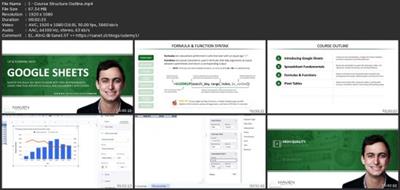
Lecture 1 Course Structure & Outline
Lecture 2 READ ME: Important Notes for New Students
Lecture 3 DOWNLOAD: Course Resources
Lecture 4 Setting Expectations
Lecture 5 The Course Projects
Section 2: Introducing Google Sheets
Lecture 6 Section Introduction
Lecture 7 Getting Started with Google Sheets
Lecture 8 Google Sheets vs. Microsoft Excel
Lecture 9 Creating & Managing Spreadsheets
Lecture 10 PRO TIP: Desktop Shortcut
Lecture 11 Opening & Converting Excel Files
Lecture 12 The Google Sheets Interface
Lecture 13 IMPORTANT: Locale & Language Settings
Lecture 14 Version History & Recovery
Lecture 15 Key Takeaways
Section 3: Spreadsheet Fundamentals
Lecture 16 Section Introduction
Lecture 17 The Section Project & Dataset
Lecture 18 Data Terminology
Lecture 19 Navigating Data in a Spreadsheet
Lecture 20 Entering & Editing Data
Lecture 21 PRO TIP: Google Forms Data
Lecture 22 Data Types
Lecture 23 Dates in Google Sheets
Lecture 24 Number Formatting
Lecture 25 Data Validation
Lecture 26 PRO TIP: Checkboxes & Dropdowns
Lecture 27 Conditional Formatting
Lecture 28 Filtering Data
Lecture 29 Sorting Data
Lecture 30 Key Takeaways
Section 4: Formulas & Functions
Lecture 31 Section Introduction
Lecture 32 The Section Project & Dataset
Lecture 33 Formula Syntax
Lecture 34 Types of Functions
Lecture 35 Basic Math Functions
Lecture 36 Fixed vs. Relative References
Lecture 37 Common Error Types
Lecture 38 Counting Functions
Lecture 39 PRO TIP: Remove Duplicates with UNIQUE
Lecture 40 Logical Functions
Lecture 41 The IF Function
Lecture 42 Nested IF Functions
Lecture 43 AND/OR Operators
Lecture 44 The IFERROR Function
Lecture 45 Conditional Math Functions
Lecture 46 Lookup Functions
Lecture 47 The XLOOKUP Function
Lecture 48 PRO TIP: Approximate Match Lookups
Lecture 49 Basic Date & Time Functions
Lecture 50 Basic Text Functions
Lecture 51 PRO TIP: Smart Fill
Lecture 52 Key Takeaways
Section 5: Data Analysis with Pivot Tables
Lecture 53 Section Introduction
Lecture 54 The Section Project & Dataset
Lecture 55 IMPORTANT: Data Structure
Lecture 56 Creating a Pivot Table
Lecture 57 Modifying Pivot Table Views
Lecture 58 Summarize By Options
Lecture 59 Show As Calculations
Lecture 60 Sorting & Filtering
Lecture 61 Grouping Text Fields
Lecture 62 Grouping Numerical Fields
Lecture 63 Grouping Dates
Lecture 64 Calculated Fields
Lecture 65 PRO TIP: Custom Aggregation
Lecture 66 Key Takeaways
Section 6: Data Visualization with Charts & Graphs
Lecture 67 Section Introduction
Lecture 68 The Section Project & Dataset
Lecture 69 Why Visualize Data?
Lecture 70 Creating a Basic Chart
Lecture 71 Choosing the Right Chart Type
Lecture 72 Line & Area Charts
Lecture 73 Bar & Column Charts
Lecture 74 Combo Charts
Lecture 75 Pie & Donut Charts
Lecture 76 Scatterplots
Lecture 77 Maps
Lecture 78 Key Takeaways
Section 7: Sharing & Collaboration
Lecture 79 Section Introduction
Lecture 80 The Section Project & Dataset
Lecture 81 Sharing Options
Lecture 82 Notes, Comments & Chat
Lecture 83 Edit History & Notifications
Lecture 84 Protecting Sheets & Ranges
Lecture 85 PRO TIP: Timelines
Lecture 86 Publishing to the Web
Lecture 87 Key Takeaways
Section 8: BONUS LESSON
Lecture 88 BONUS LESSON
Spreadsheet users who want to build job-ready data prep, analysis, visualization and collaboration skills,Data professionals looking for an intuitive, comprehensive introduction to Google Sheets,Students looking to learn practical skills with unique, hands-on projects and demos,Anyone looking to develop core data literacy and analytical thinking skills
Screenshots
Download link
rapidgator.net:
https://rapidgator.net/file/6906d0ca8b692458d96f74f1b351a361/zopoa.Up..Running.With.Google.Sheets.part1.rar.html
https://rapidgator.net/file/77323daff2198c914ddf4a898dd4f247/zopoa.Up..Running.With.Google.Sheets.part2.rar.html
https://rapidgator.net/file/03f6c339a76072dd12904cf60d2b8f00/zopoa.Up..Running.With.Google.Sheets.part3.rar.html
https://rapidgator.net/file/26f0908bf179880f3ed1fc0a2babebf2/zopoa.Up..Running.With.Google.Sheets.part4.rar.html
https://rapidgator.net/file/d159e6c16547be56bcf1acfb65b0a429/zopoa.Up..Running.With.Google.Sheets.part5.rar.html
uploadgig.com:
https://uploadgig.com/file/download/eD2ed76a9ce24f9f/zopoa.Up..Running.With.Google.Sheets.part1.rar
https://uploadgig.com/file/download/921a7e817e235b5a/zopoa.Up..Running.With.Google.Sheets.part2.rar
https://uploadgig.com/file/download/e90643e3cf64713d/zopoa.Up..Running.With.Google.Sheets.part3.rar
https://uploadgig.com/file/download/130f14a279649E02/zopoa.Up..Running.With.Google.Sheets.part4.rar
https://uploadgig.com/file/download/ce8A4d7A31773Ca3/zopoa.Up..Running.With.Google.Sheets.part5.rar
nitroflare.com:
https://nitroflare.com/view/E20255A5CD9DB70/zopoa.Up..Running.With.Google.Sheets.part1.rar
https://nitroflare.com/view/F3640A0B15EDFA9/zopoa.Up..Running.With.Google.Sheets.part2.rar
https://nitroflare.com/view/EB877EAF1966B09/zopoa.Up..Running.With.Google.Sheets.part3.rar
https://nitroflare.com/view/15D0446FAAE4A46/zopoa.Up..Running.With.Google.Sheets.part4.rar
https://nitroflare.com/view/CF013DD8FABB444/zopoa.Up..Running.With.Google.Sheets.part5.rar
See full article