Anaplan Basics To Advanced
Date: 19 April 2023 | Posted by: oaxino

Anaplan Basics To Advanced
Published 4/2023
MP4 | Video: h264, 1280x720 | Audio: AAC, 44.1 KHz
Language: English | Size: 1.49 GB | Duration: 5h 18m
Jump into the world of Analysis and Planning
Published 4/2023
MP4 | Video: h264, 1280x720 | Audio: AAC, 44.1 KHz
Language: English | Size: 1.49 GB | Duration: 5h 18m
Jump into the world of Analysis and Planning
What you'll learn
Understand basics of Anaplan
Understand lists in Anaplan
Understand modules in Anaplan
PLANS Guidelines
Learn about DISCO
Learn Anaplan design flow
How to build dashboards
How to write formulas in Anaplan
Requirements
Familiarity with Excel is helpful, but not required.
You should have access to a computer running Mac or Windows. The course will show you how to get access to Anaplan workspace.
Anaplan Workspace Access to practice
Description
If you are new to Anaplan or want to fill in some gaps in your knowledge, this is the course for you. I have focused on providing you with the fundamentals you need to work with Anaplan effectively!Don't sit through days of boring training to understand how to build Anaplan models! This course will get you up to speed and working in half the time, giving you the crucial foundation to start you on the journey to becoming an Anaplan expert. The course is designed in such a way thatIf you are a complete beginner or have basic knowledge, you should start at stage one.If you have experience with Anaplan, you should start at stage 2, but review any gaps in stage 1 you have.In this course, I will guide you from the basics to some of the more advanced concepts in Anaplan. Here. I will teach you how to createListsVersionsModulesActionsProcessesClassic DashboardsAppsI will teach you how to write effective formulas in Anaplan. I will talk about application lifecycle management and some agile methodologies that we will follow while building models in Anaplan.This course can help you better understand the concepts of Anaplan and obtain certifications in Anaplan model building.
Overview
Section 1: Course overview
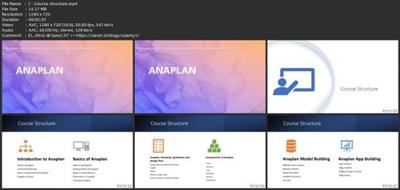
Lecture 1 Course structure
Lecture 2 Anaplan Access
Lecture 3 Resources
Section 2: Introduction to Anaplan
Lecture 4 Anaplan Overview
Lecture 5 What is Anaplan?
Lecture 6 Connected Planning
Lecture 7 What is Hyperblock technology
Lecture 8 Anaplan vs Excel
Lecture 9 Business areas in which Anaplan can be used
Section 3: Basics of Anaplan
Lecture 10 What is workspace?
Lecture 11 Building blocks of Anaplan
Lecture 12 What is central library?
Lecture 13 Dimensions in Anaplan
Lecture 14 Calculation Engine
Section 4: Anaplan standards, guidelines and design flow
Lecture 15 Design flow and Model build flow
Lecture 16 PLANS
Lecture 17 DISCO
Lecture 18 What is model map?
Lecture 19 How to create a model in Anaplan
Section 5: Components of Anaplan
Lecture 20 Time
Lecture 21 Versions
Lecture 22 Lists Theory
Lecture 23 List & it's type (Resource)
Lecture 24 Lists
Lecture 25 Types of lists
Lecture 26 Modules
Lecture 27 Actions
Lecture 28 Dashboard
Section 6: Anaplan Case Study
Lecture 29 Anaplan Case Study
Lecture 30 Anaplan Case Study
Section 7: Anaplan Model Building (Data Hub)
Lecture 31 Basics settings before building Anaplan modules
Lecture 32 Creation of lists
Lecture 33 How to import a file in Anaplan list
Lecture 34 How to export from Anaplan list
Lecture 35 How to import in Module
Lecture 36 How to Create a Saved View & Import from Module to a List
Lecture 37 How to create Empty Module
Lecture 38 How to Delete a Saved View
Lecture 39 Code, ITEM Formula in Anaplan
Lecture 40 How to use Finditem Formula
Lecture 41 NAME, ISFIRSTOCCURANCE Formula in Anaplan
Lecture 42 Module to Module Import
Lecture 43 How to create a Subsidary View & apply filter
Lecture 44 How to Create Delete Actions & Processes
Lecture 45 Line Item Summary in Anaplan
Lecture 46 How to add Functional Areas
Section 8: Anaplan Model Building (Spoke Model)
Lecture 47 Addition of User Roles
Lecture 48 How to add Links/Images in Anaplan line item
Lecture 49 List to List Import between Models
Lecture 50 Numbered List & Module to List Import between Models
Lecture 51 Numbered List Hierarchy Import
Lecture 52 How to create Subset in a List
Lecture 53 Lookup in Anaplan
Lecture 54 Lookup on multiple dimension
Lecture 55 Import subset in a List
Lecture 56 Module Copy
Lecture 57 Module Copy Correction
Lecture 58 Selective Access
Lecture 59 Current Date Update Action
Lecture 60 Update Current Period Action(Optional)
Lecture 61 SUM in Anaplan
Section 9: Anaplan App Building
Lecture 62 How to Create an App
Lecture 63 Create Categories in Anaplan App
Lecture 64 Create a Page in Anaplan App & Text Card
Lecture 65 Card Template
Lecture 66 Action Card
Lecture 67 KPI Card
Lecture 68 Hide Page Selectors in an App
Lecture 69 Link Pages
Lecture 70 Image Card
Lecture 71 Field Card
Lecture 72 Restrict Page Access
Lecture 73 Set Role Access
Lecture 74 Current Version & Switchover Application
Lecture 75 Dynamic Cell Access (DCA)
Lecture 76 Grid Card
Lecture 77 Chart Card
Lecture 78 App Walkthrough 1
Lecture 79 App Walkthrough 2
Lecture 80 Worksheet
Section 10: Conclusion
Lecture 81 Anaplan Conclusion
Complete beginners to those with existing knowledge,This Anaplan course is meant for those who are looking to move forward in their career by building skills in analysis and planning,Students who wish to prepare for the Anaplan L1, L2 certification exam.
Download link
rapidgator.net:
https://rapidgator.net/file/afc6f155ffc9636ca6793d0ab76155ed/kqdsh.Anaplan.Basics.To.Advanced.part1.rar.html
https://rapidgator.net/file/6b8392c57cc49a64891eaf12e627832b/kqdsh.Anaplan.Basics.To.Advanced.part2.rar.html
nitroflare.com:
https://nitroflare.com/view/CE530128219B533/kqdsh.Anaplan.Basics.To.Advanced.part1.rar
https://nitroflare.com/view/A207740C1744098/kqdsh.Anaplan.Basics.To.Advanced.part2.rar
ddownload.com:
https://ddownload.com/8v5e8rl8dnn2/kqdsh.Anaplan.Basics.To.Advanced.part1.rar
https://ddownload.com/r12nvxoeyygu/kqdsh.Anaplan.Basics.To.Advanced.part2.rar
1dl.net:
https://1dl.net/ipkvuvfpnoa8/kqdsh.Anaplan.Basics.To.Advanced.part1.rar
https://1dl.net/38axfjm4pov9/kqdsh.Anaplan.Basics.To.Advanced.part2.rar
See full article