Procedural Animation For Humans In Unreal Engine 5
Date: 7 April 2023 | Posted by: voska89
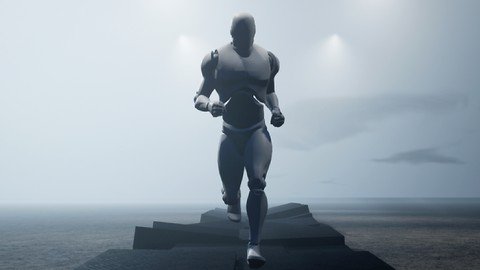
Free Download Procedural Animation For Humans In Unreal Engine 5
Published 4/2023
MP4 | Video: h264, 1280x720 | Audio: AAC, 44.1 KHz
Language: English | Size: 7.91 GB | Duration: 8h 46m
Create a dynamic and flexible animation system which can be adapted to any style of character movement
Free Download What you'll learn
The fundamentals of procedural animation
How to create a fully procedural walk and run cycle
How to analyse and incrementally improve your animations
How to create custom functionality within control rig
How to control every element of your animation through logic and variables
How to use IK for realistic foot placement
How to predict player footsteps based on the environment
How to seamlessly blend between different angles of movement
How to create a dynamic cycle-time that adapts to different speeds
How to create a natural and smooth human animation system
How to create a system which can be modified for various styles of character movement
Requirements
No experience with animations or control rig necessary. Basic familiarity with Unreal Engine would help but all steps are demonstrated and explained.
Description
In this course you will learn how to create a fully procedural walk/run animation system for characters, entirely within Unreal Engine 5.1+ This system will allow you to control every aspect of the characters walk and run style, with manual control over every bone, using custom logic and variables inside Control Rig (which allows for very good performance, allowing it to be used on many characters at once).With a fully procedural animation system, your characters will fit within their environment and adapt their movement based on the surroundings. Whether the character is walking, running or anywhere in between, standing with one foot on a ledge, walking across stepping stones, running up a ramp backwards whilst spinning in circles, or any other situation your character may find themselves in.To create this level of interaction with traditional static animations, you would need to create hundreds if not thousands of walk cycle variations and a complex system to blend between different animations at the appropriate times. Then if you'd like to make a tweak, such as to change the character's walk style or speed, you would have to start all over again.Instead, with a procedural system, we figure out the logic that dictates how a human actually walks: where they place their feet, how their speed influences their stride time, how they swing their hips and spine to accommodate for their leg movements; to create an intelligent system that mimics how a human (or any character) would walk.After you've created the system (which is included as a download for use or reference), you can adapt it to any character you may want in the future. For example, you may create a heavier & stronger character for your game, perhaps a robot / mech / monster, and instead of spending hours creating walk cycles to figure out how he should move, you simply tweak a few numbers in the procedural system to see how the character looks when he stamps his feet whilst walking, or takes longer strides, or swings his arms like a madman.We don't rely on any major inbuilt functions within the engine, and so the same concepts and techniques can apply to any form of procedural animation. For example, after completing the course, you may want to take what you've learnt about creating procedural human animations and use the same concepts to make a procedural swimming animation for a shark. Or procedural weapon recoil controlled by the strength of the gun. Or a parkour climbing system. In theory, anything that can be animated can be animated procedurally. Is it always beneficial? No. But procedural animation is the best solution for any animations which need to be adaptive and change based on the environment, user input, or gameplay events. The best part is, everything we create in this course runs as a single node in the animation blueprint, allowing you to blend it with regular animations, or any input pose for the character.This is not a course where I simply tell you what buttons to press. Every single step is explained, and the thought process behind decisions about what to do next is discussed, so you will always have an idea of why we're doing each step. We routinely take a look at what we have created so far to analyse it for further improvements. The information and ideas in this course are not available anywhere else, trust me; I have looked, as all of the solutions are a result of 7 years of experimentation with procedural animation. This method of animation isn't being done to this degree by any game developers yet, only basic hybrid IK systems, and I strongly believe it will be the primary form of character animation in the next few years.I have set up a Discord server where you can directly ask me any questions, or see the results of other students of the course. If there are any areas that you don't understand or need further explanations, I'll be happy to help, and look forward to seeing your results!
Overview
Section 1: Initial setup
Lecture 1 Getting started
Lecture 2 Creating your first 'procedural animation'
Lecture 3 Basic leg IK
Lecture 4 Put the feet into an array
Lecture 5 IK both legs in a loop
Lecture 6 Prevent multiple copies of each foot being added to the array
Lecture 7 Optional: Sphere trace example
Lecture 8 Collapse to functions
Lecture 9 Rotate around point function
Section 2: Foot rotation
Lecture 10 Creating a SetFootTransforms function
Lecture 11 Foot platform traces
Lecture 12 Foot platform rotation offset
Lecture 13 Calculate foot platform forward offset
Lecture 14 Rotate foot bone around foot platform
Lecture 15 Calculate ball rotation point offset
Lecture 16 Calculate tip rotation point offset
Lecture 17 Calculate heel rotation point offset
Lecture 18 Rotate foot around ball
Lecture 19 Heel point fix
Lecture 20 Unrotate ball/tip
Lecture 21 Rotate around tip of the toes
Lecture 22 Rotate around heel
Section 3: Velocity, cycles, and leg movement
Lecture 23 Create a calculate velocity function
Lecture 24 Calculate world velocity
Lecture 25 Convert to rig space velocity
Lecture 26 Locked feet locations array
Lecture 27 Calculate world delta movement
Lecture 28 Create calculate foot targets function
Lecture 29 Basic time cycle
Lecture 30 Foot locked bool array
Lecture 31 Calculate foot targets lerp (linear interpolation)
Lecture 32 Lock the feet
Lecture 33 Shift the locked feet based on the world's movement
Lecture 34 Unlock the locked feet
Lecture 35 Predict foot landing spot (basic)
Lecture 36 Stride length
Lecture 37 Set the feet cycles to be out of sync
Lecture 38 Floating foot fix and stride length improvements
Lecture 39 Predict character movement for foot traces
Lecture 40 Basic foot spline
Lecture 41 Dynamic cycle time
Lecture 42 Swing time as a percentage
Lecture 43 Foot landing spot prediction improvement
Lecture 44 Minimum stride time
Lecture 45 Velocity based spline diagram
Lecture 46 Advanced foot spline
Lecture 47 Minimum cycle time and Z lift tweaks
Lecture 48 Swing time tweaks
Lecture 49 Clamping the IK distance to prevent 'popping'
Section 4: Pelvis and spine control
Lecture 50 Pelvis motion initial setup
Lecture 51 Pelvis sin cycle
Lecture 52 Pelvis up/down offset
Lecture 53 Pelvis bob based on speed
Lecture 54 Pelvis left/right swing
Lecture 55 Shoulder swing compensation
Lecture 56 Neck rotation
Lecture 57 Save foot platform outputs for later
Lecture 58 Pelvis offset diagram
Lecture 59 Calculate target pelvis rotation
Lecture 60 Save and visualize movement angle offset
Lecture 61 Offset the landing spot foot angle
Lecture 62 Rotate IK pole vector
Lecture 63 Rotate pelvis to match foot rotation average
Lecture 64 Head rotation fix
Lecture 65 Foot separation
Section 5: Smoothing and rotation limits
Lecture 66 Reduce rotation offset
Lecture 67 Snapping issues
Lecture 68 Creating vector lerp (linear interpolate) function
Lecture 69 Velocity smoothing
Lecture 70 Movement angle offset smoothing
Lecture 71 Sideways movement foot rotations
Lecture 72 Locked foot rotation limits
Lecture 73 Relax midair foot
Lecture 74 Leg intersection problem
Lecture 75 Basic foot avoidance
Lecture 76 Dynamic stride length
Section 6: Arm motion
Lecture 77 Arm motion setup
Lecture 78 Arm IK
Lecture 79 Arm swing
Lecture 80 Arm swing sync
Lecture 81 Arm swing based on speed
Lecture 82 Swing angle offset
Lecture 83 Reduce arm swing running backwards
Lecture 84 Arm swing sync improvements
Lecture 85 Shoulder bobbing
Section 7: Tweaks, fixes and improvements
Lecture 86 Foot twist fix
Lecture 87 Leaning
Lecture 88 Arm lift tweaks
Lecture 89 Pelvis tilt
Lecture 90 Pelvis tilt overcompensation
Lecture 91 IK clamp fix
Lecture 92 Feet lagging improvements
Lecture 93 Extra smoothed velocity
Lecture 94 Dynamic rotation factor
Lecture 95 Knee alignment with velocity
Lecture 96 Foot angle for slanted surfaces
Lecture 97 Smooth pelvis offset based on a floor trace
Lecture 98 Using a better pose
Lecture 99 Identifying issues exposed by the new pose
Lecture 100 Use the accurate leg pole vectors
Lecture 101 Use the accurate arm pole vectors
Lecture 102 Smoothing the predicted landing spot
Lecture 103 Smoother interpolation
Lecture 104 Improved smoothing and replacing all blendspeeds
Lecture 105 Sideways movement arm raise
Lecture 106 Foot angle offset tweaks
Lecture 107 Side movement pelvis tweaks
Section 8: Improved foot traces and foot avoidance
Lecture 108 No floor, no problem
Lecture 109 Lower foot trace for pelvis offset
Lecture 110 Aim math result constraint
Lecture 111 Check multiple landing spots
Lecture 112 Front of foot traces
Lecture 113 Find the flattest landing spot
Lecture 114 Prefer higher spots
Lecture 115 Prefer lower offsets
Lecture 116 Use the ideal landing spot
Lecture 117 Prefer valid hits
Lecture 118 More weight to the default landing spot
Lecture 119 Setting up a basic walk course
Lecture 120 Angle switch timing limitation
Lecture 121 Foot avoidance function setup
Lecture 122 Foot avoidance swings
Lecture 123 Foot avoidance based on the other foot
Section 9: Congratulations!
Lecture 124 Next steps..
Game developers wanting to create a robust system to save 100s of hours hand-animating walk cycles,Animators who want to prototype and visualise different animation styles rapidly,Unreal Engine developers who want their characters to interact with the environment
Homepage
https://www.udemy.com/course/procedural-animation/DOWNLOAD LINK
Rapidgator
fkbgk.P.A.F.H.I.U.E.5.part04.rar.html
fkbgk.P.A.F.H.I.U.E.5.part08.rar.html
fkbgk.P.A.F.H.I.U.E.5.part03.rar.html
fkbgk.P.A.F.H.I.U.E.5.part09.rar.html
fkbgk.P.A.F.H.I.U.E.5.part05.rar.html
fkbgk.P.A.F.H.I.U.E.5.part06.rar.html
fkbgk.P.A.F.H.I.U.E.5.part02.rar.html
fkbgk.P.A.F.H.I.U.E.5.part01.rar.html
fkbgk.P.A.F.H.I.U.E.5.part07.rar.html
Uploadgig
fkbgk.P.A.F.H.I.U.E.5.part01.rar
fkbgk.P.A.F.H.I.U.E.5.part06.rar
fkbgk.P.A.F.H.I.U.E.5.part07.rar
fkbgk.P.A.F.H.I.U.E.5.part08.rar
fkbgk.P.A.F.H.I.U.E.5.part03.rar
fkbgk.P.A.F.H.I.U.E.5.part04.rar
fkbgk.P.A.F.H.I.U.E.5.part02.rar
fkbgk.P.A.F.H.I.U.E.5.part05.rar
fkbgk.P.A.F.H.I.U.E.5.part09.rar
NitroFlare
fkbgk.P.A.F.H.I.U.E.5.part06.rar
fkbgk.P.A.F.H.I.U.E.5.part01.rar
fkbgk.P.A.F.H.I.U.E.5.part04.rar
fkbgk.P.A.F.H.I.U.E.5.part02.rar
fkbgk.P.A.F.H.I.U.E.5.part09.rar
fkbgk.P.A.F.H.I.U.E.5.part05.rar
fkbgk.P.A.F.H.I.U.E.5.part07.rar
fkbgk.P.A.F.H.I.U.E.5.part03.rar
fkbgk.P.A.F.H.I.U.E.5.part08.rar
Links are Interchangeable - Single Extraction
See full article