Video Editing For Busy People: How To Make Instagram Reels
Date: 30 March 2023 | Posted by: mitsumi

Video Editing For Busy People: How To Make Instagram Reels
Published 3/2023
MP4 | Video: h264, 1280x720 | Audio: AAC, 44.1 KHz
Language: English | Size: 958.30 MB | Duration: 1h 34m
The Fast and Easy Way to Create Unique Social Media Reels for Beginners
Published 3/2023
MP4 | Video: h264, 1280x720 | Audio: AAC, 44.1 KHz
Language: English | Size: 958.30 MB | Duration: 1h 34m
The Fast and Easy Way to Create Unique Social Media Reels for Beginners
What you'll learn
Create a Beautiful, Bold, Customizable Instagram Reel for Infinite Uses
Edit Image, Text and Color Elements to Customize Your Reel
Export Your Reel Using Best and Fastest Settings for Sharing
Import and Upload Your Reel Into Instagram
Tips, Tricks and Helpful Suggestions for Social Media Success
Requirements
Prior Video Editing Experience Preferred But Not Required.
A Working Laptop or PC (Mac or Windows)
DaVinci Resolve (Free or Studio Version Installed)
Description
Are you a busy beginner who needs a fast and easy way to create thousands of social media reels? In this course, I'll teach you how to create one, easily customizable reel in DaVinci Resolve that can be used to create multiple reels to promote your social media page.Our courses are designed for busy people working in all areas of social media and video content creation. Whether you have a YouTube Channel, Instagram or Facebook Page, TikTok or Pintrest account, this course is for you. As a content creator with over 16 years of professional experience I know how much work it takes to edit videos with little time to spare. So, we created this series to help you shortcut a lot of the time intensive ways to promote your work.My name is Jason Georgiades, I am a professional filmmaker, producer and video editor. I have a master's degree in film directing from Disney's CalArts and worked in Hollywood as a professional editor for Vice, Attention Media, Warner Bros. and The Hollywood Reporter. In that time I've also produced, directed and edited two feature films with commercial distribution from 1091 and Gravitas Ventures. In fact, my most recent feature "Beneath the Green" was edited and color corrected using DaVinci Resolve.By the end of this course you will learn the fundamentals of:How to edit a custom reel for multiple social media platformsChange text, video and color elements to create unique versions of the reel for an infinite usesCreate basic text, transitions and color elementsExport the edit for sharing on social mediaHow to upload and share your reel on InstagramTips, Tricks and Professional Video Editing Hacks I'll be using a simple step by step guide that requires you to follow along with each demo using a video file we provide to you so; you don't need to use your own footage but you can if you like.Be sure to reach out to us directly for any comments and questions. Let's get started!
Overview
Section 1: DaVinci Resolve for Busy People: How to Make Instagram Reels
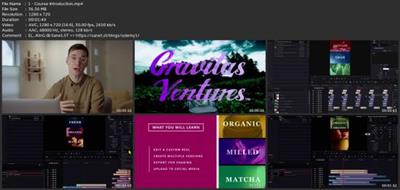
Lecture 1 Course Introduction
Lecture 2 Project Specifics
Lecture 3 Importing Sample Footage
Lecture 4 Setting Up Proper Resolution
Lecture 5 Adding Sample Footage to Your Timeline
Lecture 6 How to Freeze Frame
Lecture 7 Adding Color Elements
Lecture 8 Adding Text Elements
Lecture 9 Let's Trim Your Footage
Lecture 10 Making a Compound Clip
Lecture 11 Creating an End Card and Transition
Lecture 12 Duplicate Your Reel for Multiple Uses
Lecture 13 Adding Text and Color Elements
Lecture 14 Create a New Compound Clip
Lecture 15 Exporting Your Reels
Lecture 16 Airdrop Utility Walkthrough
Lecture 17 Airdropping Footage to iPhone
Lecture 18 Importing and Adding Music to Reel
Lecture 19 Edit Your Cover Photo
Lecture 20 Adding Text and Custom Hashtag Tips
Lecture 21 Final Words
Beginner to Intermediate Social Media Users,YouTube or Online Video Content Creators,Marketing Officers and Experts,Small Business Owners
Download link
rapidgator.net:
uploadgig.com:
nitroflare.com:
1dl.net:
See full article