Mastering Adobe Indesign In 5 Hours
Date: 29 March 2023 | Posted by: oaxino

Mastering Adobe Indesign In 5 Hours
Published 3/2023
MP4 | Video: h264, 1280x720 | Audio: AAC, 44.1 KHz
Language: English | Size: 2.64 GB | Duration: 5h 6m
Learn how to create stunning designs for books, magazines, brochures, and digital media with Adobe InDesign
Published 3/2023
MP4 | Video: h264, 1280x720 | Audio: AAC, 44.1 KHz
Language: English | Size: 2.64 GB | Duration: 5h 6m
Learn how to create stunning designs for books, magazines, brochures, and digital media with Adobe InDesign
What you'll learn
What Is Adobe Indesign
Design a product ad
Design a magazine flyer, company brochure, poster In Adobe InDesign
Build a large business document In Adobe InDesign
Requirements
No InDesign or graphic design experience necessary
Description
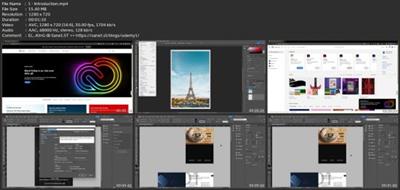
Adobe InDesign is a professional desktop publishing software used by graphic designers, publishers, and production artists to create high-quality print and digital materials such as magazines, books, brochures, and digital publications.In the "Mastering Adobe InDesign in 5 hours " course, you will learn how to use InDesign to create layouts, work with text and images, and output your designs for print and digital media. You will start by learning the basics of the InDesign interface, including how to set up a document, create and format text frames, and import and manipulate graphics.You will then move on to more advanced features such as working with styles, tables, and long documents. You will also learn how to work with color, create and apply master pages, and how to prepare your documents for print or digital distribution.By the end of this course, you will have the skills and knowledge necessary to create professional-quality print and digital publications using InDesign. Whether you are a graphic designer, publisher, or production artist, this course will help you take your skills to the next level and create visually stunning and engaging content.Enroll now. Don't miss the opportunity to take your skills to the next level!
Overview
Section 1: Introduction
Lecture 1 Introduction
Lecture 2 01 02 Introduction Of The Instructor
Lecture 3 01 03 What Is Adobe Indesign
Lecture 4 01 04 Quick Win Example Of What You Can Do
Lecture 5 01 05 What Projects Will You Build In This Course
Lecture 6 01 Source Files
Section 2: Install Adobe InDesignes
Lecture 7 02 01 Indesign Vs Photoshop Vs Illustrator
Lecture 8 02 02 How To Install Indesign
Lecture 9 02 03 Start A New Project In Indesign
Section 3: 03. Design a product ad
Lecture 10 03 01 Project Preview
Lecture 11 03 02 Design A Poster
Lecture 12 03 03 How To Get Colors From An Image
Lecture 13 03 04 Import Text From Microsoft Word
Lecture 14 03 05 Build A Simple Pdf
Lecture 15 03 06 Save Indesign File As Image
Lecture 16 03 Source Files
Section 4: 04. Design a poster
Lecture 17 04 01 Project Preview
Lecture 18 04 02 Design A Poster
Lecture 19 04 Source Files
Section 5: 05. Design a magazine In Adobe InDesign
Lecture 20 05 01 Project Preview
Lecture 21 05 02 Design A Magazine
Lecture 22 05 Source Files
Section 6: 06. Design a pitch deck In Adobe InDesign
Lecture 23 06 01 Project Preview
Lecture 24 06 02 Design A Pitch Deck
Lecture 25 06 Source Files
Section 7: 07. Build a flyer in Adobe InDesign
Lecture 26 07 01 Project Preview
Lecture 27 07 02 Build A Flyer
Lecture 28 07 Source Files
Section 8: 08. Build a company brochure in indesign
Lecture 29 08 01 Project Preview
Lecture 30 08 02 Build A Company Brochure In Indesign
Lecture 31 08 Source Files
Section 9: 09. Build a large business document In Adobe InDesign
Lecture 32 09 01 Project Preview
Lecture 33 09 02 Build A Large Business Document
Lecture 34 09. Source Files
Section 10: 10. Design an ebook In Adobe InDesign
Lecture 35 10 01 Project Preview
Lecture 36 10 02 Design An Ebook
Lecture 37 10 Source Files
Section 11: 11. Design a business card In Adobe InDesign
Lecture 38 11 01 Project Preview
Lecture 39 11 02 Design A Business Card
Lecture 40 11 Source Files
Section 12: 12. Design a booklet In Adobe InDesign
Lecture 41 12 01 Project Preview
Lecture 42 12 02 Design A Booklet
Lecture 43 12. Source Files
Anyone who would like to expand their skillset for graphic design.
Download link
rapidgator.net:
https://rapidgator.net/file/18d9ed25576e05dffe953b9324362c50/ixlto.Mastering.Adobe.Indesign.In.5.Hours.part1.rar.html
https://rapidgator.net/file/603b1e391a36485c932adb661036bac6/ixlto.Mastering.Adobe.Indesign.In.5.Hours.part2.rar.html
https://rapidgator.net/file/8452b1a895d7c0493bb1be9e4003683c/ixlto.Mastering.Adobe.Indesign.In.5.Hours.part3.rar.html
uploadgig.com:
https://uploadgig.com/file/download/6Fd91fb9B3E0bB25/ixlto.Mastering.Adobe.Indesign.In.5.Hours.part1.rar
https://uploadgig.com/file/download/d75B666c5c919d68/ixlto.Mastering.Adobe.Indesign.In.5.Hours.part2.rar
https://uploadgig.com/file/download/1954A10f780e4708/ixlto.Mastering.Adobe.Indesign.In.5.Hours.part3.rar
nitroflare.com:
https://nitroflare.com/view/96CD8EA236C0A57/ixlto.Mastering.Adobe.Indesign.In.5.Hours.part1.rar
https://nitroflare.com/view/7C62FC2C7D99C89/ixlto.Mastering.Adobe.Indesign.In.5.Hours.part2.rar
https://nitroflare.com/view/8122AEAAA433B70/ixlto.Mastering.Adobe.Indesign.In.5.Hours.part3.rar
1dl.net:
https://1dl.net/8sn7czl6y2cl/ixlto.Mastering.Adobe.Indesign.In.5.Hours.part1.rar
https://1dl.net/fhe0yshxj6iw/ixlto.Mastering.Adobe.Indesign.In.5.Hours.part2.rar
https://1dl.net/m7dmahkhusx0/ixlto.Mastering.Adobe.Indesign.In.5.Hours.part3.rar
See full article