Mastering Adobe Illustrator: From Beginner To Advanced
Date: 29 March 2023 | Posted by: oaxino

Mastering Adobe Illustrator: From Beginner To Advanced
Published 3/2023
MP4 | Video: h264, 1280x720 | Audio: AAC, 44.1 KHz
Language: English | Size: 2.16 GB | Duration: 4h 58m
Create Stunning Designs and Illustrations with Adobe Illustrator: Learn Essential Tools and Techniques for Graphic Desig
Published 3/2023
MP4 | Video: h264, 1280x720 | Audio: AAC, 44.1 KHz
Language: English | Size: 2.16 GB | Duration: 4h 58m
Create Stunning Designs and Illustrations with Adobe Illustrator: Learn Essential Tools and Techniques for Graphic Desig
What you'll learn
What is Illustrator
Draw with fundamental tools
Work with colors assets
Design text, build shapes, lines and graphs.
Requirements
No prior knowledge or experience with Illustrator is required.
Description
This comprehensive Adobe Illustrator course will take you from a beginner to an advanced level designer. You will learn essential tools and techniques to create stunning designs and illustrations using Adobe Illustrator.Starting with the basics, you will learn how to navigate the Illustrator interface, create and manipulate shapes, and use essential drawing tools. You will also learn how to work with layers, manage color, and apply gradients to your designs.As you progress through the course, you will learn advanced techniques such as creating custom brushes, designing logos, and using typography effectively. You will also learn how to work with the pen tool to create complex shapes and paths, and how to use Illustrator's 3D tools to create stunning 3D designs.Throughout the course, you will work on hands-on projects that will help you apply what you have learned. You will create a logo, a poster, a brochure, and more, all while receiving feedback from your instructor and peers to help you improve your designs.By the end of the course, you will have the skills and confidence to create professional-quality designs and illustrations using Adobe Illustrator. Whether you're a graphic designer, illustrator, or a marketing professional looking to create eye-catching visuals, this course is perfect for anyone looking to master Adobe Illustrator and take their design skills to the next level.
Overview
Section 1: Introduction
Lecture 1 Introduction
Lecture 2 01.02 Introduction Of The Instructor-
Lecture 3 01.03 What Is Illustrator
Lecture 4 01.04 Quick Win Example Of What You Can Do In Illustrator-
Lecture 5 01.05 Course Requirements
Section 2: Draw With Fundamental Tools
Lecture 6 02.01 Keyboard Shortcuts
Lecture 7 02.02 Draw With Shapes And Lines
Lecture 8 02.03 Draw With The Shape Builder Tool
Lecture 9 02.04 Draw Custom Logo Shapes
Lecture 10 02.05 Draw Flowing Curves With The Curvature Tool
Lecture 11 02.06 Build Corners With Corner Widget Effects
Lecture 12 02.07 Draw With The Pen Tool
Lecture 13 02.08 Draw With The Pencil Tool
Lecture 14 02.09 Use Brushes
Lecture 15 02.10 Draw Lines With The Width Tool
Lecture 16 02.11 Illustrator Tips And Tricks For Beginners
Section 3: Work with Colors Assets
Lecture 17 03.01 RGB, Hex And CMYK
Lecture 18 03.02 Pick Colors With The Eye Dropper Tool
Lecture 19 03.03 Use Color Theme To Find Colors
Lecture 20 03.04 Use Color Guide
Lecture 21 03.05 Recolour Artwork
Lecture 22 03.06 Make A Gradient
Lecture 23 03.07 Make A Bent Gradient
Lecture 24 03.08 Make Long Shadows
Lecture 25 03.09 Blend Images With Background Colors
Lecture 26 03.10 Make Images Black And White
Lecture 27 03.11 Make A Duotone Image
Lecture 28 03.12 Proof Colors
Lecture 29 03.13 Advanced Tips And Tricks For Colors
Lecture 30 Source Files
Section 4: Design Text
Lecture 31 04.01 Design With Type And Fonts
Lecture 32 04.02 Curve Type Around A Badge
Lecture 33 04.03 Break Apart And Destroy Text
Lecture 34 04.05 Distort And Bend Type
Lecture 35 04.06 Advanced Tips And Tricks For Text
Lecture 36 Source Files
Section 5: Build Shapes
Lecture 37 05.01 Mask An Image In Text
Lecture 38 05.02 Cut Hole With Compound Shapes
Lecture 39 05.03 Make Liquid And Distortion
Lecture 40 05.04 Bend And Warp Shape And Text
Lecture 41 05.05 Build Repeating Shapes
Lecture 42 05.06 Build Repeating Patterns
Lecture 43 05.07 Vectorize An Image
Lecture 44 05.08 Use Adobe Capture App
Lecture 45 05.09 Distort And Bend Shapes
Lecture 46 Source Files
Section 6: Build Lines
Lecture 47 06.01 Build Multiple Strokes To A Path
Lecture 48 06.02 Build A Stroke Line Around Text Or Shape
Lecture 49 06.03 Build Multiple Lines With Offset Path
Lecture 50 Source Files
Section 7: Build Graphs
Lecture 51 07.01 Build A Pie Chart
Lecture 52 07.02 Build A Line Graph
Lecture 53 07.03 Build A Bar Graph
Section 8: Export
Lecture 54 08.01 Export For Print
Lecture 55 08.02. Export As JPG And PNG
Lecture 56 08.03 Advanced Tips And Tricks For Exporting
Lecture 57 Source Files
Section 9: Bonus Project
Lecture 58 09. Project Post Card
Anyone who wants to start using Illustrator in their career.
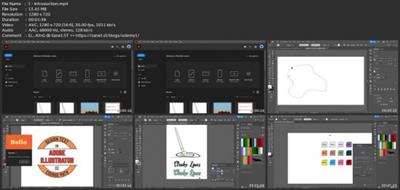
Download link
rapidgator.net:
https://rapidgator.net/file/fc99e8144d62673dffb2fcbf038fe061/npimf.Mastering.Adobe.Illustrator.From.Beginner.To.Advanced.part1.rar.html
https://rapidgator.net/file/eee73a91d290068ff9db02d410f0e685/npimf.Mastering.Adobe.Illustrator.From.Beginner.To.Advanced.part2.rar.html
https://rapidgator.net/file/0afda6d487eb087a35a643734f7c2db3/npimf.Mastering.Adobe.Illustrator.From.Beginner.To.Advanced.part3.rar.html
uploadgig.com:
https://uploadgig.com/file/download/0f474Fc5aE609b46/npimf.Mastering.Adobe.Illustrator.From.Beginner.To.Advanced.part1.rar
https://uploadgig.com/file/download/396bc262a8d2a5BD/npimf.Mastering.Adobe.Illustrator.From.Beginner.To.Advanced.part2.rar
https://uploadgig.com/file/download/EA6b27aDaCc2ca38/npimf.Mastering.Adobe.Illustrator.From.Beginner.To.Advanced.part3.rar
nitroflare.com:
https://nitroflare.com/view/A69DAE226AFF7D1/npimf.Mastering.Adobe.Illustrator.From.Beginner.To.Advanced.part1.rar
https://nitroflare.com/view/07619E304B50965/npimf.Mastering.Adobe.Illustrator.From.Beginner.To.Advanced.part2.rar
https://nitroflare.com/view/EAA37486EB7B3AC/npimf.Mastering.Adobe.Illustrator.From.Beginner.To.Advanced.part3.rar
1dl.net:
https://1dl.net/ds90r3l2mpkq/npimf.Mastering.Adobe.Illustrator.From.Beginner.To.Advanced.part1.rar
https://1dl.net/a7wf52kaaqxu/npimf.Mastering.Adobe.Illustrator.From.Beginner.To.Advanced.part2.rar
https://1dl.net/hvlyca09v1jt/npimf.Mastering.Adobe.Illustrator.From.Beginner.To.Advanced.part3.rar
See full article