Idea Statica 22: Steel Connection Essential Training
Date: 26 March 2023 | Posted by: oaxino
Idea Statica 22: Steel Connection Essential Training
Published 3/2023
MP4 | Video: h264, 1280x720 | Audio: AAC, 44.1 KHz
Language: English | Size: 366.52 MB | Duration: 0h 48m
Structural Engineering Essentials: Model the Steel Connections with IDEA Statica
Published 3/2023
MP4 | Video: h264, 1280x720 | Audio: AAC, 44.1 KHz
Language: English | Size: 366.52 MB | Duration: 0h 48m
Structural Engineering Essentials: Model the Steel Connections with IDEA Statica
What you'll learn
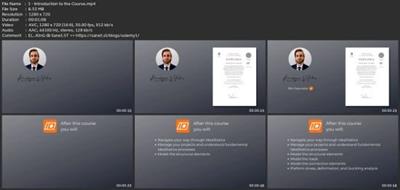
Navigate their way through IdeaStatica
Manage projects and understand fundamental IdeaStatica processes
Model the structural elements
Model the loads
Model the connection elements
Perform stress, deformation and buckling analysis
Create project reports
Requirements
Experience in structural engineering is needed.
Description
This course covers all the key areas for the IDEA Statica software. During this course, you will learn about the unique CBFM method used for calculating connections in IdeaStatica, which combines the classic component method and finite element analysis for more precise results and the ability to model complex designs. The CBFM approach allows the software to quickly calculate extremely complex topologies of nodes.To get you started I will show you how to download and install IdeaStatica. You will learn how to access the software's cloud-based licensing system, and how to use a 14-day trial version if you don't have a full license. Additionally, you will learn how to connect IdeaStatica to other software, such as SCIA Engineer, and how to access various software modules and online learning materials within the software. After we installed the software on your computer correctly we will move on to the main part of the course. That includes the lessons in which you will learn how to: navigate your way through IdeaStatica, manage your project and understand fundamental IdeaStatica processes, model the structural elements, model the loads, model the connection elements, perform stress, deformation and buckling analysis and create project reports.After this course, you will use the software efficiently and be prepared for the field of structural engineering.
Overview
Section 1: Introduction and Installation
Lecture 1 Introduction to the Course
Lecture 2 Course Overview
Lecture 3 Introduction to the CBFEM Method
Lecture 4 Installation and Licensing
Section 2: Getting Started
Lecture 5 Creating the Project
Lecture 6 Work Interface
Section 3: Modeling
Lecture 7 Modeling the Structural Elements
Lecture 8 Modeling the Loads
Lecture 9 Importing the Nodes from Scia Engineer
Lecture 10 Steel Equilibrium
Lecture 11 Modeling the Connections
Section 4: Code and Calculation Settings
Lecture 12 Code and Calculation Settings 1
Lecture 13 Code and Calculation Settings 2
Section 5: Performing the Analysis
Lecture 14 Stress and Deformation Analysis
Lecture 15 Buckling Analysis and Connection Revision
Section 6: Project Report and Managing the Project
Lecture 16 Project Report
Lecture 17 Managing the Project
Section 7: Conclusion
Lecture 18 Course Conclusion
Absolute beginners who want to learn the software from beginning.
Download link
rapidgator.net:
uploadgig.com:
nitroflare.com:
1dl.net:
See full article