Essentials Training Course - Adobe Photoshop
Date: 21 February 2023 | Posted by: voska89
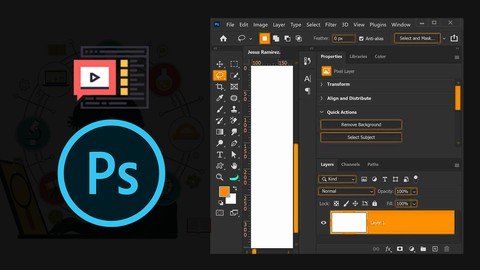
You will learn Photoshop Retouching and Photoshop for graphic design in this fantastic Adobe Photoshop Essentials course
Published 2/2023
MP4 | Video: h264, 1280x720 | Audio: AAC, 44.1 KHz
Language: English | Size: 7.85 GB | Duration: 9h 5m
What you'll learn
You will be able to start earning money from your Photoshop Skills.
You will be able to add Photoshop to your CV
You will create social media post images for Facebook, Instagram, Twitter, Pinterest & Youtube.
You will achieve the experience and knowledge to take graphic design fundamentals and apply them in your everyday life
You will be able to mask anything. including the dreaded hair!
You will create graphics from scratch
Clearcut images.
Build a flyer
Resize Images.
Fix the colors in photographs
You will remove people from images.
You'll retouch a face to move pimples & freckles.
Requirements
Adobe Photoshop, preferably the latest CC (Creative Cloud) version
No prior knowledge or experience with Photoshop is required
Description
Hy there,My name is Opoku Afriyie Solomon,How are you doing? I hope you are having an awesome day, if not I trust you can turn your day around anytime you want.Now together in this course me and you are going to learn everything we need to know about using Photoshop.It took me more than 10 months to be precisely create this structured Photoshop master class course, which I called it Adobe Photoshop Essentials Training Course (from zero to hero!)This course is for beginners, you don't need any previous knowledge in Photoshop, photography or design or what so ever, so this is a project based course which means we're not going to go through every single tool in every one of its little settings. In-fact what we are going to do is that we are going to set practical real world examples and then learn the tools and features necessary to make it both beautiful and easy.What's in the course?First will take a look at Photoshop interface, learn to customize it to suit our own preferences.We will learn how to easily move and transform object, create a new document, we will crop, resize canvas and image size.We will work with the quick selection tool, the magic wand tool and will look at how to manage your layers.We will spend some time with text, create an artwork and learn how to add shapes and objects to your artwork.We will learn the Photoshop secret source where you can magic up more background or completely remove people or objects from imagesYou will learn how to easily enhance images correcting their light and the colorBefore the end of the course you will have the skills to mask anything including the dreaded hair.You will also know to place drug inside a coffee cup.Using those amazing new skills we've learnt we will learn to create mock-up where we can wrap a logo on a coffee cup and so much more.There is my favorite section where we will learn how to retouch images to bring them to life. We will also add a bit of spice to it by creating a frequency separation action to edit your boring images like pro.I will show you where I get my design inspiration from. We will learn how to download and install font, and also download and install brushes and textures.Together we will learn how to manipulate text, how to apply filters, learn about smart object and not a smart object.You will make your own graphics using simple techniques to create logo, business card, letterhead and so much more.You wouldn't be complete as a Photoshop user without knowing how to create a solid social media flyer, Pizza Promotional flyer, Product Design and more.And finally any good Photoshop user should know how to present your final project to a client appropriately.Who will benefit from this course?This course is aimed at people who have never opened Photoshop before or have already opened Photoshop and really struggling with the basics then I must say this amazing course is for you.We start right from scratch and work through topics step by step. It doesn't matter whether you are using an expensive laptop or desktop - Photoshop will work well for both!There are exercise files that you can download so you can work alongside me.There are also assignments that I set throughout the course so you can practice your skills as we move to the course.So if you've never opened up Photoshop or you have, and really struggling with the basics then follow me and I will show you how to make professional images inside of Photoshop.
Overview
Section 1: Introduction
Lecture 1 Introduction to Adobe Photoshop Training Course
Lecture 2 Introduction to Photoshop Interface
Lecture 3 How to Create a New Document
Lecture 4 How to Crop, Resize Canvas and Image Size
Lecture 5 How to Move & Transform Object
Lecture 6 How to Lock, Group, Adjust Opacity
Lecture 7 How to use the Quick Selection Tool, Magic Wand Tool, and Layer Management
Lecture 8 How to create Text in Photoshop
Lecture 9 How to add shape to your Artwork
Lecture 10 How to use Shapes
Lecture 11 Working with Type in Photoshop
Lecture 12 How to use Gradient
Lecture 13 How to use Content Aware Cropping in Photoshop
Lecture 14 How to use Marquee Tools
Lecture 15 How Clipping Mask works in Photoshop
Lecture 16 How to use Layer Mask in Photoshop
Lecture 17 How to work with Vibrance
Lecture 18 How to work with Levels
Lecture 19 How to work with Hue and Saturation
Lecture 20 How to create Black and White Images in Photoshop
Lecture 21 How to work with Curves in Adobe Photoshop
Lecture 22 How to make a precise selection in Photoshop
Lecture 23 How to remove Image from Background
Lecture 24 What is Smart Object in Adobe Photoshop?
Lecture 25 How to Create Mock-ups in Photoshop
Lecture 26 How apply Filters in Photoshop
Lecture 27 How to Retouch Images in Photoshop
Lecture 28 How to Manipulate Text in Adobe Photoshop
Lecture 29 How to Create an Action in Photoshop to Retouch your Images
Lecture 30 Where to get Design Inspirations from
Lecture 31 How to download and Install Fonts in Photoshop
Lecture 32 How to Download and Install Brushes
Lecture 33 How to Create Logos in Photoshop
Lecture 34 How to create a P-Logo in Photoshop
Lecture 35 How to create a Letterhead in Photoshop
Lecture 36 How to create a Business Card in Photoshop
Lecture 37 How to Design a Social Media Flyer with Photoshop
Lecture 38 How to present your Final Project to your Clients Appropriately
Lecture 39 How to Design Pizza Promotional Flyer
Lecture 40 How to Design a Product Label and Placing it in a Mock-up
Anyone who wants to start using Photoshop in their career & get paid for their Photoshop skills.,Newbie's, amateurs, graphic designers, motion graphics artists, Illustrator users, and any creatives who want to design their own graphics and edit their own photos from scratch
Homepage
https://www.udemy.com/course/essentials-training-course-adobe-photoshop/Buy Premium From My Downloads To Get Resumable Support,Max Speed & Support Me
Rapidgator
xdhex.Essentials.Training.Course..Adobe.Photoshop.part04.rar.html
xdhex.Essentials.Training.Course..Adobe.Photoshop.part02.rar.html
xdhex.Essentials.Training.Course..Adobe.Photoshop.part09.rar.html
xdhex.Essentials.Training.Course..Adobe.Photoshop.part08.rar.html
xdhex.Essentials.Training.Course..Adobe.Photoshop.part01.rar.html
xdhex.Essentials.Training.Course..Adobe.Photoshop.part07.rar.html
xdhex.Essentials.Training.Course..Adobe.Photoshop.part06.rar.html
xdhex.Essentials.Training.Course..Adobe.Photoshop.part05.rar.html
xdhex.Essentials.Training.Course..Adobe.Photoshop.part03.rar.html
Uploadgig
xdhex.Essentials.Training.Course..Adobe.Photoshop.part01.rar
xdhex.Essentials.Training.Course..Adobe.Photoshop.part09.rar
xdhex.Essentials.Training.Course..Adobe.Photoshop.part08.rar
xdhex.Essentials.Training.Course..Adobe.Photoshop.part04.rar
xdhex.Essentials.Training.Course..Adobe.Photoshop.part02.rar
xdhex.Essentials.Training.Course..Adobe.Photoshop.part05.rar
xdhex.Essentials.Training.Course..Adobe.Photoshop.part03.rar
xdhex.Essentials.Training.Course..Adobe.Photoshop.part06.rar
xdhex.Essentials.Training.Course..Adobe.Photoshop.part07.rar
Downloads are Interchangeable - No Password - Single Extraction
See full article