Tricentis Tosca Automation Specialist Level 1
Date: 3 February 2023 | Posted by: voska89
Published 2/2023
MP4 | Video: h264, 1280x720 | Audio: AAC, 44.1 KHz
Language: English | Size: 4.07 GB | Duration: 4h 54m
TRICENTIS Tosca Automation concepts for beginners with step by step instructions
What you'll learn
By the end of this course, you will gather the knowledge and skills required to automate tests for a simple HTML application using Tosca
Introduction and Navigate to Tosca
Learn How to Create Workspace using Tosca and Best Practices
Introduction to the SUT
Introduction to Model-Based Test Automation
Learn how and where to access Standard Modules provided by TRICENTIS
Learn How to create Modules using Tosca X-Scan
Learn additional Control identification techniques like Identify by Image, Identify by Anchor
Learn How to Automate Test Cases using TestCase section in Tosca
Create TestCase Structure and TestSteps
Learn Action Modes and Dynamic Expressions
Learn how, why and when to use Action Mode Buffer
Learn how to user MATH functions in Tosca
Learn Advanced Module Action available in Tosca
Learn to Create Libraries (Reusable TestStep Blocks) and Import Libraries while creating TestCases
Learn how to use Libraries and Reusable TestStep Blocks
Test Configuration Parameters and Business Parameters
Learn How to user self-defined test configuration parameters
Learn how to use business parameters
Learn How to Run Tests in Tosca Scratchbook
Learn Managing the Execution Lists in Tosca and how to run automated tests using Execution Lists
Interview Questions on Tosca with some Knowledge Check Quizzes
Requirements
Be able to know the concepts of Software testing and knowledge on what is automation testing
Description
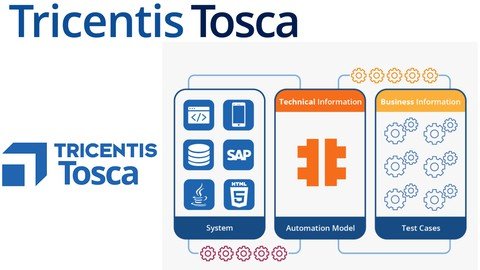
Welcome to Udemy TRICENTIS Tosca Automation Specialist Level 1 course. My name is Ravikanth. Today marks the start of your journey through Test Automation using Tricentis Tosca. The specialty of this course is that the course almost resembles the traditional class room trainings. I will keep interacting with you all face to face for each and every lesson. By the end of this course, you will gather the knowledge and skills required to automate tests for a simple HTML application using Tosca. Let's take some time in this video to get to know the topics covered in the course, and also the delivery method. The course is broken down into Four sections. Each section covers one specific Tosca element. We'll start by looking at what we're testing. We refer to this as the System Under Test, also called the SUT. In this particular training, the SUT that we're testing is a HTML Web Shop, especially designed by Tricentis. You can't really test an application if you don't know how it works. Therefore, the goal is to get an idea of how the SUT works, and which use cases need testing. In section one of this course, you'll also get a brief overview of the capabilities of the test automation tool Tricentis Tosca. Once you're acquainted with Tosca, and the testing environment, you'll learn how to capture the technical information from the SUT by simply scanning it. The scanned information will be stored in elements known as Modules. The best part is that the process is code-free. In the next section, you'll learn how to create TestCases using these Modules, and then populate these TestCases with the necessary Business Information. You'll learn how to configure your TestCases to achieve high testing coverage, increased reusability, and resilience within your testing portfolio. By this point, you'll have created your TestCases. The next step is to execute these TestCases. The substantial benefit of executing your TestCases is that Tosca captures the results of your Execution runs. Now, you'll have automated your complete tests. However, there's even more that Tosca has to offer. Before closing the testing cycle, you'll need to link your tests back to the Test Requirement that it's expected to cover. We'll look at working with Requirements in our next course Level-02. In a nutshell, This course enables you to build automated tests quickly and efficiently using TRICENTIS Tosca. As a tester, you'll probably face various challenges while automating tests in your work. However, this course will help you to tackle them. Last but not least, I have enabled you to centrally manage your testing projects. To get the most out of this course, I have put together a series of lesson videos, quizzes, and a final exam.
Overview
Section 1: Introduction
Lecture 1 Introduction: Download and Install TRICENTIS Tosca 16.0
Lecture 2 Navigate Tosca Tool and Steer the Navigation
Lecture 3 Create Workspace in Tosca
Lecture 4 Introduction to SUT & Install Tosca Automation Extension
Section 2: Modules
Lecture 5 Model-Based Test Automation
Lecture 6 Standard Modules in Tosca
Lecture 7 Introduction to XScan & Scan your SUT with XScan
Lecture 8 Identify controls by Properties & Anchor/Create a Control Group
Section 3: Test Cases
Lecture 9 Create TestCase Structure - TestCase Automation
Lecture 10 Create Test Steps using Modules - TestCase Automation
Lecture 11 Populate TestStep Values for Test Cases - TestCase Automation
Lecture 12 Run your First Automated Test - TestCase Automation
Section 4: Test Case Automation Techniques
Lecture 13 Action Modes: Set Action Modes WaitOn, Verify & Select
Lecture 14 Action Mode Buffer, Math Function, Dynamic Expressions - Dynamic Text, Numbers
Lecture 15 Libraries & Reusable TestStep Blocks
Lecture 16 Apply Value Range, Rescan & Module Merge
Lecture 17 Self-Defined Test Configuration Parameters
Software Testers, Students, Quality Assurance, Software Quality Engineers, Automation Testers, Automation Specialist, Automation Engineer
Homepage
https://www.udemy.com/course/tricentis-tosca-automation-specialist-level01/DOWNLOAD LINK
Fikper
plxtx.Tricentis.Tosca.Automation.Specialist.Level.1.part1.rar.html
plxtx.Tricentis.Tosca.Automation.Specialist.Level.1.part2.rar.html
plxtx.Tricentis.Tosca.Automation.Specialist.Level.1.part3.rar.html
plxtx.Tricentis.Tosca.Automation.Specialist.Level.1.part4.rar.html
plxtx.Tricentis.Tosca.Automation.Specialist.Level.1.part5.rar.html
Rapidgator
plxtx.Tricentis.Tosca.Automation.Specialist.Level.1.part1.rar.html
plxtx.Tricentis.Tosca.Automation.Specialist.Level.1.part2.rar.html
plxtx.Tricentis.Tosca.Automation.Specialist.Level.1.part3.rar.html
plxtx.Tricentis.Tosca.Automation.Specialist.Level.1.part4.rar.html
plxtx.Tricentis.Tosca.Automation.Specialist.Level.1.part5.rar.html
Uploadgig
plxtx.Tricentis.Tosca.Automation.Specialist.Level.1.part1.rar
plxtx.Tricentis.Tosca.Automation.Specialist.Level.1.part2.rar
plxtx.Tricentis.Tosca.Automation.Specialist.Level.1.part3.rar
plxtx.Tricentis.Tosca.Automation.Specialist.Level.1.part4.rar
plxtx.Tricentis.Tosca.Automation.Specialist.Level.1.part5.rar
NitroFlare
plxtx.Tricentis.Tosca.Automation.Specialist.Level.1.part1.rar
plxtx.Tricentis.Tosca.Automation.Specialist.Level.1.part2.rar
plxtx.Tricentis.Tosca.Automation.Specialist.Level.1.part3.rar
plxtx.Tricentis.Tosca.Automation.Specialist.Level.1.part4.rar
plxtx.Tricentis.Tosca.Automation.Specialist.Level.1.part5.rar
Links are Interchangeable - No Password - Single Extraction
See full article