Learn Adobe Premiere Pro In Hindi - Beginners To Pro
Date: 2 February 2023 | Posted by: voska89
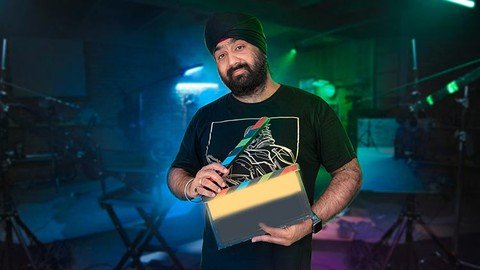
Published 2/2023
MP4 | Video: h264, 1280x720 | Audio: AAC, 44.1 KHz
Language: English | Size: 5.42 GB | Duration: 8h 41m
Become a Video Editor, learn Adobe Premiere Pro from the professional
What you'll learn
Master the software Adobe Premiere Pro, You will be able to edit almost every kind of video after completion of this course
You will get raw footages so you can practise along while you learn with me
You will be able to edit 4k videos
Edit entire video from beginning to end. Creation of new project, import new videos, create timeline, make a rough cut, add music, add graphics
Color correct the final video and take output from the software
Add animation to your titles and graphics
Edit Green screen footage and add a background
Advance learning of Adobe Premiere pro
Become a master of video editing
Requirements
Those who wish to learn first have to install Adobe Premiere Pro cc in their systems.
You have to download all the footages given in my course so you can practise on that.
Description
This course, "Learn Adobe Premiere Pro CC from Basics to Pro," is designed for those who want to become professional video editors or simply improve their video editing skills for personal projects, such as YouTube videos. The course covers everything from the basics of Adobe Premiere Pro CC to advanced techniques used by professional editors.Throughout the course, you will learn how to import and organize footage, create a basic cut, and add transitions and effects. You will also learn how to use audio and color correction tools, as well as advanced editing techniques such as multi-cam editing and motion graphics.The course will also cover how to export and share your projects, including how to create different types of exports for different platforms and how to use Adobe Media Encoder. You will also learn about the different types of video formats and codecs, and how to optimize your videos for the web or for different devices.In addition to video editing techniques, the course will also cover the basics of storytelling and how to craft a compelling narrative in your videos. You will learn how to use visual storytelling techniques such as pacing, shot selection, and color grading to create a visually engaging and emotionally impactful story.By the end of the course, you will have a thorough understanding of Adobe Premiere Pro CC and the skills to edit professional-quality videos. The course will be taught by experienced editors who have worked on various projects, so you will have the opportunity to learn from their real-world experience.This course is suitable for beginners, as well as more advanced editors looking to expand their skill set. It is self-paced, with a flexible schedule, so it can easily fit into your busy lifestyle. Enroll now and take the first step towards becoming a professional video editor or enhancing your personal projects.This course is in Hindi language, so anybody who enrol should know the language properly.
Overview
Section 1: Full Course
Lecture 1 Purchasing Software
Lecture 2 Folder Structure
Lecture 3 Creating New Project
Lecture 4 User Interface
Lecture 5 Project Panel
Lecture 6 Creating a Sequence
Lecture 7 Layers
Lecture 8 Source & Program Monitor
Lecture 9 Basic Editing Techniques
Lecture 10 Timeline in Detail
Lecture 11 Adding Audio
Lecture 12 Keyboard Shortcuts
Lecture 13 Adding Transitions
Lecture 14 Adding Effects & Audio Transitions
Lecture 15 Legacy Title
Lecture 16 Quick Export
Lecture 17 Render
Lecture 18 Introduction to Proxy Files
Lecture 19 Adobe Media Encoder
Lecture 20 Creating Proxies
Lecture 21 Toggle Proxies
Lecture 22 Markers
Lecture 23 Link & Unlink
Lecture 24 Duplicating Clips
Lecture 25 Copy/Paste Attributes
Lecture 26 Quick Classn-Out
Lecture 27 Subclips
Lecture 28 Quick Class Play IN to OUT
Lecture 29 New Items from Project Window
Lecture 30 Insert Edit & Ripple Delete
Lecture 31 Overwrite Edit
Lecture 32 Identifying Duplicate Clips
Lecture 33 Zoom In Timeline Vertically
Lecture 34 Perform edit on timeline through source monitor
Lecture 35 Sync Lock & Linked Selection
Lecture 36 Lift & Extract
Lecture 37 Replace Edit
Lecture 38 Ripple & Rolling Tool
Lecture 39 Slip & Slide Tool
Lecture 40 Freeze Frame
Lecture 41 Speed-Duration Part 1
Lecture 42 Speed-Duration Part 2
Lecture 43 Introduction Audio Editing
Lecture 44 Gain & Volume
Lecture 45 Audio Track & Clip Mixer Part 1
Lecture 46 Audio Track & Clip Mixer Part 2
Lecture 47 Essential Graphics Part 1
Lecture 48 Essential Graphics Part 2
Lecture 49 Animating Texts Part 1
Lecture 50 Animating Texts Part 2
Lecture 51 Transitions in Detail Part 1
Lecture 52 Transitions in Detail Part 2
Lecture 53 Handles
Lecture 54 Revision of Head and Tail
Lecture 55 Introduction to Color Correction
Lecture 56 Color Correction Part 1
Lecture 57 Color Correction Part 2
Lecture 58 Color Correction Part 3
Lecture 59 Removing Green Screen
Lecture 60 Finale
This course is for those who wanted to become an editor and work professionally,Those who wanted to learn editing to edit their vlogs,Those who wish to learn the software adobe premiere pro cc
Homepage
https://www.udemy.com/course/learn-editing-by-hsl/DOWNLOAD LINK
Fikper
irvtt.Learn.Adobe.Premiere.Pro.In.Hindi..Beginners.To.Pro.part1.rar.html
irvtt.Learn.Adobe.Premiere.Pro.In.Hindi..Beginners.To.Pro.part4.rar.html
irvtt.Learn.Adobe.Premiere.Pro.In.Hindi..Beginners.To.Pro.part6.rar.html
irvtt.Learn.Adobe.Premiere.Pro.In.Hindi..Beginners.To.Pro.part5.rar.html
irvtt.Learn.Adobe.Premiere.Pro.In.Hindi..Beginners.To.Pro.part3.rar.html
irvtt.Learn.Adobe.Premiere.Pro.In.Hindi..Beginners.To.Pro.part2.rar.html
Rapidgator
irvtt.Learn.Adobe.Premiere.Pro.In.Hindi..Beginners.To.Pro.part5.rar.html
irvtt.Learn.Adobe.Premiere.Pro.In.Hindi..Beginners.To.Pro.part3.rar.html
irvtt.Learn.Adobe.Premiere.Pro.In.Hindi..Beginners.To.Pro.part6.rar.html
irvtt.Learn.Adobe.Premiere.Pro.In.Hindi..Beginners.To.Pro.part2.rar.html
irvtt.Learn.Adobe.Premiere.Pro.In.Hindi..Beginners.To.Pro.part1.rar.html
irvtt.Learn.Adobe.Premiere.Pro.In.Hindi..Beginners.To.Pro.part4.rar.html
Uploadgig
irvtt.Learn.Adobe.Premiere.Pro.In.Hindi..Beginners.To.Pro.part6.rar
irvtt.Learn.Adobe.Premiere.Pro.In.Hindi..Beginners.To.Pro.part5.rar
irvtt.Learn.Adobe.Premiere.Pro.In.Hindi..Beginners.To.Pro.part2.rar
irvtt.Learn.Adobe.Premiere.Pro.In.Hindi..Beginners.To.Pro.part4.rar
irvtt.Learn.Adobe.Premiere.Pro.In.Hindi..Beginners.To.Pro.part3.rar
irvtt.Learn.Adobe.Premiere.Pro.In.Hindi..Beginners.To.Pro.part1.rar
NitroFlare
irvtt.Learn.Adobe.Premiere.Pro.In.Hindi..Beginners.To.Pro.part4.rar
irvtt.Learn.Adobe.Premiere.Pro.In.Hindi..Beginners.To.Pro.part2.rar
irvtt.Learn.Adobe.Premiere.Pro.In.Hindi..Beginners.To.Pro.part3.rar
irvtt.Learn.Adobe.Premiere.Pro.In.Hindi..Beginners.To.Pro.part6.rar
irvtt.Learn.Adobe.Premiere.Pro.In.Hindi..Beginners.To.Pro.part1.rar
irvtt.Learn.Adobe.Premiere.Pro.In.Hindi..Beginners.To.Pro.part5.rar
Links are Interchangeable - No Password - Single Extraction
See full article