Blender For 3D Printing - Intro To Flexible Design (102)
Date: 2 February 2023 | Posted by: voska89
Last updated 1/2023
MP4 | Video: h264, 1280x720 | Audio: AAC, 44.1 KHz
Language: English | Size: 1.17 GB | Duration: 1h 23m
Intro to Flexible Techniques for 3D Print Design
What you'll learn
Theory of 3D Designing for a 3D Print
Beginner Prototyping for 3D Printed Products
3D Printing Tool Box - Blender Add On
Basics of 3D Modeling for 3D Printer
Basics to Box Modeling
Design Fundamentals for 3D Printing
Basics to Practical Designing
Blender Overview
Blender Introduction & 3D Printing Workflow
Bool Tool - Blender Add On
Basics to Adaptive & Flexible Design
How to Design for No Rafts & No Supports
How to build "Flexible" Design Projects
Requirements
FREE Download of Blender - 3D software
Ruler or Calipers
PC, Mac, or Linux Computer
Description
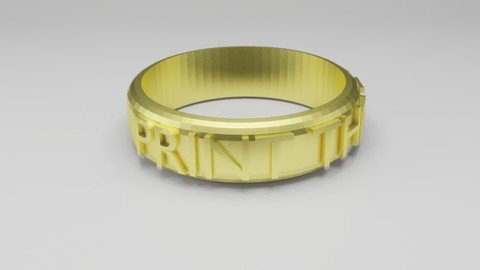
This course is the 2nd Course of my Blender 2.8 for 3D Printing that will get you started with your 3D Print Design future! In this course we'll be diving a little deeper into flexible design workflows and getting you more comfortable with the process.Goal: This course is all about learning how to be a flexible designer. By teaching you three different workflows in lithophanes, 3d printed vases, and custom rings, you'll learn how to really start thinking about design structure for your prints.Flexible Pottery DesignsLet's learn how to be a flexible designer. The workflow for 3D Vases will teach you the lathe tool as well as get in more modifier practice.Rings with Custom TextLet's learn how to measure a real-world object (your finger)! We'll also learn how to plan for a product in 3D space. Adding 3D text is just the cherry on top of this ring project.Intro to LithophanesLet's gain the power of the displace modifier and the bool tool. You'll also get more practice with the 3D Print Tool Box.Watch Time: 1 hour 23 minsDesign Estimate: 3 hrsWHAT YOU'LL LEARN:Intro to the Displacement ModifierInto to working with CurvesIntro to the Lathe ToolIntro to Practical MeasurementsIntro to working w/ Images & TextAccess to Lesson & File DownloadsAccess to the Designer's Discord
Overview
Section 1: Create a Custom 3D Printed Photo
Lecture 1 3D Photos - Intro
Lecture 2 Adding your Photo
Lecture 3 Make Solid and Add Base
Lecture 4 Export and Slice
Lecture 5 Show off your photos
Section 2: Flexible Design Techniques (Lathe)
Lecture 6 Let's Make Custom Pottery!
Lecture 7 Drawing Pottery
Lecture 8 Lathe Technique
Lecture 9 Thicken it up!
Lecture 10 Adding Effects & Export for 3D Printing
Lecture 11 Share Your Pottery!
Section 3: Basic 3D Printing Wearables
Lecture 12 Let's Make a Ring!
Lecture 13 Measure Your Knuckle
Lecture 14 Building the Ring Shape
Lecture 15 Adding Custom Text
Lecture 16 Customizing for Flexible Workflow
Lecture 17 Export & Slice for 3D Printing
Lecture 18 Share Your Custom Ring!
Someone who wants to become a Professional 3D Print Designer.,Someone who wants to begin their journey towards their future career.,Those who want to join an online community of 3D Designers to grow their skills.,Students interested in 3D Product Design for rapid prototyping.,3D Printer users who want to start 3D Printing their own creations.,Students who want to learn flexible design skills to 3D Print their ideas into reality.,Beginner students who want their design ideas to be 3D Printed.
Homepage
https://www.udemy.com/course/blender-28-for-3d-printing-intro-to-flexible-design/DOWNLOAD LINK
Fikper
xqgzf.Blender.For.3D.Printing..Intro.To.Flexible.Design.102.part2.rar.html
xqgzf.Blender.For.3D.Printing..Intro.To.Flexible.Design.102.part1.rar.html
Rapidgator
xqgzf.Blender.For.3D.Printing..Intro.To.Flexible.Design.102.part1.rar.html
xqgzf.Blender.For.3D.Printing..Intro.To.Flexible.Design.102.part2.rar.html
Uploadgig
xqgzf.Blender.For.3D.Printing..Intro.To.Flexible.Design.102.part1.rar
xqgzf.Blender.For.3D.Printing..Intro.To.Flexible.Design.102.part2.rar
NitroFlare
xqgzf.Blender.For.3D.Printing..Intro.To.Flexible.Design.102.part1.rar
xqgzf.Blender.For.3D.Printing..Intro.To.Flexible.Design.102.part2.rar
Links are Interchangeable - No Password - Single Extraction
See full article