Blender For 3D Printing - Beginner Basics & Effects (101)
Date: 2 February 2023 | Posted by: voska89
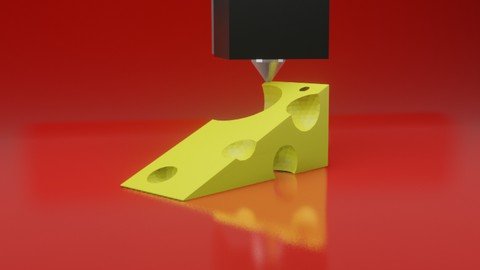
Last updated 1/2023
MP4 | Video: h264, 1280x720 | Audio: AAC, 44.1 KHz
Language: English | Size: 4.11 GB | Duration: 4h 28m
Learn 3D Print Design with Blender
What you'll learn
Design Fundamentals for 3D Printing
Basics of 3D Modeling for 3D Printer
Beginner Prototyping for 3D Printed Products
Theory of 3D Designing for a 3D Print
Blender Overview
3D Printing Tool Box - Blender Add On
Bool Tool - Blender Add On
How to Design for No Rafts & No Supports
How to build "Flexible" Design Projects
Blender Introduction & 3D Printing Workflow
Basics to Box Modeling
Basics to Adaptive & Flexible Design
Basics to Practical Designing
Requirements
FREE Download of Blender - 3D software
Ruler or Calipers
PC, Mac, or Linux Computer
Description
Do you want to start 3D printing your own ideas? This step-by-step beginner course teaches you how to use Blender's FREE 3D software to turn ideas into 3D printable objects.You'll learn by doing! I'll lead you through a couple of 3D Printing projects that will help you understand the techniques that you can use to start becoming a 3D print designer.You learn 3D Design Workflow & Theory with these projects :- Suzanne The Monkey (with Effects)- A Simple Door WedgeBy the end of this course, you will be able to easily 3D design, fix common design issues, and export for 3D printing. You will have new ideas flying through your mind then start turning them into reality.Print That Thing is where we share, inspire, and challenge people to get into 3D printing design. In this course your will learn the Blender basics so you can start boosting your creativity now. You'll learn how to do easy, yet helpful effects that will keep your design workflow flexible. We will also show you a few different slicers so you can see how to 3D print your designs using different software. Can't wait to see what you 3D print design with your new super power!keep creating,Jwall
Overview
Section 1: BLENDER 100 - Overview & Instructor
Lecture 1 01 - Beginner 100 - 3D Print Design Workflow
Lecture 2 02 - Blender for 3D Printing
Lecture 3 03 - Setup Blender for YOUR 3D printer DO NOT SKIP
Lecture 4 04 - DOWNLOAD Blender Shortcuts for 3D Print Designers PDF
Lecture 5 05 - THOY Theory
Lecture 6 06 - Slicing
Lecture 7 07 - STLs GCODE
Lecture 8 08 - Manifold
Lecture 9 09 - Challenge 1
Section 2: Blender Overview & Setup
Lecture 10 10 - Blender UI Overview
Lecture 11 11 - Window Customization
Lecture 12 12 - 3D Print Toolbox
Lecture 13 13 - Bool Tool + Measure It
Lecture 14 14 - Challenge 2
Section 3: Blender Tools
Lecture 15 15 - Selection Tool
Lecture 16 16 - 3D Cursor
Lecture 17 17 - Moving 3 Button Mouse
Lecture 18 18 - Moving Trackpad
Lecture 19 19 - Moving 3D Space Mouse
Lecture 20 20 - Add Delete
Lecture 21 21 - Grab
Lecture 22 22 - Rotate
Lecture 23 23 - Scale
Lecture 24 24 - Transform
Lecture 25 25 - Annotate
Lecture 26 26 - Measure
Lecture 27 27 - ADD Primitives Tool
Lecture 28 28 - Edit Mode - Vertices
Lecture 29 29 - Edit Mode - Edges
Lecture 30 30 - Edit Mode Faces
Lecture 31 31 - Transform Orientations
Lecture 32 32 - Pivot Points
Lecture 33 33 - Snapping
Lecture 34 34 - Proportional Editing
Lecture 35 35 - Challenge 3
Section 4: Well Done!
Lecture 36 36 - Congrats and Next Steps
Section 5: BLENDER 101 - Modifier Effects & 3D Print Workflow
Lecture 37 01 - Manifold Monkey
Lecture 38 02 - Repair Monkey - 3D Print Toolbox
Lecture 39 03 - Add Objects with Bool Tool
Lecture 40 04 - Subtract Objects with Bool Tool
Lecture 41 05 - Decimate - Low Poly
Lecture 42 06 - Subdivision Surface - Smooth
Lecture 43 07 - Remesh - Blocks
Lecture 44 08 - Wireframe - Voronoi
Lecture 45 09 - Solidify - Hollow - Thicken
Lecture 46 10 - Bevel - Edges
Lecture 47 11 - Sculpting - DynoTopo
Lecture 48 12 - Challenge 1
Section 6: Export & Slice for 3D Printing
Lecture 49 13 - Export for 3D Printing
Lecture 50 14 - Slicing in Cura
Lecture 51 15 - Slicing in Prusa Slicer
Lecture 52 16 - Slicing in Simplify 3D
Lecture 53 17 - Slicing in Chitabox - Resin
Lecture 54 18 - Render HD Photos Workflow
Lecture 55 19 - 360 Product Video - Workflow
Section 7: Basics to Box Modeling
Lecture 56 01 - Cheese Wedge - Intro
Lecture 57 02 - Sizing your Wedge
Lecture 58 03 - Adding Cheese Holes
Lecture 59 04 -Using the Bool Tool
Lecture 60 05 - Export and Slice your Cheese Wedge
Lecture 61 06 - You did it - Cheesy Door Wedge Complete
Section 8: Congratulations
Lecture 62 Well Done!
Lecture 63 What's Next?
Beginner students who want their design ideas to be 3D Printed.,Students who want to learn flexible design skills to 3D Print their ideas into reality.,3D Printer users who want to start 3D Printing their own creations.,Students interested in 3D Product Design for rapid prototyping.,Those who want to join an online community of 3D Designers to grow their skills.,Someone who wants to begin their journey towards their future career.,Someone who wants to become a Professional 3D Print Designer.
Homepage
https://www.udemy.com/course/blender-for-3d-printing/DOWNLOAD LINK
Fikper
uqrom.Blender.For.3D.Printing..Beginner.Basics..Effects.101.part2.rar.html
uqrom.Blender.For.3D.Printing..Beginner.Basics..Effects.101.part5.rar.html
uqrom.Blender.For.3D.Printing..Beginner.Basics..Effects.101.part1.rar.html
uqrom.Blender.For.3D.Printing..Beginner.Basics..Effects.101.part4.rar.html
uqrom.Blender.For.3D.Printing..Beginner.Basics..Effects.101.part3.rar.html
Rapidgator
uqrom.Blender.For.3D.Printing..Beginner.Basics..Effects.101.part3.rar.html
uqrom.Blender.For.3D.Printing..Beginner.Basics..Effects.101.part4.rar.html
uqrom.Blender.For.3D.Printing..Beginner.Basics..Effects.101.part2.rar.html
uqrom.Blender.For.3D.Printing..Beginner.Basics..Effects.101.part5.rar.html
uqrom.Blender.For.3D.Printing..Beginner.Basics..Effects.101.part1.rar.html
Uploadgig
uqrom.Blender.For.3D.Printing..Beginner.Basics..Effects.101.part4.rar
uqrom.Blender.For.3D.Printing..Beginner.Basics..Effects.101.part3.rar
uqrom.Blender.For.3D.Printing..Beginner.Basics..Effects.101.part1.rar
uqrom.Blender.For.3D.Printing..Beginner.Basics..Effects.101.part5.rar
uqrom.Blender.For.3D.Printing..Beginner.Basics..Effects.101.part2.rar
NitroFlare
uqrom.Blender.For.3D.Printing..Beginner.Basics..Effects.101.part1.rar
uqrom.Blender.For.3D.Printing..Beginner.Basics..Effects.101.part4.rar
uqrom.Blender.For.3D.Printing..Beginner.Basics..Effects.101.part3.rar
uqrom.Blender.For.3D.Printing..Beginner.Basics..Effects.101.part5.rar
uqrom.Blender.For.3D.Printing..Beginner.Basics..Effects.101.part2.rar
Links are Interchangeable - No Password - Single Extraction
See full article