Learning Graphics And Image Processing Using Visual C++
Date: 29 January 2023 | Posted by: voska89
Published 1/2023
MP4 | Video: h264, 1280x720 | Audio: AAC, 44.1 KHz
Language: English | Size: 2.09 GB | Duration: 4h 31m
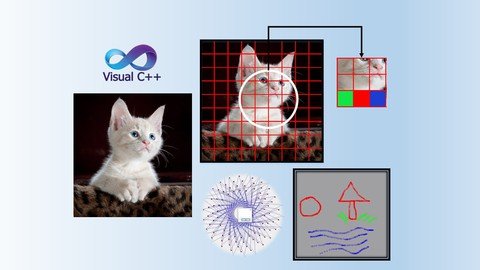
Learning the basics of Graphics and Image Processing using Visual C++
What you'll learn
Students will learn the nuts and bolts of drawing various graphics on windows forms using Visual C++
Students will learn various image processing technique using Visual C++ and will be able to convert colored images to black and white and grayscale
Will learn to perform image fusion, and creating image filters, to name a few
Students will learn multiple tasks in the domain of graphics and image processing extendable to complete projects
Requirements
Knowledge of windows application development using Visual C++
Description
Welcome to Learning Graphics and Image Processing using Visual C++ course. This course is intended of windows application develops curious to learn graphics and image processing in Visual C++ using the Microsoft .Net framework. In this course you will be learning about the basics of graphics for the windows forms application. Where, you will learn how to draw lines, triangles, circles, various patterns on the windows forms using Visual C++. The course also teaches image processing using VC++ where the learners will know about implementation of multiple image processing techniques.The teaching methodology of this course is based on hands-on topic specific examples that enable quicker learning.The course will be taught by Dr. Zahid Halim, Dr. Halim is a university professor and has more than 15 years of teaching experience. He has taught programming courses to university students at top Pakistani, French, and Turkish universities and many of the graduates are employed at leading multinational IT companies.The Students Learning Outcomes (SLOs) of the course are:Students will learn the nuts and bolts of drawing various graphics on windows forms using Visual C++Students will learn various image processing technique using Visual C++ and will be able to convert colored images to black and white and grayscaleWill learn to perform image fusion, and creating image filters, to name a fewStudents will learn multiple tasks in the domain of graphics and image processing extendable to complete projects
Overview
Section 1: Introduction
Lecture 1 Introduction
Lecture 2 Installation and environment setup
Lecture 3 Development environment overview
Lecture 4 Reading image from file
Lecture 5 Drawing Circle
Lecture 6 Drawing line
Lecture 7 Drawing free shapes
Lecture 8 Customising Drawing free shapes (Open)
Lecture 9 Retaining and saving drawings
Lecture 10 Drawing dots in a circular shape
Lecture 11 Drawing lines between points
Lecture 12 Changing image pixels
Lecture 13 Accessing image pixels
Lecture 14 Colored to Black and White Image
Lecture 15 Colored to Black and Grayscale
Lecture 16 Color picker
Lecture 17 Images fusion
Lecture 18 Playing sounds
Windows application develops curious about image processing and graphics
Homepage
https://www.udemy.com/course/graphics-and-image-processing-using-vcpp/DOWNLOAD LINK
Fikper
rbpdy.Learning.Graphics.And.Image.Processing.Using.Visual.C.part1.rar.html
rbpdy.Learning.Graphics.And.Image.Processing.Using.Visual.C.part3.rar.html
rbpdy.Learning.Graphics.And.Image.Processing.Using.Visual.C.part2.rar.html
Rapidgator
rbpdy.Learning.Graphics.And.Image.Processing.Using.Visual.C.part2.rar.html
rbpdy.Learning.Graphics.And.Image.Processing.Using.Visual.C.part3.rar.html
rbpdy.Learning.Graphics.And.Image.Processing.Using.Visual.C.part1.rar.html
Uploadgig
rbpdy.Learning.Graphics.And.Image.Processing.Using.Visual.C.part2.rar
rbpdy.Learning.Graphics.And.Image.Processing.Using.Visual.C.part3.rar
rbpdy.Learning.Graphics.And.Image.Processing.Using.Visual.C.part1.rar
NitroFlare
rbpdy.Learning.Graphics.And.Image.Processing.Using.Visual.C.part3.rar
rbpdy.Learning.Graphics.And.Image.Processing.Using.Visual.C.part2.rar
rbpdy.Learning.Graphics.And.Image.Processing.Using.Visual.C.part1.rar
Links are Interchangeable - No Password - Single Extraction
See full article