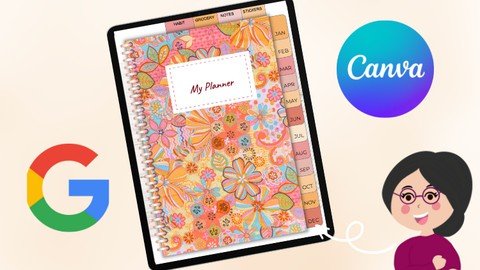
Design A Digital Planner For Free Using Canva & Google Slide
Date: 29 January 2023 | Posted by: voska89
Published 1/2023
MP4 | Video: h264, 1280x720 | Audio: AAC, 44.1 KHz
Language: English | Size: 759.97 MB | Duration: 1h 2m
Create a digital planner to create passive income on sites such as Etsy, free software used!
What you'll learn
Digital Planning
Creating A Digital Planner From Scratch
How To Become A Canva Guru
Learn New Skills In Google Slides
Requirements
Be Enthusiastic To Learn A New Skill
Have An Idea What Digital Planners Are
Description
Welcome All,I'm Janna, by day analyst, by night digital designer.I first came across digital planning a while ago and was intrigued how they are made, all the functionalities and found it difficult to find videos on how to create a digital planner from scratch. Digital Planning has changed my life and I love how customisable they are and how personal you can make them!I've created this video to share how I have created digital planners using Canva & Google Slides for free. Any beginner can create digital planners without paying for any software.Planners can be created for your own personal use and to sell as passive income on sites such as Etsy. Digital downloads are a perfect way to make extra income this year.For this project you will need a tablet/desktop, as well as a PDF reader (I use GoodNotes) but any PDF reader will work well with this.This class will feature the following topics:What Is CanvaSetting Up Our Canva DocumentHow To Design A Planner Cover In CanvaHow To Create, Monthly, Daily Planner TemplatesHow To Create Habit Trackers, Grocery Lists, Notes & Sticker PageHow To Transfer Templates From Canva to Google SlidesHow To Edit Planner In Google Slides & Create Hyperlinked TabsHow To Export Planners Into PDF & Import To GoodNotesBest Practice Design Principles in Canva & Google SlidesI would love to see what designs everyone creates, please share your projects with me!Sign up to my newsletter for free digital planner resources. You can also get a free trial of Canva Pro. This is useful if you plan to make multiple planners with Canva and want to access many more templates and graphics. Links will be downloadable at the end of the course.I hope you find this tutorial useful and thank you for taking the time to attend my class.Please view my other classes around digital designing and do leave me some feedback
Overview
Section 1: Introduction
Lecture 1 Introduction
Lecture 2 Canva Set up
Lecture 3 3
Lecture 4 3.5
Lecture 5 4
Lecture 6 5
Lecture 7 6
Lecture 8 7
Lecture 9 8
Lecture 10 9
Lecture 11 10
Lecture 12 11
Lecture 13 12
Lecture 14 Conclusion
Anyone Interested In Earning Passive Income,Those Wanting To Create Digital Planners,For Beginners
Homepage
https://www.udemy.com/course/design-a-digital-planner-for-free-using-canva-google-slide/DOWNLOAD LINK
Fikper
oxntb.Design.A.Digital.Planner.For.Free.Using.Canva..Google.Slide.rar.html
Rapidgator
oxntb.Design.A.Digital.Planner.For.Free.Using.Canva..Google.Slide.rar.html
Uploadgig
oxntb.Design.A.Digital.Planner.For.Free.Using.Canva..Google.Slide.rar
NitroFlare
oxntb.Design.A.Digital.Planner.For.Free.Using.Canva..Google.Slide.rar
Links are Interchangeable - No Password - Single Extraction
See full article