Create A Digital Planner In Canva & Powerpoint To Sell
Date: 29 January 2023 | Posted by: voska89
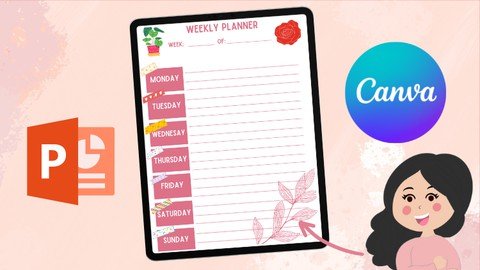
Last updated 1/2023
MP4 | Video: h264, 1280x720 | Audio: AAC, 44.1 KHz
Language: English | Size: 944.48 MB | Duration: 1h 7m
Design A Hyperlinked Digital Planner Using Only Canva & PowerPoint - Personalise With Digital Stickers, Sell On Etsy
What you'll learn
Digital Planning
Creating A Digital Planner From Scratch
Creating Digital Stickers
How To Become A Canva Guru
How To Create A Digital Product To Earn Passive Income
Learn New Skills In PowerPoint
Create Weekly & Daily Planner Templates
Learn How To Hyperlink Tabs
Requirements
Be Enthusiastic To Learn A New Skill
Have An Idea What Digital Planners Are
Description
Welcome All,I'm Janna, by day analyst, by night digital designer.I first came across digital planning a while ago and was intrigued how they are made, all the functionalities and found it difficult to find videos on how to create a digital planner from scratch. Digital Planning has changed my life and I love how customisable they are and how personal you can make them!I've created this video to share how I have created digital planners using Canva & PowerPoint from scratch without using any templates. We will be creating this planner from A - Z. Planners can be created for your own personal use and to sell as passive income on sites such as Etsy. Digital downloads are a perfect way to make extra income this year. For this project you will need a tablet/desktop, as well as a PDF reader (I use GoodNotes) but any PDF reader will work well with this.This class will feature the following topics:How To Create A Weekly Planner Template How To Create A Daily Planner Template How To Create A Cover Page & Tabs For Your PlannerHow To Edit Planner In PowerPoint, Adding Shadows, Hyperlinks For Clickable TabsHow To Export & Use Projects In GoodNotesHow To Create Digital Stickers In Canva How To Import Digital Stickers Into GoodNotesThe digital planner and digital stickers we create together in this course will be available to you at the end of the course to start your digital planning journey, this planner isn't to be resold or distributed, it's for personal use only for the students of this course. You will also be given a link to join my newsletter where you can download free resources to help you in your digital planning journey. I will also provide a link where you can get a free trial for Canva Pro, this is useful if you wish to make a lot of digital planners and want access to more templates and graphics. I would love to see what designs everyone creates, please share your projects with me!I hope you find this tutorial useful and thank you for taking the time to attend my class.Please view my other classes around digital designing
Overview
Section 1: Introduction
Lecture 1 Introduction
Lecture 2 Creating Your Weekly & Daily Planner Templates
Lecture 3 Creating Planner Cover Page, Tabs & Adding Planner Templates
Lecture 4 How To Create Hyperlinks & Shadows In PowerPoint & Importing Into GoodNotes
Lecture 5 Creating Digital Stickers For Your Planner & Importing Into GoodNotes
Lecture 6 Conclusion
For Beginners,Anyone Interested In Earning Passive Income,Digital Planner Addicts
Homepage
https://www.udemy.com/course/create-a-digital-planner-in-canva-powerpoint-to-sell/DOWNLOAD LINK
Links are Interchangeable - No Password - Single Extraction
See full article