Build Minecraft Mod Using Java - For Kids And Beginners
Date: 24 January 2023 | Posted by: voska89
Last updated 8/2020
MP4 | Video: h264, 1280x720 | Audio: AAC, 44.1 KHz
Language: English | Size: 5.11 GB | Duration: 6h 4m
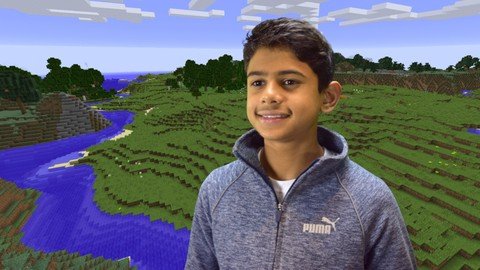
Minecraft Modding using Forge and JAVA. Easy to follow with over 50 lectures and 6 hours of learning content.
What you'll learn
Basic JAVA skills, Graphics designing skills, Troubleshooting skills - while developing a Mod for your Minecraft.
Requirements
A Windows computer
Minecraft installed on your computer
Basic computer knowledge. Tools will be provided with the course.
Description
Students will learn how to create a Minecraft Mod using JAVA programming techniques, and design graphics using GIMP Editor. The course provides you all the installers in easy installation packages, and provide you several coding and graphic templates. The course consists of more than 60 lectures of learning content. The lectures are clearly explained to help kids (7 or above), or any beginners to start their journey in to software development. If you have any errors or problems, you can ask us a question on Udemy. I will get back to you as soon as possible.
Overview
Section 1: Introduction
Lecture 1 Introduction to the "Build Minecraft Mod using JAVA" Course
Section 2: Install software tools, understand the tools, platform setup
Lecture 2 Introduction to the Minecraft Modding course
Lecture 3 Software Installation
Lecture 4 Familiarize the Software Tools
Lecture 5 Setup the Platform - Part 1
Lecture 6 Setup the Platform - Part 2
Section 3: Build a new item in Minecraft
Lecture 7 Introduction to your Minecraft Item
Lecture 8 Coding - Part 1
Lecture 9 Coding - Part 2
Lecture 10 Item - Code Assets
Lecture 11 Item - Design Assets
Lecture 12 Item - Registry Handler
Lecture 13 Item - Check it Out!
Section 4: Build a new block in Minecraft
Lecture 14 Introduction to Minecraft Block
Lecture 15 Coding - Part 1
Lecture 16 Coding - Part 2
Lecture 17 Block - Code Assets
Lecture 18 Block - Design Assets
Lecture 19 Block - Registry Handler
Lecture 20 Block - Check it out!
Section 5: Start to build a toolset in Minecraft
Lecture 21 Introduction to Minecraft ToolKit
Lecture 22 Coding - Initialization of ToolInit
Section 6: Build a new ace for your toolset in Minecraft
Lecture 23 Coding - Initialization of Axe
Lecture 24 Coding - Recipe for Axe
Lecture 25 Axe - Code Assets
Lecture 26 Axe - Design Assets
Lecture 27 Axe - Registry Handler
Lecture 28 Axe - Check it Out!
Section 7: Build a new pickaxe for your toolset in Minecraft
Lecture 29 Coding - Initialization of Pickaxe
Lecture 30 Coding - Recipe for Pickaxe
Lecture 31 Pickaxe - Code Assets
Lecture 32 Pickaxe - Design Assets
Lecture 33 Pickaxe - Check it Out!
Section 8: Build a shovel and hoe in Minecraft
Lecture 34 Coding - Initialization of Shovel and Hoe
Lecture 35 Coding - Recipe for Shovel and Hoe
Lecture 36 Shovel and Hoe - Code Assets
Lecture 37 Shovel and Hoe - Design Assets
Lecture 38 Shovel and Hoe - Check it Out!
Section 9: Build a new and powerful sword in Minecraft
Lecture 39 Coding - Initialization of Sword
Lecture 40 Coding - Recipe for Sword
Lecture 41 Sword - Code Assets
Lecture 42 Sword - Design Assets
Lecture 43 Sword - Check it Out!
Section 10: Build an armour set in Minecraft
Lecture 44 Lets check the standard Armour in Minecraft
Lecture 45 Coding - Initialize the Armour (Helmet, Boots, Leggings, Chestplate)
Lecture 46 Coding - Recipe for the Armour
Lecture 47 Armour - Code Assets for the Helmet, Boots, Leggings and Chestplate
Lecture 48 Armour - Design Assets for Helmet, Boots, Leggings and Chestplate
Lecture 49 Armour - Design assets continued..
Lecture 50 Armour - Registry Handler
Lecture 51 Armour - Check it Out!
Lecture 52 Armour - What happened? Troubleshooting!
Section 11: Create a creative tab for your Mod
Lecture 53 What is a Creative Tab in Minecraft?
Lecture 54 Coding - your CreativeTab
Lecture 55 Checkout your CreativeTab
Section 12: Conclusion
Lecture 56 Congrats, and Thank you!
Kids or beginners in software development or computer programming, or who want to use JAVA for Minecraft Modding.
Homepage
https://www.udemy.com/course/minecraft-modding-java/DOWNLOAD LINK
Fikper
vgmla.Build.Minecraft.Mod.Using.Java..For.Kids.And.Beginners.part1.rar.html
vgmla.Build.Minecraft.Mod.Using.Java..For.Kids.And.Beginners.part2.rar.html
vgmla.Build.Minecraft.Mod.Using.Java..For.Kids.And.Beginners.part3.rar.html
vgmla.Build.Minecraft.Mod.Using.Java..For.Kids.And.Beginners.part4.rar.html
vgmla.Build.Minecraft.Mod.Using.Java..For.Kids.And.Beginners.part5.rar.html
vgmla.Build.Minecraft.Mod.Using.Java..For.Kids.And.Beginners.part6.rar.html
Rapidgator
vgmla.Build.Minecraft.Mod.Using.Java..For.Kids.And.Beginners.part1.rar.html
vgmla.Build.Minecraft.Mod.Using.Java..For.Kids.And.Beginners.part2.rar.html
vgmla.Build.Minecraft.Mod.Using.Java..For.Kids.And.Beginners.part3.rar.html
vgmla.Build.Minecraft.Mod.Using.Java..For.Kids.And.Beginners.part4.rar.html
vgmla.Build.Minecraft.Mod.Using.Java..For.Kids.And.Beginners.part5.rar.html
vgmla.Build.Minecraft.Mod.Using.Java..For.Kids.And.Beginners.part6.rar.html
Uploadgig
vgmla.Build.Minecraft.Mod.Using.Java..For.Kids.And.Beginners.part1.rar
vgmla.Build.Minecraft.Mod.Using.Java..For.Kids.And.Beginners.part2.rar
vgmla.Build.Minecraft.Mod.Using.Java..For.Kids.And.Beginners.part3.rar
vgmla.Build.Minecraft.Mod.Using.Java..For.Kids.And.Beginners.part4.rar
vgmla.Build.Minecraft.Mod.Using.Java..For.Kids.And.Beginners.part5.rar
vgmla.Build.Minecraft.Mod.Using.Java..For.Kids.And.Beginners.part6.rar
NitroFlare
vgmla.Build.Minecraft.Mod.Using.Java..For.Kids.And.Beginners.part1.rar
vgmla.Build.Minecraft.Mod.Using.Java..For.Kids.And.Beginners.part2.rar
vgmla.Build.Minecraft.Mod.Using.Java..For.Kids.And.Beginners.part3.rar
vgmla.Build.Minecraft.Mod.Using.Java..For.Kids.And.Beginners.part4.rar
vgmla.Build.Minecraft.Mod.Using.Java..For.Kids.And.Beginners.part5.rar
vgmla.Build.Minecraft.Mod.Using.Java..For.Kids.And.Beginners.part6.rar
Links are Interchangeable - No Password - Single Extraction
See full article