Openshot Video Editing For Beginners
Date: 23 January 2023 | Posted by: voska89
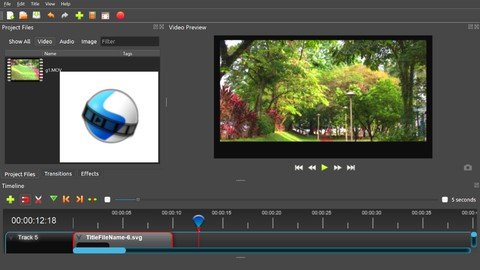
Last updated 12/2021
MP4 | Video: h264, 1280x720 | Audio: AAC, 44.1 KHz
Language: English | Size: 450.36 MB | Duration: 0h 58m
Create Outstanding Videos with your video editing skills with OPENSHOT!
What you'll learn
How to cut, trim and crop video file
Adding transitions
Adding Animations
Adding title and text
How to improve video quality with effects
Adding Picture in picture effect
Create zoom in and zoom out effect
Requirements
No Experience Required
Basic knowledge about computer and Software installation
A laptop or computer with 64-bit Operating System (Linux, OS X, Windows 7/8/10)
4GB of RAM (16GB recommended)
Multi-core processor
500 MB of hard-disk space for installation
Determination to learn and practice
Description
If you want to learn video editing process in a simplified way, then this course is the right choice for you!We shall learn how to use OpenShot which is a an OPEN SOURCE video editing software to edit our videos. From beginners to advanced, it is one of the best options to start your video editing process with an easy to understand interface that makes editing process easy and fast.In this course, as I teach you the how to use the different editing tools I will also be editing videos alongside to give you a clear picture of how the actual editing process takes place. Video editing is all about how you can transform an ordinary video file into a well finished video using required editing tools and options in the limited amount of time, without compromising on the quality.This is a complete video editing process with OpenShot from beginners to advanced level. By the end of the course, you will be able to edit videos for YouTube or other educational purposes. Having worked with various editing softwares, I have used my experience to design the lectures and modules for an optimized learning experience. All you need to do is ensure that you do sufficient practice of what I teach you in the lessons so as to master the art of video editing.
Overview
Section 1: Introduction
Lecture 1 Introduction
Lecture 2 Minimum system requirements to install OpenShot software
Lecture 3 How to install OpenShot software
Lecture 4 Getting familiar with the OpenShot interface
Lecture 5 Understanding tools and options
Lecture 6 How to reset openset interface
Section 2: Learning the basic editing process
Lecture 7 Video Alignment, fade option, animate, rotate, change layout
Lecture 8 Adjust speed, volume, audio and display option
Lecture 9 How to add title and text to video
Lecture 10 Adding text with background
Lecture 11 How to add transitions between video files
Section 3: Advanced editing options
Lecture 12 Add effects to improve video quality
Lecture 13 How to crop the video
Lecture 14 Video in video effect
Lecture 15 How to add multiple videos on one screen
Lecture 16 Zoom in and zoom out effect
Section 4: Lets wrap up!
Lecture 17 Connect with me
Lecture 18 If you could do it!
This video editing course is meant for beginners who want to learn how to edit. No prior video editing knowledge is required,Teachers taking online classes,You Tubers,Freelancers,Online marketers
Homepage
https://www.udemy.com/course/openshot-video-editing-for-beginners/DOWNLOAD LINK
Links are Interchangeable - No Password - Single Extraction
See full article