Siemens Nx Fibersim (En)
Date: 17 January 2023 | Posted by: voska89
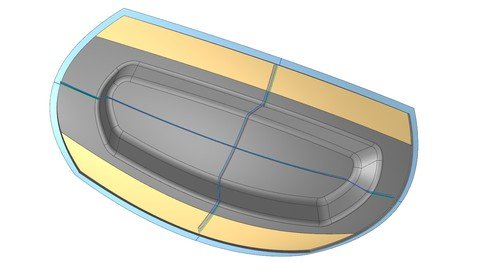
Published 1/2023
MP4 | Video: h264, 1280x720 | Audio: AAC, 44.1 KHz
Language: English | Size: 1.20 GB | Duration: 2h 29m
This course will show and teach you the initial steps and procedures in Siemens NX Fibersim
What you'll learn
Getting started with Fibersim in Siemens NX
Getting familiar with the Siemens NX Fibersim workflow and procedure
Definition of laminate, plies, rosettes, cores and much more
Generation of engineering documentation (drawing and plybook)
Requirements
Basic modelling knowledge of composite
Basic Siemens NX knowledge or other CAD
Description
The Siemens NX Fibersim course is structured to show you the basics of ply-based methods of Siemens NX Fibersim Pro. This course will show and teach you the initial steps and procedures in Siemens NX Fibersim.The Siemens NX Fibersim course takes learners through:Prepare a CAD model for Fibersim workCreate rosettes, laminates and pliesCreate splice and dart groupsCreate coresGenerate flat patterns, 2D and 3D documentationExport flat patterns and laser projectionsThe Getting Started course takes the learner through:Getting Started with Siemens NX FibersimManual Ply CreationGeneration of Engineering Documentation (Drawing and Plybook)Requisites for the training:Having installed a CAD software. We provide files created with Siemens NX 2206Having installed Fibersim. The videos will show Fibersim 17.2The wa-training team wish success and a fun training course!Content of the course:Pre-requisites Installation guide from SiemensUser guide PDF from SiemensFibersim licensesMaterial databaseColumns for the databaseUser interface Help - AboutWindowsLeft with basic / advanced / documentationAdd columnsGroupsFilteringPly vs ZonesLaminate Laminate surfaceExtended and netMaterialRosette New rosetteDefine sizePly Define new plyDefine ply with different contourDefine ply with different originDefine ply with different materialGenerate symmetric lay-upShortcuts to change name and stepSimulate a lay-upInsert extended producibility exceededColors of the simulated plies (by orientation)Ply advance Generate multiple pliesSplicingDrop offBulk edit with filtersDart DartV-Dart Darts with points (Point - Ok, Point - Ok, OK)Core Modeled coreVirtual coreDesign station New design stationSection SchematicDrappedOvercore hybridSolid Generate solid based on laminateGenerate solid with NXLay-up information in 2D 3D section inside a viewTooling lineDesign stations in the 2D (leader associated to tooling line)Table with the information of the pliesPly book Generate flat patterns in the 3DPart viewsName of the views not associated to the viewsEmpty drawing view for the flat patternText not inside tables in the drawing headerHow to generate a ply-bookLayer configurationExport flat pattern As .DXFAs laser projection
Overview
Section 1: Siemens NX Fibersim (EN)
Lecture 1 Pre-requisites
Lecture 2 User interface
Lecture 3 Lecture 3: Laminate
Lecture 4 Rosette
Lecture 5 Ply
Lecture 6 Ply advanced
Lecture 7 Dart
Lecture 8 Core
Lecture 9 Design station
Lecture 10 Section
Lecture 11 Solid
Lecture 12 Lay-up information in 2D
Lecture 13 Ply book
Lecture 14 Export flat pattern
Composite designer,Design engineer,Siemens NX designer
Homepage
https://www.udemy.com/course/siemens-nx-fibersim-en/DOWNLOAD LINK
Download from Fikper
https://fikper.com/FG1bZs9uXz/ryehm.Siemens.Nx.Fibersim.En.part1.rar[/url].html
https://fikper.com/Z3ZHpb9mXz/ryehm.Siemens.Nx.Fibersim.En.part2.rar[/url].html

https://rapidgator.net/file/0d7cc108e6289a3c8ec05f848588262c/ryehm.Siemens.Nx.Fibersim.En.part1.rar.html
https://rapidgator.net/file/b157ca9b7a7b53c410ff19f92697fe3a/ryehm.Siemens.Nx.Fibersim.En.part2.rar.html

https://uploadgig.com/file/download/c05F0e266E6eA318/ryehm.Siemens.Nx.Fibersim.En.part1.rar
https://uploadgig.com/file/download/e37deb132361b81f/ryehm.Siemens.Nx.Fibersim.En.part2.rar

https://nitroflare.com/view/69486A7D6D69E87/ryehm.Siemens.Nx.Fibersim.En.part1.rar
https://nitroflare.com/view/C596D8ED02A35B8/ryehm.Siemens.Nx.Fibersim.En.part2.rar
Links are Interchangeable - No Password - Single Extraction
See full article