Learn 3D Modelling & Rigging In Blender
Date: 14 September 2022 | Posted by: voska89
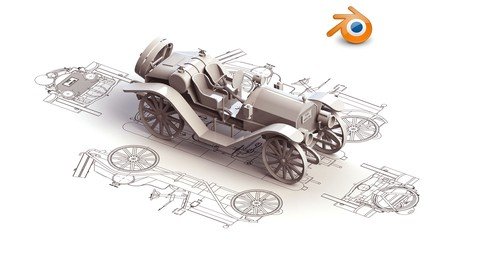
Last updated 11/2021
MP4 | Video: h264, 1280x720 | Audio: AAC, 44.1 KHz
Language: English | Size: 2.07 GB | Duration: 2h 40m
Excel at 3D modelling & Rigging in Blender
What you'll learn
Add objects to the scene and manipulate them to the desired shape
Understand basis principles of modelling
Understand origin points and how to use them
Add modifiers to an object for faster and efficient modelling
Add an armature to control the models movements
Requirements
Competent using a computer
Download and install the free software program Blender from blender.org
Description
Interested in 3D modelling? Maybe some Rigging, then join me on thisВ beginner level modelling course as we create an Rigged asset in BlenderThis course is designed to walk you through each step in the modelling process.Firstly we start by creating a basic shape we then add an array and curve modifier to quickly form our tracks. Later on we add some drivers to control the rotation and movement of these tracks.Next we begin modelling the body of the rig. Again we slowly form the body by adding the different meshes available in Blender.Next we move onto and form the stabilizers that can be rotated and placed laying on the ground. This is achieved by selecting pivot points or their origin points and adding drivers to control their rotation.We go through the very fast and effective process of mirroring objects to speed up the modelling process and achieve perfect symmetry.When the modelling process is complete we add a simple armature. The armature begins as a single bone until eventually after editing and adding bones controls the movement of the boom and stabilizers.Next we parent these objects to the armature or separate bones and again we add drivers to control their movements and rotation.Finally we create a simple short animation to demonstrate the rig in motion.So jump on into this modelling course and discover just how easy it is to pick up Blender.
Overview
Section 1: Introduction
Lecture 1 Introduction
Lecture 2 Where to Get the Shortcut Key Guide
Lecture 3 Where to Get the Free & Open Source Software Blender
Lecture 4 Setting Up the Interface & Enabling Add-ons
Lecture 5 How to Navigation in Blender 2.8
Lecture 6 An Introduction to the 3D View in Blender 2.8
Lecture 7 An Introduction to the_Tool Shelf in Blender 2.8
Lecture 8 An Introduction to Collections
Lecture 9 An Introduction to the Very useful 3D Cursor
Lecture 10 An Introduction to Accurate Snapping
Section 2: 3D Modelling the Asset
Lecture 11 3D Modelling the track Segment
Lecture 12 3D Modelling the Inner Wheel Sections
Lecture 13 Adding Drivers to Control the rotation of the Wheels and Tracks
Lecture 14 3D Modelling the Body of the Asset
Lecture 15 3D Modelling the Beams of the Asset
Lecture 16 3D Modelling the Pipes
Lecture 17 3D Modelling some More Pipes
Lecture 18 3D Modelling the Stabilizers
Lecture 19 3D Modelling the Paint Drums
Section 3: Creating a Rig for the Asset
Lecture 20 Separating Out Each Object
Lecture 21 How to Mirror Objects in Blender
Lecture 22 Adding Armature and Start Creating the Rig
Lecture 23 Parenting the Bones of the Armature Together
Lecture 24 Binding the Asset to the Rig
Lecture 25 Adding Drivers to Control Multiple Objects at Once
Lecture 26 Adding Controls to have fast and Easy Control when Animating
Lecture 27 Setting Up a Camera and Creating a Short Animation
Section 4: Bonus Section
Lecture 28 Bonus Lecture: Extra Courses
This course is for somebody who wants to learn how to model in 3D using the software Blender
Homepage
https://www.udemy.com/course/learn-3d-modelling-rigging/DOWNLOAD LINK
Download from UploadCloud
https://www.uploadcloud.pro/0lsy4ibuw3x2/bhqph.Learn.3D.Modelling..Rigging.In.Blender.part3.rar.html
https://www.uploadcloud.pro/7c2hk27y9nmn/bhqph.Learn.3D.Modelling..Rigging.In.Blender.part1.rar.html
https://www.uploadcloud.pro/r66yjocsswnj/bhqph.Learn.3D.Modelling..Rigging.In.Blender.part2.rar.html

https://rapidgator.net/file/557c82f965f7d0103eb1f827798919ac/bhqph.Learn.3D.Modelling..Rigging.In.Blender.part1.rar.html
https://rapidgator.net/file/5e41b61a6a1c076744aba4975a123ffd/bhqph.Learn.3D.Modelling..Rigging.In.Blender.part3.rar.html
https://rapidgator.net/file/7173c0dada557b85a61e000bf585ef22/bhqph.Learn.3D.Modelling..Rigging.In.Blender.part2.rar.html

https://uploadgig.com/file/download/00E672EB8ac0C9f4/bhqph.Learn.3D.Modelling..Rigging.In.Blender.part3.rar
https://uploadgig.com/file/download/Bf5e6512eacb423b/bhqph.Learn.3D.Modelling..Rigging.In.Blender.part1.rar
https://uploadgig.com/file/download/a91d9bb65D13Dce5/bhqph.Learn.3D.Modelling..Rigging.In.Blender.part2.rar

https://nitroflare.com/view/4E90B6DBCC3C310/bhqph.Learn.3D.Modelling..Rigging.In.Blender.part3.rar
https://nitroflare.com/view/6B875D33C565826/bhqph.Learn.3D.Modelling..Rigging.In.Blender.part2.rar
https://nitroflare.com/view/C7BC89B50C3F63E/bhqph.Learn.3D.Modelling..Rigging.In.Blender.part1.rar
Links are Interchangeable - No Password - Single Extraction
See full article