How To Clean Your Computer Clean Your Computer Like A Pro
Date: 14 September 2022 | Posted by: voska89
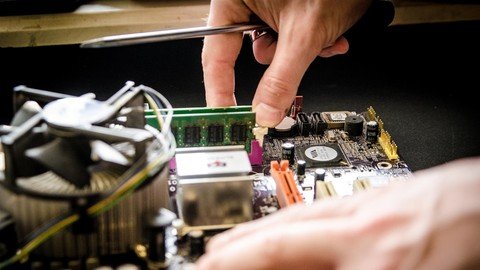
Last updated 4/2015
MP4 | Video: h264, 1280x720 | Audio: AAC, 44.1 KHz
Language: English | Size: 112.17 MB | Duration: 0h 39m
Learn Step-by-step how to clean your computer, no software purchase or hiring others to do it for you.
What you'll learn
Clean your PC removing Virus, Spyware, Malware and more
Remove potential threats to your files
Mantain your PC without paying a cent to anyone else!
Increase the speed of your Computer
Requirements
No experience or technical knowledge required
Description
NEW VERSION 2016!Take back the control and give your PC its POWER back!***This course is perfect for beginners who want to clean a PC! I designed this step-by-step guide to help you get rid of all the dangerous viruses, spyware and more. From the basics to the more advanced techniques, to help you fix your computer!***Is your computer running very slow lately? Are you trying to get things done but it takes FOREVER to load anything? Or maybe you enter in a website and your screen gets flooded with windows and annoying pop-ups? Your PC might be infected with viruses and spyware!Have you ever taken your PC to a repair shop or hired a "specialist" to take care of your computer problems? Aren't you tired of paying people hundreds or even thousands of dollars to clean your PC OVER AND OVER again? If you answered to yes, then this course is for you!In this course you'll discover how to install, use and even set-up in automatic mode all the tools to clean your PC, so you can worry about nothing! I'll give you a list of the most used and powerful tools to maintain your PC clean and fast!And the best part is: You'll see the results for yourself without even finished my course!
Overview
Section 1: Introduction
Lecture 1 Knowing your Instructor
Section 2: Virus, Malware and Other Threats to your system
Lecture 2 What Viruses Can Do? Keep an Eye on this things
Lecture 3 Spyware and Malware: Your system's silent enemy
Section 3: Clearning your Computer
Lecture 4 Recommended AntiVirus
Lecture 5 Anti-Spyware and Malware
Lecture 6 Where to download the tools?
Section 4: Prevent Future Attacks
Lecture 7 Keeping your Windows PC always up to date
Lecture 8 Protecting your PC in AutoPilot (Let the PC do the hard Work)
Section 5: Boost your PC productivity
Lecture 9 Backup Your Files: Keep Safe your Important Stuff
Lecture 10 Recommended Hardware: The best upgrades for your PC
Lecture 11 Browsers Tip and Tricks: Be more productive on the Internet!
Lecture 12 Removing Unused Software: Gain even more Space!
Lecture 13 Power Settings: Get the most of your PC with less Energy as Possible
Section 6: Conclusion
Lecture 14 Conclusion
You don't need to know complicated computer terminology,This course is for people who want to keep their PC clean and tuned-up all the time, without paying A CENT to anyone to do it.,If you're constantly feeling that your PC is SLOW and you can't work properly, this course is for you!
Homepage
https://www.udemy.com/course/how-to-clean-your-computer-a-beginners-guide/DOWNLOAD LINK
Download from UploadCloud
https://www.uploadcloud.pro/yeiuqtj662zh/rprau.How.To.Clean.Your.Computer.Clean.Your.Computer.Like.A.Pro.rar.html

https://rapidgator.net/file/55e74cad5ea33734c4e1442a034fa9fe/rprau.How.To.Clean.Your.Computer.Clean.Your.Computer.Like.A.Pro.rar.html

https://uploadgig.com/file/download/2009e928F9fcaA3b/rprau.How.To.Clean.Your.Computer.Clean.Your.Computer.Like.A.Pro.rar

https://nitroflare.com/view/4FFEF7A0003025E/rprau.How.To.Clean.Your.Computer.Clean.Your.Computer.Like.A.Pro.rar
Links are Interchangeable - No Password - Single Extraction
See full article