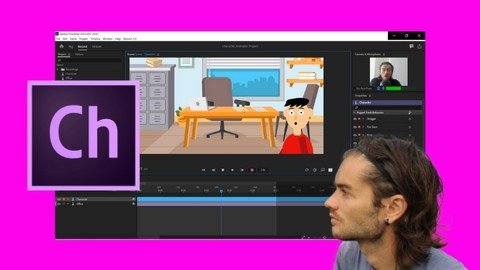
Character Animator Animate Puppets
Date: 14 September 2022 | Posted by: voska89
Last updated 3/2021
MP4 | Video: h264, 1280x720 | Audio: AAC, 44.1 KHz
Language: English | Size: 2.82 GB | Duration: 5h 34m
Learn Character Animator to create real time character animations
What you'll learn
Manage dashboard
Start project
Edit camera
Create puppet with face of robot with Illustrator
Animate face of robot
Create entire puppet of robot with Illustrator
Animate robot puppet
Master layers
Add tags
Add behaviors
Add triggers
Use modifiers
Create recording
Improve recording
Create animation with multiple puppets
Create character wit Illustrator
Animate character with background image
Animate character with multiple puppets
Export animation
Requirements
You need to have Character Animator
You need to have Illustrator
Description
Character AnimatorCharacter Animator is a software from the Adobe suite that allows you to make real time puppet animations. The power of Character Animator is the synchronization of movements in real time. Thanks to the webcam, the software records your face movements in real time to adapt them to the puppet. It is therefore possible to make recordings of face movements on the puppet in real time. Character Animator doesn't stop there, it is possible to animate a whole puppet with all parts of the body, to make movements of arms, legs and more. It is also possible to add behaviors that improve the animations.PuppetThe basis for successful animation in Character Animator is in the distribution of layers during the creation of the puppet. Indeed, the layers must follow a logic to then optimize the animation in Character Animator. It is possible to create your puppet with Photoshop and Illustrator. In the course, we will use Illustrator to create a robot puppet and a character puppet.Training videoIn this training you will learn how to animate puppets step by step. It is best to have Illustrator to take the course, as a robot puppet and a character puppet will be made to fully understand layer management. Then, we will use these puppets in Character Animator to arrive at a structured animation step by step. To do this, we will start by positioning the different tags, by adding behaviors and more. We will see how to record with the camera, but also by using the triggers. At the end of the training, you will be able to create a puppet, to use it in Character Animator until making recordings for your projects.
Overview
Section 1: Introduction
Lecture 1 Introduction
Section 2: Start with Character Animator
Lecture 2 Manage dashboard
Lecture 3 Create scenes
Lecture 4 Edit camera
Section 3: Create robot head with Illustrator
Lecture 5 Robot start head
Lecture 6 Robot create head with Illustrator part 1
Lecture 7 Robot create head with Illustrator part 2
Section 4: Animate robot head
Lecture 8 Robot head add tags
Lecture 9 Robot head record
Section 5: Create robot body with Illustrator
Lecture 10 Robot create body with Illustrator part 1
Lecture 11 Robot create body with Illustrator part 2
Section 6: Animate robot body
Lecture 12 Robot fix
Lecture 13 Robot add handles
Lecture 14 Robot move antennas
Section 7: Manage layers
Lecture 15 Manage layers part 1
Lecture 16 Manage layers part 2
Section 8: Add tags
Lecture 17 Add tags part 1
Lecture 18 Add tags part 2
Section 9: Add triggers
Lecture 19 Add triggers part 1
Lecture 20 Add triggers part 2
Section 10: Edit behaviors
Lecture 21 Edit behaviors part 1
Lecture 22 Edit behaviors part 2
Section 11: Record animation
Lecture 23 Import image
Lecture 24 Record basic parameters
Lecture 25 Record advanced parameters
Lecture 26 Record with triggers
Lecture 27 Record with different puppets
Lecture 28 Record with transformations
Section 12: Create character head and arms with Illustrator
Lecture 29 Character create with Illustrator part 1
Lecture 30 Character create with Illustrator part 2
Lecture 31 Character create with Illustrator part 3
Lecture 32 Character create with Illustrator part 4
Section 13: Animate character head and arms with animation
Lecture 33 Character position in scene
Lecture 34 Character add handles
Lecture 35 Character add triggers
Lecture 36 Character record with triggers
Lecture 37 Character record with different puppets
Lecture 38 Character improve recording
Section 14: Create character body and legs with Illustrator
Lecture 39 Character add legs in Illustrator part 1
Lecture 40 Character add legs in Illustrator part 2
Section 15: Create animation with walk behavior
Lecture 41 Character add handles for walk behavior
Lecture 42 Character add walk behavior
Section 16: Create head turn
Lecture 43 Head turn part 1
Lecture 44 Head turn part 2
Lecture 45 Head turn part 3
Section 17: Basics of physic behavior
Lecture 46 Bases of physics part 1
Lecture 47 Bases of physics part 2
People who want to create animations,People who want to animate puppets
Homepage
https://www.udemy.com/course/character-animator-animate-puppets/DOWNLOAD LINK

https://rapidgator.net/file/895c09c914563106623546e88f7a8f1f/lcjnx.Character.Animator.Animate.Puppets.part2.rar.html
https://rapidgator.net/file/996ca587cd20d062fd66e06e2ac8661c/lcjnx.Character.Animator.Animate.Puppets.part3.rar.html
https://rapidgator.net/file/9ef5e0c0a202592b1beea66958e0fc13/lcjnx.Character.Animator.Animate.Puppets.part1.rar.html

https://uploadgig.com/file/download/9DE01a42727937cd/lcjnx.Character.Animator.Animate.Puppets.part3.rar
https://uploadgig.com/file/download/AC6c1fb4dbCe9074/lcjnx.Character.Animator.Animate.Puppets.part1.rar
https://uploadgig.com/file/download/E34a612a90441436/lcjnx.Character.Animator.Animate.Puppets.part2.rar

https://nitroflare.com/view/09947458E311951/lcjnx.Character.Animator.Animate.Puppets.part1.rar
https://nitroflare.com/view/2AE1A92E6F66EDF/lcjnx.Character.Animator.Animate.Puppets.part3.rar
https://nitroflare.com/view/FDB8C949DE9F59D/lcjnx.Character.Animator.Animate.Puppets.part2.rar
Links are Interchangeable - No Password - Single Extraction
See full article