Capcut The Complete Guide
Date: 31 August 2022 | Posted by: voska89
Published 8/2022
MP4 | Video: h264, 1280x720 | Audio: AAC, 44.1 KHz
Language: English | Size: 975.23 MB | Duration: 0h 55m
The COMPLETE guide to this FREE video editor
What you'll learn
How to Download and maneuver through the software
Learn How to Import media files
Learn how to edit and and special effects to video
Add text, music and sound effects to your videos
Requirements
No experience necessary . Having a phone that can take pictures and video is needed
Description
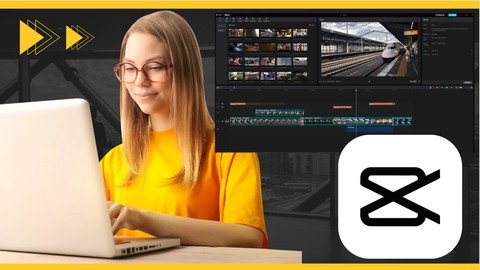
Welcome to Capcut: a complete guideWe are really excited to bring you this ClassMy name is Bill and I've been working in trainingand filmmaking for 30 yearsIn this course we are going to take you throughCapcut editing softwareIf you don't know what this isIt's a free editing software from the same companythat brought you TikToK.And for mobile phone creators it's becoming hugely popular.It has an amazing set of video effects and features built right into it.What's more, it's totally free.Not only is it great for TikTok type videosIt's also an amazing editing software for Instagram, YouTubeand cinematic videos.It works on :iPhoneAndroidiPadChromebookMacWindows Desktop**Note: I'll be using a Window PC in this course ***So whatever device you havewhether you like to edit on your phone or on a full desktop you're covered.My goal for you in this course is to have great grasp of this softwareI'll show you all of the best features this software has to offerIncluded is the practice files that I am using so you can follow alongThey are in the resources area of this course.The project for this course is for you to take the things we will work throughand create a 60 second video of your own.Then post it here so we can all enjoy it.If you make TikTok, instagram, or youtube videos . This courseIs for youSo let's just get right into it and learn Capcut.Items covered :Downloading the SoftwareHomepage tour and adding mediaEditing -cutting out the bad bitsAdding B rollAdding TextAdding transitionsAdding effectsAdding Sound and musicColor gradingExporting your movie
Overview
Section 1: Capcut: A complete guide
Lecture 1 Introduction
Lecture 2 Downloading the software & watermark removal
Lecture 3 Software Overview and media import
Lecture 4 Editing: Cutting out the bad bits
Lecture 5 Adding B Roll
Lecture 6 Adding Text
Lecture 7 Adding Transitions
Lecture 8 Adding Effects
Lecture 9 Adding Music and sound effects
Lecture 10 Color Grading
Lecture 11 Exporting your movie
Lecture 12 Summary & wrap up
Beginner video makers that want to use this free software to edit videos
Homepage
https://www.udemy.com/course/capcut-the-complete-guide/DOWNLOAD LINK


Links are Interchangeable - No Password - Single Extraction
See full article