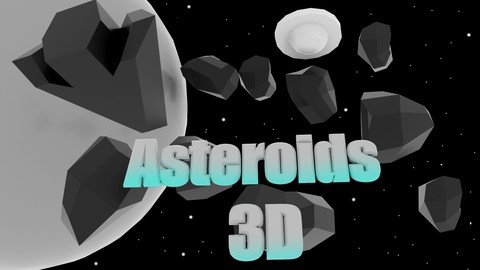
Unity Tutorial Asteroids 3D
Date: 27 August 2022 | Posted by: voska89
Last updated 7/2018
MP4 | Video: h264, 1280x720 | Audio: AAC, 44.1 KHz
Language: English | Size: 1.61 GB | Duration: 3h 27m
Learn how to create an Asteroids 3D Spacer Shooter Game in Unity.
What you'll learn
You will have a complete Game like the Asteroids in 3D like in the 1970's.
You will learn basic coding in C#. (coroutines, enum, transforms, keyboard inputs....)
Requirements
You need Unity 4.6 + since we will make use of the Canvas System.
Some basic knowledge in Unity & C# is always helpful especially when it comes to debugging.
For menus and possible graphics, any graphics program knowledge is always helpful.
Description
In this Unity Video Course you will learn how to create your own Asteroids 3D Space Shooter Top Down Game using the Unity Game Engine. For the functionality we write C# Code in Monodevelop.UnityYou will learn to create the complete process in Unity and setup everything neededI will show you how you can setup the playfield and organize the Hierarchy. We use the Canvas System for Grafics or Score later which requires Unity 4.6+C#We will put in functionality with scripts using Monodevelop and C# (you can also use Visual Studio)We will implement Keyboard inputs for steering the shipWe will create a "wrapping" system to keep all asteroids in playWe will create simple AI for the Ufo enemyAs a result of this course you will have a finished Space Shooter Game based on Asteroids. In the end you can change all 3D Models to your own and optimize all to create a Shooter like that in any style you like.Level: IntermediateVideo Course Length: ~3hours Unity Version required: 4.6+
Overview
Section 1: Introduction
Lecture 1 Introduction
Section 2: The Playfield & The Player
Lecture 2 Import Assets, Camera and Playfield setup
Lecture 3 Player Movement #1
Lecture 4 Player Movement #2
Lecture 5 Wrapping Objects in the Playfield
Section 3: Bullets
Lecture 6 Shooting Bullets #1
Lecture 7 Shooting Bullets #2
Section 4: Asteroids
Lecture 8 Spawning Asteroids #1
Lecture 9 Spawning Asteroids #2
Lecture 10 Spawning Asteroids #3
Lecture 11 Spawning Asteroids #4
Lecture 12 Spawning Asteroids #5
Lecture 13 Spawning Asteroids #6
Lecture 14 Asteroid Explosions
Section 5: Scene Updates
Lecture 15 Playfield Clean Up
Lecture 16 Starfield
Section 6: GameManager
Lecture 17 Game Manger #1 - Asteroid Amount
Lecture 18 Game Manager #2 - Score
Lecture 19 Game Manager #3 - Win Condition
Lecture 20 Game Manager #4 - Increment Levels & Asteroids
Lecture 21 Game Manager #5 - Lose Condition
Lecture 22 Game Manager #6 - No Velocity
Section 7: User Interface & Visuals
Lecture 23 User Interface #1 - Canvas
Lecture 24 User Interface #2 - UI Manager
Lecture 25 Game Over Scene #1 - The Scene
Lecture 26 Game Over Scene #2 - Scoreholder
Lecture 27 Disable Shooting when Dead Fix
Section 8: Ufo Enemy
Lecture 28 Ufo Setup #1 - Variables
Lecture 29 Ufo Setup #2 - Move & Shoot
Lecture 30 Ufo Setup #3 - Collisions
Lecture 31 Ufo Setup #4 - Final Setup
Lecture 32 Ufo Setup #5 - Spawn Ufos
Lecture 33 Ufo Setup #6 - Bullet Damage to Player
Section 9: Menu Navigation & Final Setups
Lecture 34 Menu Scene & Navigation
Lecture 35 Extra Lifes
Lecture 36 Reset on Restart
Lecture 37 Final Touches
Beginners in Unity which are interested into making games.,If you want to get at least any Game done you can start here.
Homepage
https://www.udemy.com/course/unity-tutorial-asteroids-3d/DOWNLOAD LINK

https://rapidgator.net/file/10bb51adfb12b937a741fb86263445f8/ixnpl.Unity.Tutorial.Asteroids.3D.part1.rar.html
https://rapidgator.net/file/9198cf7cb13f3503487b3dbdcacb381d/ixnpl.Unity.Tutorial.Asteroids.3D.part2.rar.html

https://uploadgig.com/file/download/136cea88cf420A53/ixnpl.Unity.Tutorial.Asteroids.3D.part2.rar
https://uploadgig.com/file/download/e93a937649feF9ff/ixnpl.Unity.Tutorial.Asteroids.3D.part1.rar

https://nitroflare.com/view/0679ED4E0E7280F/ixnpl.Unity.Tutorial.Asteroids.3D.part1.rar
https://nitroflare.com/view/2D7D87D1A0EBFC7/ixnpl.Unity.Tutorial.Asteroids.3D.part2.rar
Links are Interchangeable - No Password - Single Extraction
See full article