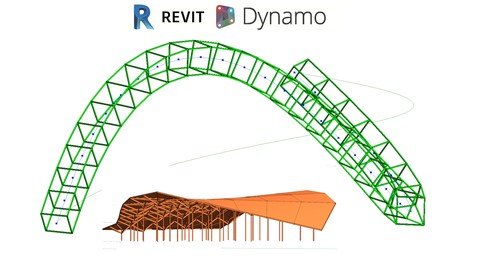
Revit 2020 Modeling Structure Module Config And Custom Nodes
Date: 27 August 2022 | Posted by: voska89
Last updated 1/2020
MP4 | Video: h264, 1280x720 | Audio: AAC, 44.1 KHz
Language: English | Size: 1.33 GB | Duration: 2h 7m
Learn how to use Dynamo 2.1 for Modeling Structure elements on Revit 2019
What you'll learn
How to create Floors, Structural Columns and Structural Framings using sets of geometrical rules
How to get a deep overview to all model elements.
How to review that information assets comply with the values set.
Requirements
Need to know how to model in Autodesk Revit
Need to know Dynamo Modeling Basics for Geometry Analysis and Player
Description
This course it's part of a new series of developments towards bringing Dynamo as main platform tool on BIM processes for any type of project.We will start with a general overview of dynamo, creationg of elements, Structural Columns, Framings, Connections, Foundations Walls and Floors setting creation of other elements required for structure and other samples.Dynamo its expanding on Autodesk Softwares, its now available on Civil 3d, Formit, Alias, and Advanced Steel, and as far as I had reasearch posibilities still remain endless so next series of courses would explore the limits of Dynamo for all users on several workflows.We will study ways to create elements integrated together and connect further to set construction possibilities.This course was develop by a client's requirement to speed up dynamo learning focused only on structure for a general use so it speed up the process of jumping to dynamo by the required practical tools, user interface tools and dynamo player capabilities.This course it's designed for Middle Dynamo Users so they can create with the Practical BIM Nodes and jump into customize the scripts the way they need itDynamo its been used all over the world for speeding up Revit Models, Enabling impossible modeling, Project Management, QTOS and Documents, and to set around workflows between different types.Unravel your full potential for Modeling and Programming and enjoy at any time the freedom of posibilities to make technology work the way you need it to.Take advantage of posting questions, and join on all channels to be uptodate for all the amazing posibilities that in any time can transform your way of working, to change it forever
Overview
Section 1: Introduction
Lecture 1 Introduction
Lecture 2 Dynamo BIM Overview with Revit 2020
Lecture 3 Structural Elements and Families
Lecture 4 Dynamo Introduction
Section 2: Dynamo Basic Requirements
Lecture 5 Inputs_Lists_Dynamo Generic Workflow
Lecture 6 Points_Curves_Surfaces
Lecture 7 Create Revit Elements
Lecture 8 Revit Input and Outputs
Section 3: Structural Module Configuration and Custom Nodes
Lecture 9 Custom Nodes
Lecture 10 Creation of Modules
Lecture 11 Tridimentional Structure
Lecture 12 Framing on Tridimensional Structure
Lecture 13 Floor Based Creation
Section 4: Structure Creation over Path elements
Lecture 14 Using Lines to Create a multiple Structure
Lecture 15 Setting Modules and Revit Elements
Structural Engineers that want to deliver their models faster,Structural Engineers that what to solve or model elements by Dynamo use
Homepage
https://www.udemy.com/course/rstrdyncn/DOWNLOAD LINK

https://rapidgator.net/file/028cd83b455866ccea7d8ccbd4863338/ciuta.Revit.2020.Modeling.Structure.Module.Config.And.Custom.Nodes.part2.rar.html
https://rapidgator.net/file/dcf8dfbd18e23872d4c697f62e54e9ca/ciuta.Revit.2020.Modeling.Structure.Module.Config.And.Custom.Nodes.part1.rar.html

https://uploadgig.com/file/download/19b08f5C78771317/ciuta.Revit.2020.Modeling.Structure.Module.Config.And.Custom.Nodes.part1.rar
https://uploadgig.com/file/download/7e7D94607aCaC4c3/ciuta.Revit.2020.Modeling.Structure.Module.Config.And.Custom.Nodes.part2.rar

https://nitroflare.com/view/E94DE9A34157A3B/ciuta.Revit.2020.Modeling.Structure.Module.Config.And.Custom.Nodes.part1.rar
https://nitroflare.com/view/F7B36F90BC45D80/ciuta.Revit.2020.Modeling.Structure.Module.Config.And.Custom.Nodes.part2.rar
Links are Interchangeable - No Password - Single Extraction
See full article