Learn To Build A 3D Puzzle Game With Unity
Date: 27 August 2022 | Posted by: voska89
Last updated 9/2016
MP4 | Video: h264, 1280x720 | Audio: AAC, 44.1 KHz
Language: English | Size: 3.05 GB | Duration: 5h 13m
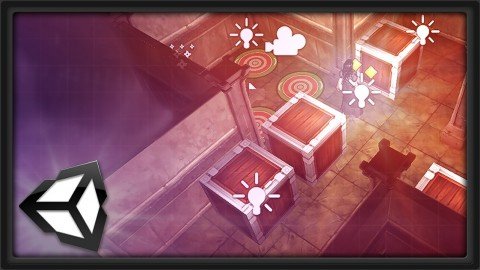
Explore the process of building a complete 3D puzzle game inside of Unity - from start to finish!
What you'll learn
Lean to build a 3D puzzle game inside of the Unity engine
Lean to import meshes, textures, and animations into the Unity Game Engine
Learn the basics of scripting game elements in Unity
Requirements
Unity
Autodesk's Maya
Description
In this course, instructor Alan Thorn takes you through the process of building a 3D puzzle game inside of the Unity engine. Here he will cover a range of topics including project creation, level design, lightmapping, skinning, animation state machines, collision detection, and camera creation just to name a few.
(Students - please look under Section 1 / Lecture 1 downloads for the source files associated with the lesson.)
More about the Instructor
Alan Thorn is a game developer, author and educator with 15 years industry experience. He makes games for PC desktop, Mobile and VR. He founded 'Wax Lyrical Games' and created the award-winning game 'Baron Wittard: Nemesis of Ragnarok', working as designer, programmer and artist. He has written sixteen technical books on game development and presented ten video training courses, covering game-play programming, Unity development, and 3D modelling. He has worked in game development education as a visiting lecturer for the 'National Film and Television School', as a Lead Teacher for 'Uppingham School', and is currently a Senior Lecturer at 'Teesside University' where he helps students develop the skills needed for their ideal role in the games industry.
Overview
Section 1: Project Overview and Constructing the Gameplay Space
Lecture 1 Download Course Files Here!
Lecture 2 Introduction
Lecture 3 Project Overview
Lecture 4 Configuring a New Project
Lecture 5 Importing Assets
Lecture 6 Configuring Meshes and Audio
Lecture 7 Creating Materials
Lecture 8 Starting Level Design
Lecture 9 Completing Level Design
Lecture 10 Using Props
Lecture 11 Scene Lighting
Lecture 12 Lightmap Preparation
Lecture 13 Starting Lightmapping
Lecture 14 Lightmap Resolution
Lecture 15 Final Lightmap
Lecture 16 Adding More Levels
Section 2: Importing Animations and Learning Movement
Lecture 17 Introduction
Lecture 18 Exploring Rigged Meshes
Lecture 19 Bones and Hierarchies
Lecture 20 Rigs and Avatars
Lecture 21 Skinning and Muscles
Lecture 22 Exploring Animation Clips
Lecture 23 Cheer Animation
Lecture 24 Walking and Pushing Animations
Lecture 25 Getting Started with State Machines
Lecture 26 Parameters and Transitions
Lecture 27 Completing the Walk Transition
Lecture 28 Completing the State Machine
Lecture 29 Scripting and Mecanim
Lecture 30 Creating Movement Mechanics
Lecture 31 Looking Forward
Section 3: Working with Moving Objects, Collisions, and Building the Camera
Lecture 32 Introduction
Lecture 33 Movement Overview
Lecture 34 Getting Started with Rotation
Lecture 35 Completing Player Movement
Lecture 36 Adding Crates
Lecture 37 Adding Colliders
Lecture 38 Planning Collision Detection
Lecture 39 Point Intersection
Lecture 40 Movement Validation
Lecture 41 Hand and Crate Contact
Lecture 42 Introducing Inverse Kinematics
Lecture 43 Using Empty Objects as IK End Links
Lecture 44 Scripting with IK
Lecture 45 Completing the IK Rig
Lecture 46 Adding Crate Destinations
Lecture 47 Detecting End Conditions
Lecture 48 Creating Chase View Cameras
Section 4: Building Level Conditions, Understanding Game Settings, and FX
Lecture 49 Introduction
Lecture 50 The Game Manager
Lecture 51 Singletons
Lecture 52 Preparing for Level Switching
Lecture 53 Checking for a Win Condition
Lecture 54 Loading the Next Level
Lecture 55 Real Time Lighting
Lecture 56 Using Light Probes
Lecture 57 Adding Background Music
Lecture 58 Adding a Torch Prop
Lecture 59 Starting the Fire Particle System
Lecture 60 Refining the Fire Particle System
Lecture 61 Completing the Fire Particle System
Lecture 62 More Prefabs
Lecture 63 Image Effects
Lecture 64 Testing Resolutions
Lecture 65 Game Settings
Lecture 66 Moving Onwards
Section 5: Additional Game Programming, Final Bug Testing, and Conclusion
Lecture 67 Introduction
Lecture 68 The Road Ahead
Lecture 69 Player Preferences
Lecture 70 Testing Player Prefs
Lecture 71 Exploring XML
Lecture 72 Introducing Data Serialization
Lecture 73 Serializing Transformation Data
Lecture 74 Extending the Data Manager
Lecture 75 Saving and Loading with the DataManager
Lecture 76 Revising the GameManager
Lecture 77 Saving Games with the GameManager
Lecture 78 Restoring Games with the GameManager
Lecture 79 Persistent Data Path
Lecture 80 Testing Load and Save Games
Lecture 81 Bug Alert
Lecture 82 Fixing the Restore Bug with Persistent Objects
Lecture 83 Conclusion
Lecture 84 Bonus Lecture: Further Learning with 3dmotive
Intermediate game artists and designers interested in building games in Unity
Homepage
https://www.udemy.com/course/3dmotive-learn-to-build-a-3d-puzzle-game-with-unity/DOWNLOAD LINK

https://rapidgator.net/file/1879a944a518e9dd0ce072afc352cf98/jided.Learn.To.Build.A.3D.Puzzle.Game.With.Unity.part3.rar.html
https://rapidgator.net/file/3465c3029b61f9d7a2dce701eb7b371f/jided.Learn.To.Build.A.3D.Puzzle.Game.With.Unity.part2.rar.html
https://rapidgator.net/file/bb4e6b066f966856fdcc422c58f134e2/jided.Learn.To.Build.A.3D.Puzzle.Game.With.Unity.part1.rar.html
https://rapidgator.net/file/d50a509a717170f57044e08ccbf3d53c/jided.Learn.To.Build.A.3D.Puzzle.Game.With.Unity.part4.rar.html

https://uploadgig.com/file/download/93aBa9d1e46300b1/jided.Learn.To.Build.A.3D.Puzzle.Game.With.Unity.part2.rar
https://uploadgig.com/file/download/F59cf0ca59863e65/jided.Learn.To.Build.A.3D.Puzzle.Game.With.Unity.part1.rar
https://uploadgig.com/file/download/a55D389659e681e8/jided.Learn.To.Build.A.3D.Puzzle.Game.With.Unity.part3.rar
https://uploadgig.com/file/download/db0cf5Ed894ba1ee/jided.Learn.To.Build.A.3D.Puzzle.Game.With.Unity.part4.rar

https://nitroflare.com/view/6356A7A2832E2F4/jided.Learn.To.Build.A.3D.Puzzle.Game.With.Unity.part2.rar
https://nitroflare.com/view/92D6FF42DE7C86F/jided.Learn.To.Build.A.3D.Puzzle.Game.With.Unity.part4.rar
https://nitroflare.com/view/BC909C343339B3A/jided.Learn.To.Build.A.3D.Puzzle.Game.With.Unity.part1.rar
https://nitroflare.com/view/CF1BADC6CF800BD/jided.Learn.To.Build.A.3D.Puzzle.Game.With.Unity.part3.rar
Links are Interchangeable - No Password - Single Extraction
See full article