Learn Character Animation For Games Using Maya
Date: 27 August 2022 | Posted by: voska89
Last updated 9/2016
MP4 | Video: h264, 1280x720 | Audio: AAC, 44.1 KHz
Language: English | Size: 2.74 GB | Duration: 4h 41m
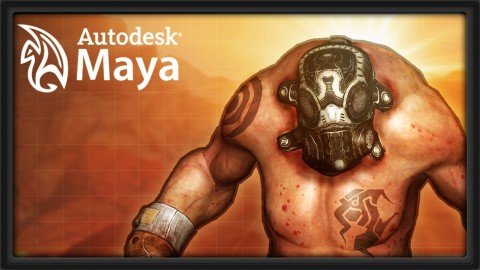
Using Maya, learn to create a walk and run cycle, hit reaction animations, a simple traversal animation, and more!
What you'll learn
Learn the basics of Character Animation for games
Learn how to create a walk cycle, run cycle, hit reaction, and traversal animations
Learn to create animations from scratch, using references, or a combination of both
Requirements
Autodesk's Maya
Description
In this course, instructor Justin Harrison walks through the process of creating various animations commonly found within a game environment. Here he shows us how to create a walk cycle, run cycle, hit reaction animation, and a simple traversal animation while either animating from scratch, using reference, or a combination of both. The pre-rigged character is also available as part of the course for you to practice with! (Students - please look under Section 1 / Lecture 1 downloads for the character to use with the lesson.) More about the Instructor: Justin Harrison is a Character and Technical Animator with more than 7 years experience in the game development industry. Currently, he is working for Molten Games in Del Mar, CA on an unannounced title. Previously he has worked for for both Activision and Sony on titles such as The Bourne Conspiracy, Ghostbusters: The Game, as well as Transformers: War for Cybertron to name a few. Justin holds a BFA in Digital Art and Animation from the College for Creative Studies, and has a generalist skill set that ranges from artistic modeling and asset creation, to motion capture and keyframe animation, to technical rigging and character setup.
Overview
Section 1: Getting Started, and The Basic Walk Cycle
Lecture 1 Introduction
Lecture 2 Animating the Lower Body 01
Lecture 3 Animating the Lower Body 02
Lecture 4 Animating the Upper Body 01
Lecture 5 Animating the Upper Body 02
Section 2: The Run Cycle
Lecture 6 Introduction
Lecture 7 Animating the Lower Body 01
Lecture 8 Animating the Lower Body 02
Lecture 9 Animating the Upper Body 01
Lecture 10 Animating the Upper Body 02
Section 3: Dynamic Action Poses
Lecture 11 Introduction
Lecture 12 Base Poses 01
Lecture 13 Base Poses 02
Lecture 14 Base Poses 03
Lecture 15 Splining 01
Lecture 16 Splining 02
Lecture 17 Finishing Touches
Section 4: More Dynamics with Jumping and Motion!
Lecture 18 Introduction
Lecture 19 Blocking 01
Lecture 20 Blocking 02
Lecture 21 Splining the Motion
Lecture 22 Piecing it All Together
Lecture 23 Bonus Lecture: Further Learning with 3dmotive
Beginner to Intermediate animators,Those with a basic understanding of animating a rigged character
Homepage
https://www.udemy.com/course/3dmotive-learn-character-animation-for-games-using-maya/DOWNLOAD LINK

https://rapidgator.net/file/1a58b7671198ef95489254ef6839b8b0/cppkb.Learn.Character.Animation.For.Games.Using.Maya.part3.rar.html
https://rapidgator.net/file/39b0d9737c9210e593a3ab25c16f62d7/cppkb.Learn.Character.Animation.For.Games.Using.Maya.part1.rar.html
https://rapidgator.net/file/abb9f13919231363664355884eadd71d/cppkb.Learn.Character.Animation.For.Games.Using.Maya.part2.rar.html

https://uploadgig.com/file/download/03C457Fe384cF725/cppkb.Learn.Character.Animation.For.Games.Using.Maya.part2.rar
https://uploadgig.com/file/download/138dfBf2FEf2c529/cppkb.Learn.Character.Animation.For.Games.Using.Maya.part1.rar
https://uploadgig.com/file/download/7939a3a7D77Ffc68/cppkb.Learn.Character.Animation.For.Games.Using.Maya.part3.rar

https://nitroflare.com/view/3D0808118321F0F/cppkb.Learn.Character.Animation.For.Games.Using.Maya.part1.rar
https://nitroflare.com/view/98A28CF8D600841/cppkb.Learn.Character.Animation.For.Games.Using.Maya.part3.rar
https://nitroflare.com/view/AAA6DA0C1685B2E/cppkb.Learn.Character.Animation.For.Games.Using.Maya.part2.rar
Links are Interchangeable - No Password - Single Extraction
See full article