Create Animations From Photos Learn After Effects Hands-On
Date: 27 August 2022 | Posted by: voska89
Published 8/2022
MP4 | Video: h264, 1280x720 | Audio: AAC, 44.1 KHz
Language: English | Size: 1.42 GB | Duration: 2h 1m
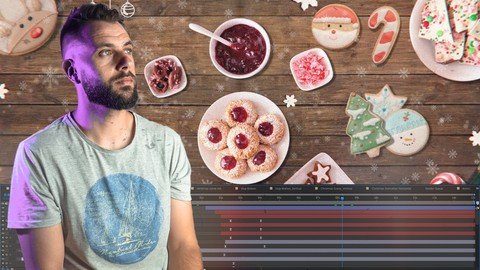
Learn After Effects hands-on by creating a Christmas Themed Animation from Photos. Become an After Effects Animator!
What you'll learn
Tools and Techniques for cutting-out objects in Photoshop
Animation Principles in After Effects
Retro Look in After Effects
Particle Animation in After Effects
Techniques used on Real TV commercials
Export settings for TV and Social Media
Practical Learning
Requirements
Basic Photoshop and After Effects experience needed. Excellent for beginners.
Description
Have you been wanting to learn After Effects since forever, but never gotten to do it.The software looks intimidating, all the courses you've found are too theoretical, you watch unrelated tutorials all the time, the course are too long and you get bored. I've been on the same place and this is why I've created this course to teach you After Effects in a practical and fun way.In this course you will learn After Effects by creating a modern Christmas Themed Animation in less than 2 hours.Better than that, I have created more than a 100 of this type of animations for TV commercial openings. You will be learning in a practical way hands-on and also building a valuable skill you can later sell to your clients.My goal is to share my knowledge with you, so you can become a successful animator.You will learn how to cut-out objects in Photoshop, Animating in After Effects, Techniques by a real professional with more than 10 years in the field, you will add Effects, install useful plugins, Learn how to Export for TV and Social Media and much more.You will learn all the techniques hands-on by creating a Chrismas themed animation.The format will be a bit different than most other courses. Instead of jumping between unrelated concepts in every video and showing examples that have nothing to do with one another, we will learn entirely through practice.In the final assessment you will have to create you own animation, by taking photos at home and repeating what you've learned in the course.The course is perfect for beginners.I'm waiting for you inside!
Overview
Section 1: Introduction
Lecture 1 What you will learn in this course
Lecture 2 About Me
Section 2: Creative Brief and Find the Right Photos
Lecture 3 Creative Brief and Find the Right Photos
Section 3: Production
Lecture 4 Cutting out objects in Photoshop
Lecture 5 Install FX Console Plugin
Lecture 6 Import the PSD in After Effects
Lecture 7 Animate the Position of the Objects
Lecture 8 Animate the Rotation of the Objects
Lecture 9 Simple Expressions Animation
Lecture 10 Text Animation
Lecture 11 Add Snow with Particles
Lecture 12 Create a Retro Look
Lecture 13 Transition
Lecture 14 Create a Vertical Version for Social Media
Lecture 15 Exporting the Video for TV and Social Media
Section 4: Final Assignment
Lecture 16 Create your own themed animation
Animators, Photographers, Designers, Filmmakers of every level
Homepage
https://www.udemy.com/course/create-animations-from-photos-learn-after-effects-hands-on/DOWNLOAD LINK

https://rapidgator.net/file/0d6f3652b0dd92c19dd3d0fb9e20a12b/zlvev.Create.Animations.From.Photos.Learn.After.Effects.HandsOn.part1.rar.html
https://rapidgator.net/file/5598ec762c1628d0ca10d7f85773efe9/zlvev.Create.Animations.From.Photos.Learn.After.Effects.HandsOn.part2.rar.html

https://uploadgig.com/file/download/B412e1E5A44336ea/zlvev.Create.Animations.From.Photos.Learn.After.Effects.HandsOn.part1.rar
https://uploadgig.com/file/download/b45be3b1abDEEfe4/zlvev.Create.Animations.From.Photos.Learn.After.Effects.HandsOn.part2.rar

https://nitroflare.com/view/D025AA76FE7A155/zlvev.Create.Animations.From.Photos.Learn.After.Effects.HandsOn.part2.rar
https://nitroflare.com/view/F4B05386FDBC17C/zlvev.Create.Animations.From.Photos.Learn.After.Effects.HandsOn.part1.rar
Links are Interchangeable - No Password - Single Extraction
See full article